96 Operator Maintenance
_______________________________________________________________________________________________
________________________________________________________________________________________________
MICROPLEX Operator’s Manual SOLID F90 HD Edition 1.0
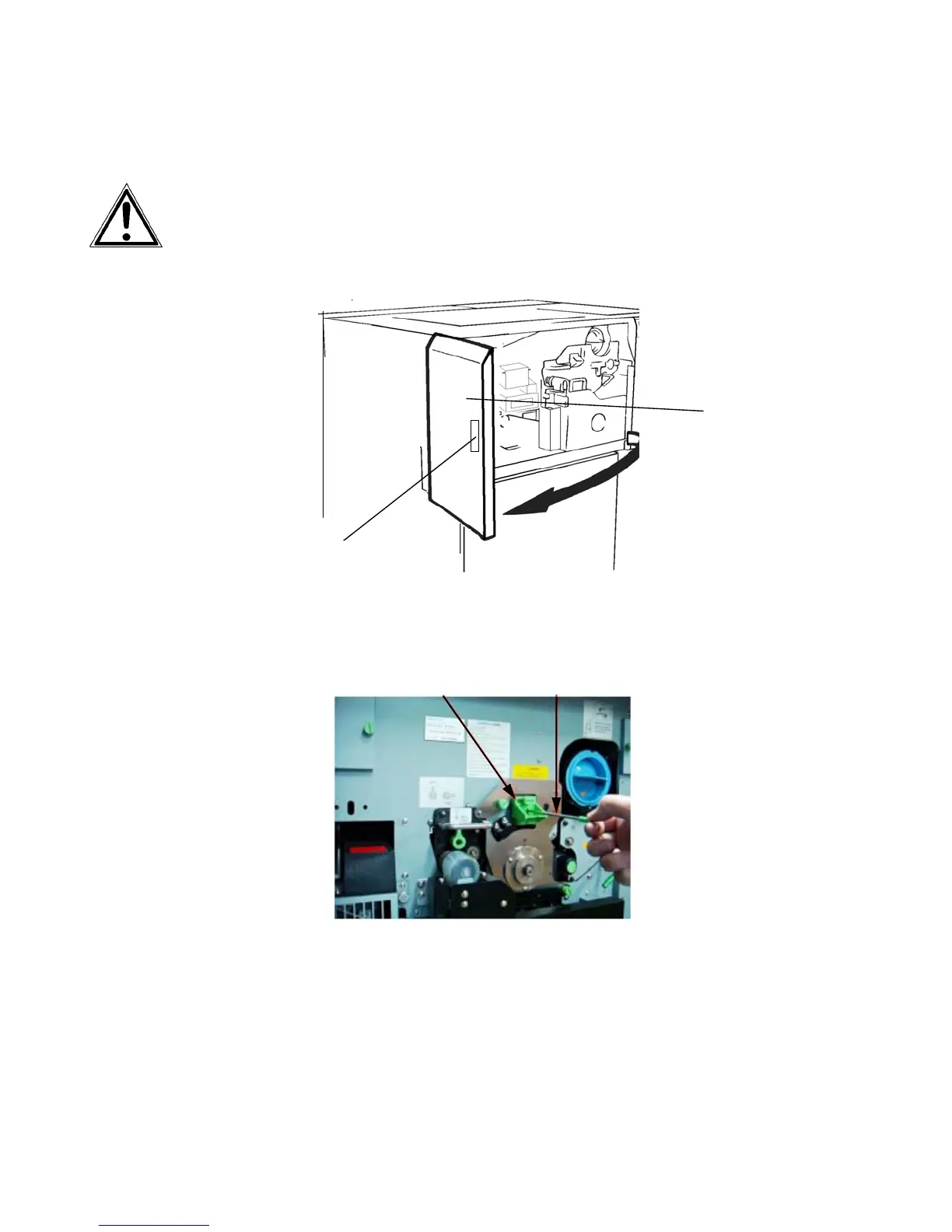
7.1.1. Main Charger Cleaning
Turn off the printer and pull the power plug before start working
at the chargers.
1. Open the front cover of the printer.
Handhold
Fron
cover
2. Pull out the cleaning rod horizontally and then insert it back
several times for cleaning
the wire of the main charger.
Main charger Cleaning rod
3. Loosen the knurled screw of
the main charger and pull o
u
t the
charger.



 To Next Page