84 Printer Cleaning
_______________________________________________________________________________________________
________________________________________________________________________________________________
MICROPLEX Operator’s Manual SOLID F90 HD Edition 1.0
6.1. Cleaning the Elements behind the Front Cover
1.
Turn off the SOLID F90 HD printer and pull the powe
r
plug. Make sure, the printer has been switched off for at
least 15 minutes before you start cleaning the device.
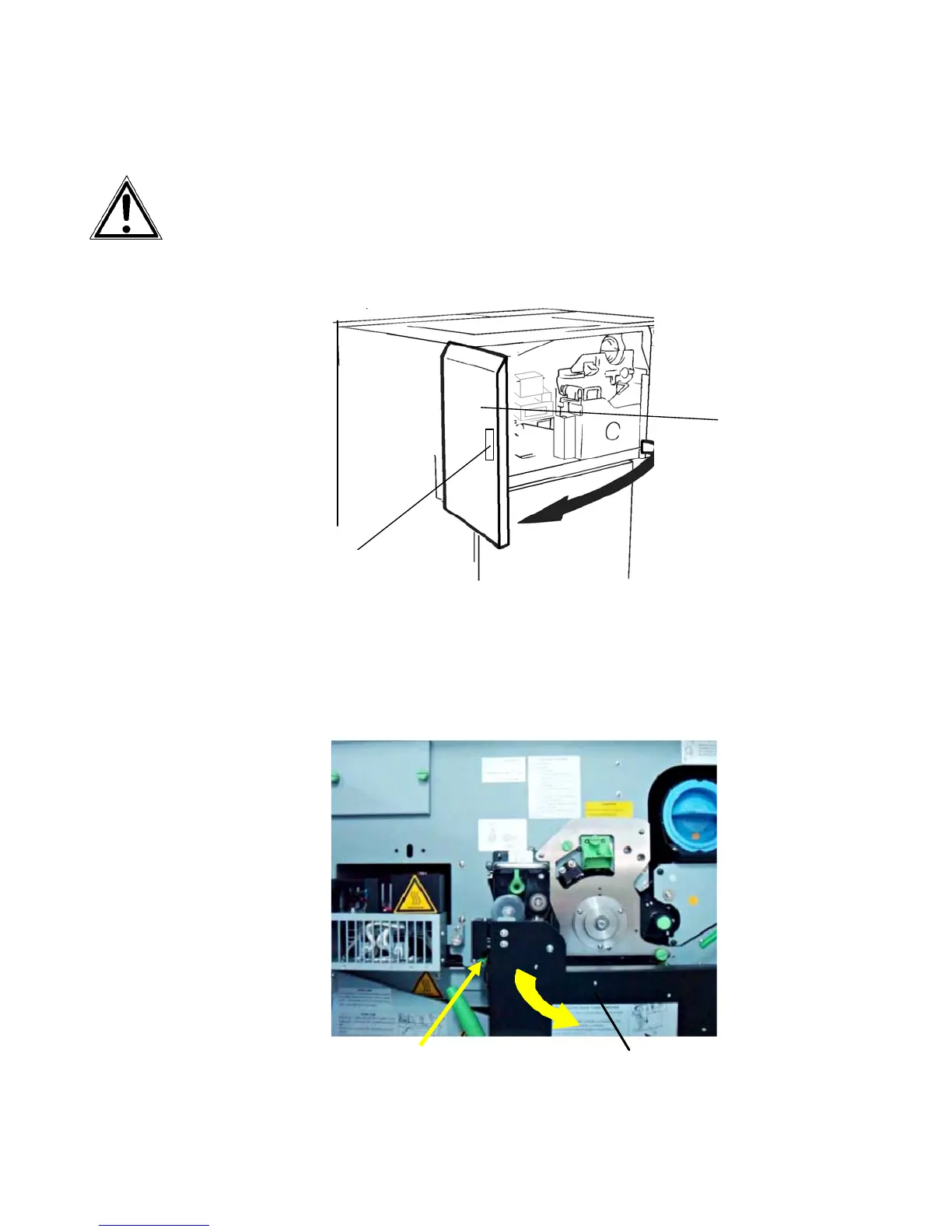
2. Open the front cover of the printer.
Handhold
Fron
cover
3. Using an anti-static service vacuum cleaner, clean up
toner, paper dust or other particles which may have
accumulated.
4. Push down the
open lever of the waste toner recovery unit
and open the unit.
Waste toner recovery unit
Open lever (green)



 To Next Page