Handling of Consumables 27
_______________________________________________________________________________________________
_______________________________________________________________________________________________
MICROPLEX Operator’s Manual SOLID F90 HD Edition 1.0
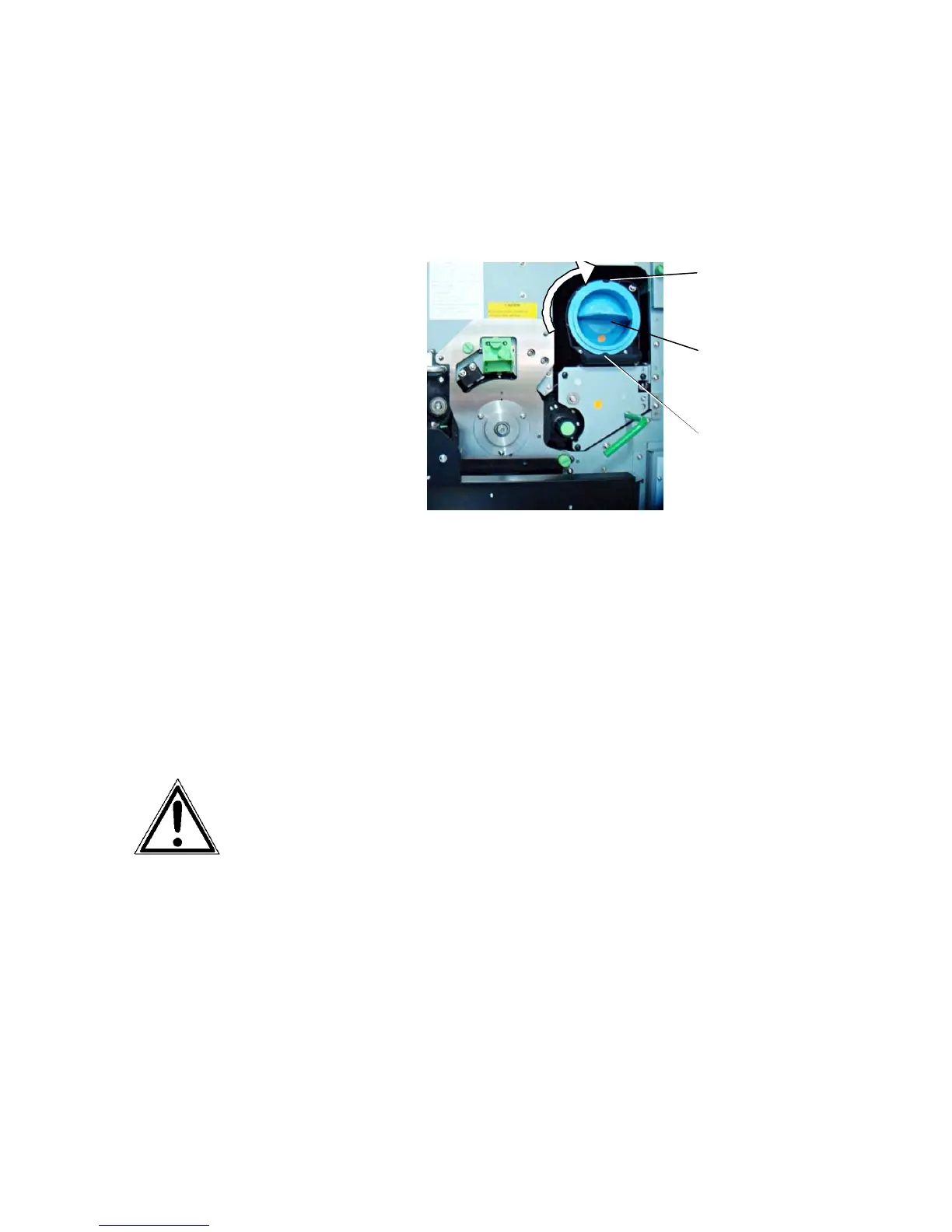
6. Insert the cartridge deeply into the toner hopper until it
stops. For that you have to align the toner cartridge slit
with the developing unit pin. Then slowly turn the
cartridge 180° clockwise.
Pin
Toner cartridg
Slit
(after the
rotation)
7. Close the printer’s front cover.
The announcement [TONER EMPTY!] will
be extinguished.
The toner is easily combustible and should never come in
contact with fire. Disposal will be carried out by your
service engineer. Until disposal please store the cartridge
in a vinyl bag in a closed cardboard box.



 To Next Page