Handling of Consumables 19
_______________________________________________________________________________________________
_______________________________________________________________________________________________
MICROPLEX Operator’s Manual SOLID F90 HD Edition 1.0
3. Handling of Consumables
3.1. Loading Paper
!
!
The printer processes continuous paper in lengths from 7 to 24
inches and width from 6 to 18 inches (including the perforated
margins, 17 inches printable).
You can check the printer configuration (inclusive the settings
regarding paper length etc.) by printing a status sheet (see
section 5.1).
If a large quantity of paper with a paper width smaller than
18 inch has been processed, the printer has to be cleaned first
before you start to process paper with a larger paper width.
See chapter 6 Printer Cleaning (especially section 6.2
Cleaning the Transport Unit) and chapter 7 Operator
Maintenance (especially section 7.1 Charger Cleaning).
1. Turn the printer OFF LINE.
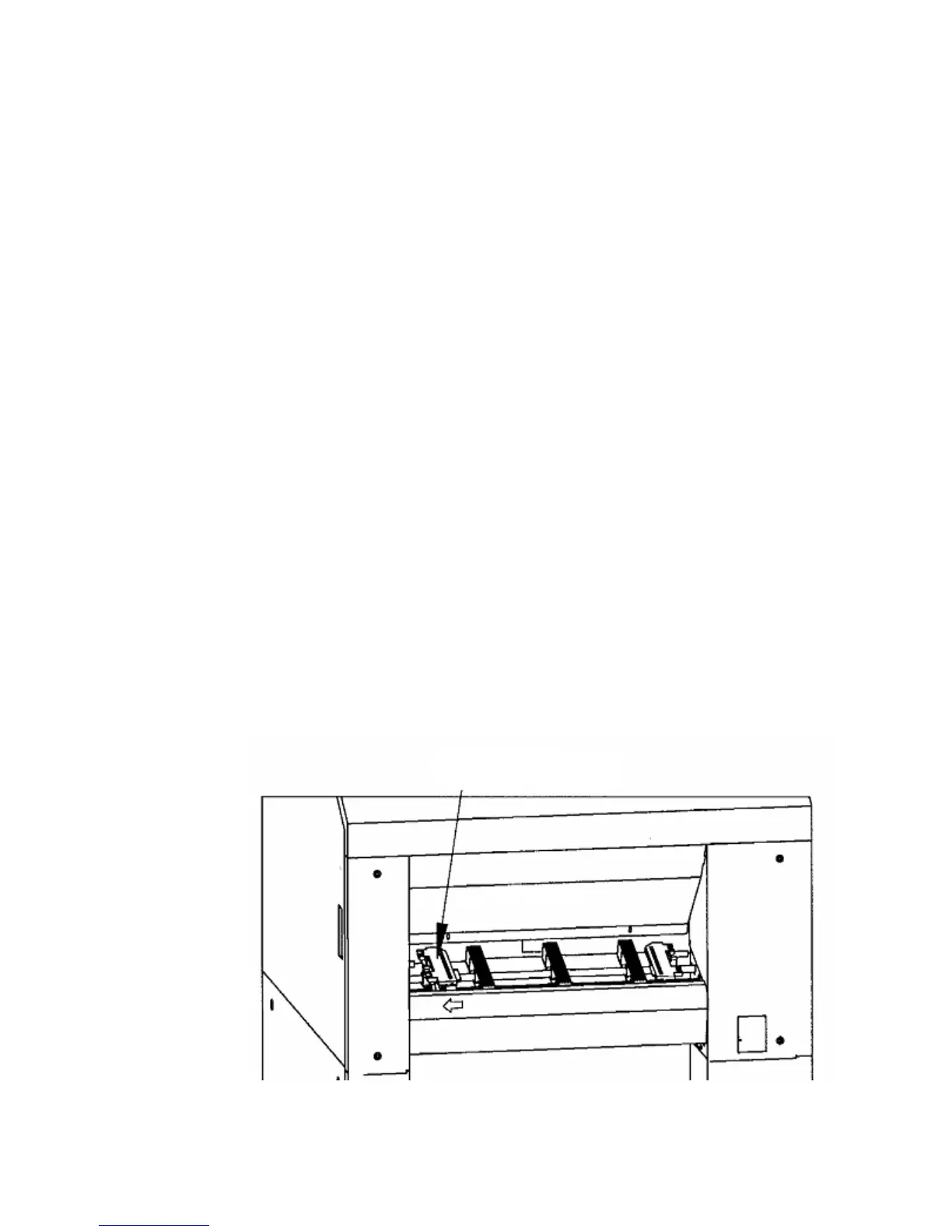
2. Make sure the left tractor is in the left position.
Left Tractor



 To Next Page