14 Installation
_______________________________________________________________________________________________
_______________________________________________________________________________________________
MICROPLEX Operator’s Manual SOLID F90 HD Edition 1.0
2.2. Printer Installation (Environment and Power Standards)
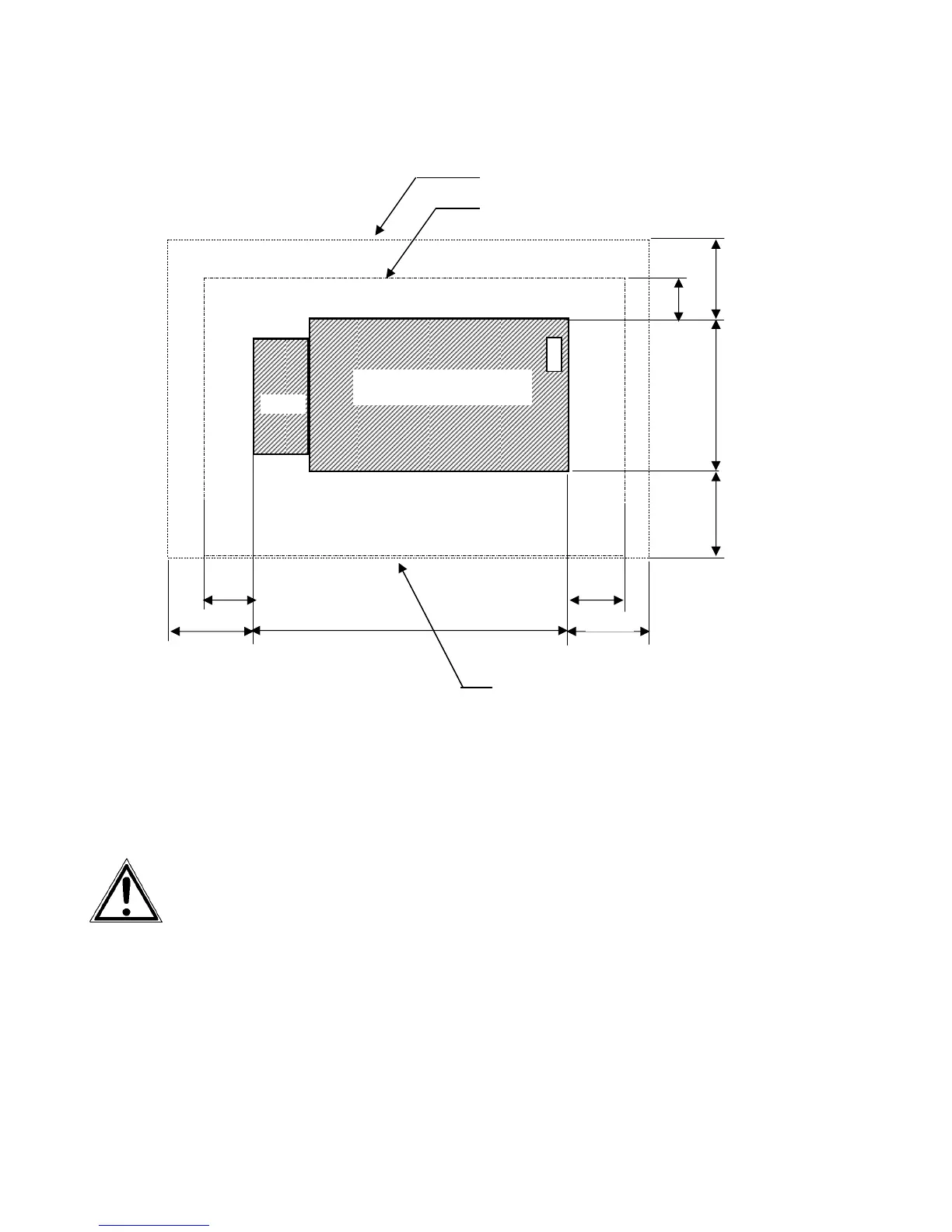
Fig. 2.2.a SOLID F90 HD: Required space (plan view)
- The chosen location should be well ventilated.
- Damaging environmental factors such as metal vapors, oil mist,
corroding lixivium or the like must not come in contact with the
printer.
- Position the printer on solid and level ground.
- Do not expose the printer to shocks or vibrations.
- The printer should not be located near volatile or combustible
materials (e.g. a curtain).
!
The printer’s first installation has to be done by a trained service
engineer.
Space required for maintenance service
Space required for usual printer operation
1000
1000
800
800
1 0 0 0
1 0 0 0
5 0 0
78 0
Space required when
front cover is open
( Unit : mm )
SOLID F90 HD
1320
Stacker
Front cover



 To Next Page