90 Printer Cleaning
_______________________________________________________________________________________________
________________________________________________________________________________________________
MICROPLEX Operator’s Manual SOLID F90 HD Edition 1.0
!
!
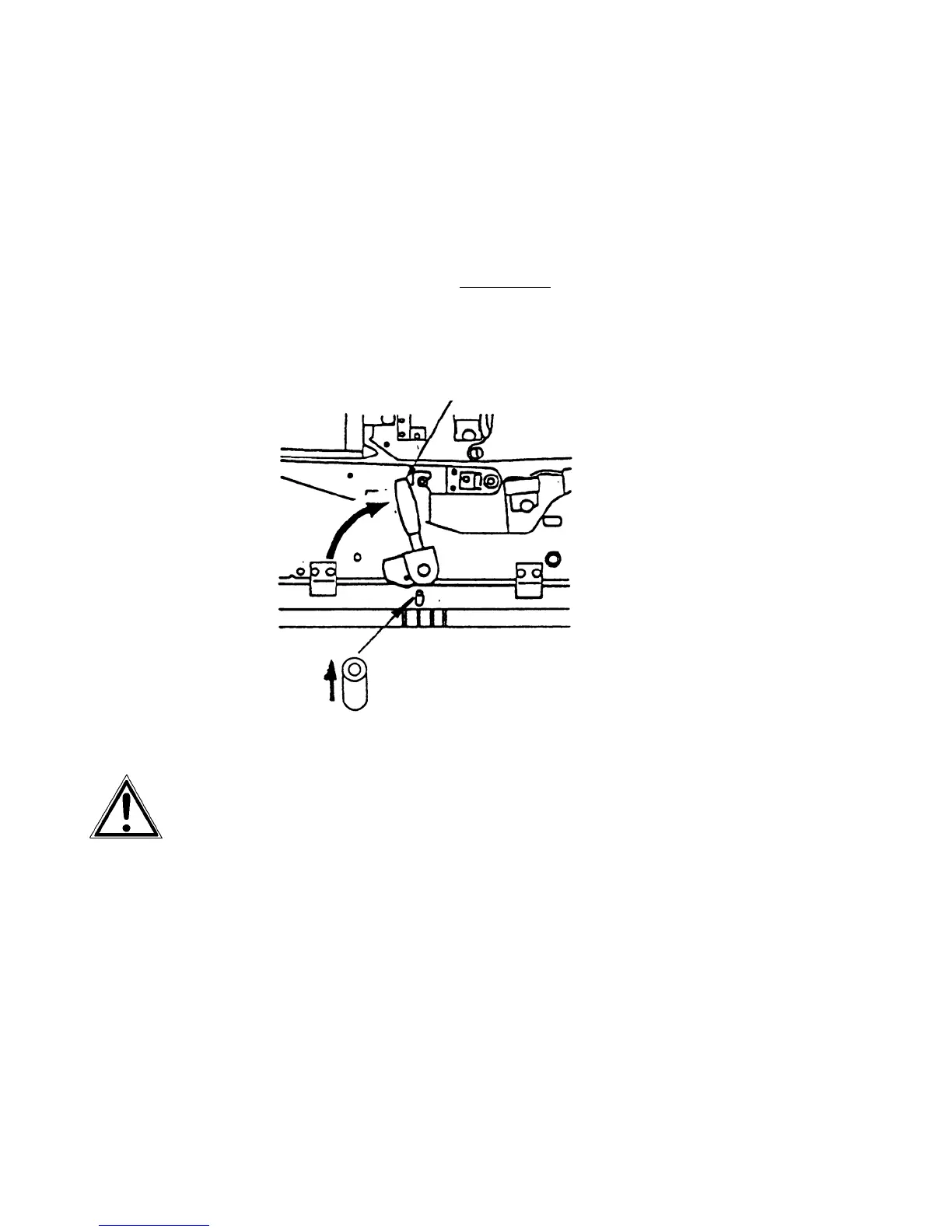
8. Replace the transport unit. The green lever has to
be pressed down for this process. Slide the
transport unit into the printer until it stops w
hile
pressing down the lever (resilience at the end).
Tip up the green lever of the transport
unit to its "up" position.
Pay attention to the second bar
of the transport unit
located under the green lever - it also has to click into
place (second bar up).
Green lever
Second bar up
Green lever and second bar up h
ave to be clicked
into place to avoid damaging the printer.
9. Close the waste toner recovery unit.
Make sure the bars have engaged.
10. Close the printer’s front cover.



 To Next Page