Operator Maintenance 115
_______________________________________________________________________________________________
________________________________________________________________________________________________
MICROPLEX Operator’s Manual SOLID F90 HD Edition 1.0
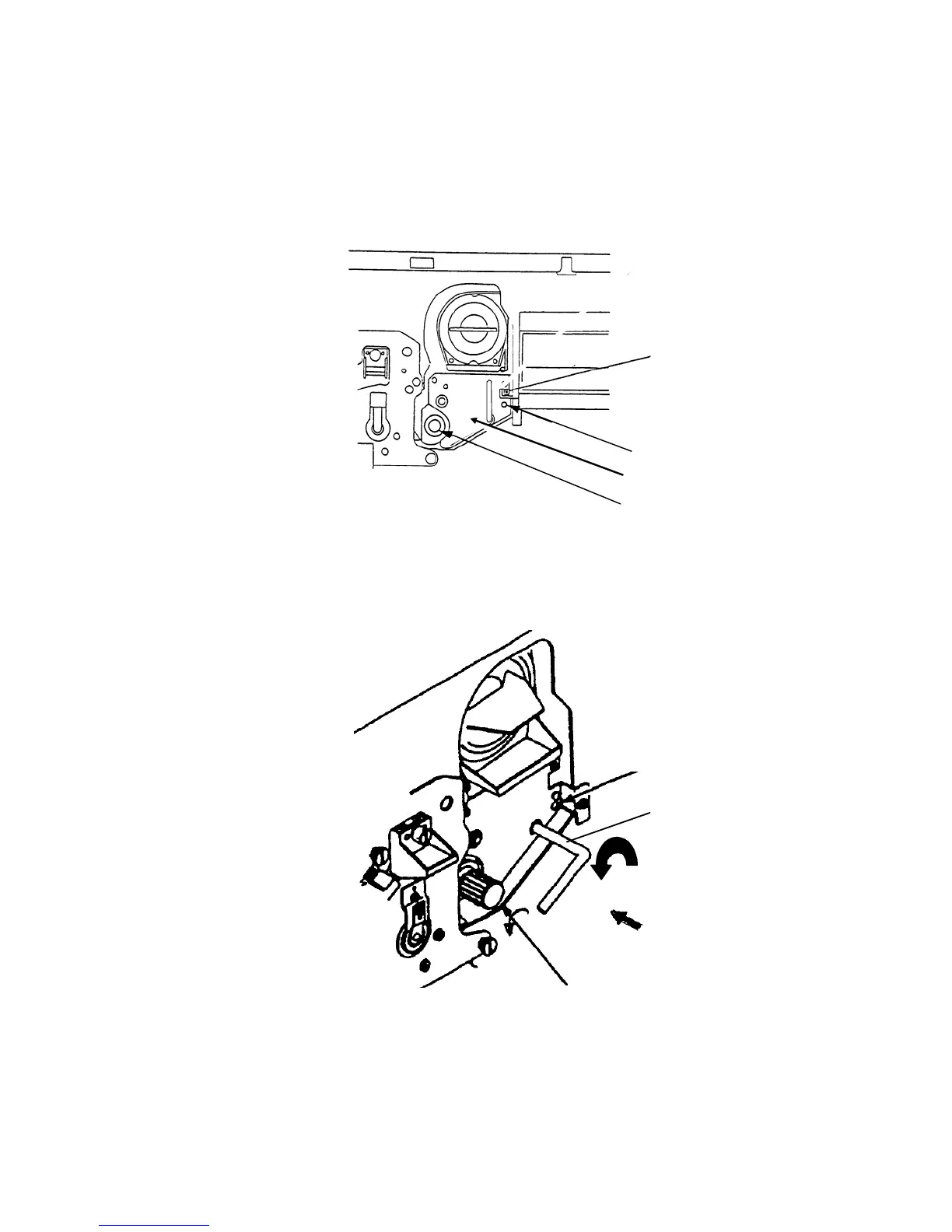
13. Turn the roll knob (F) step by step counterclockwise until you
can slide the unit into its original position. The guiding cone
of the alignment pin has to project through the developer
unit frame completely in the original position.
Alignment pin
Developer unit frame
Roll knob
G
uide rail
14. Turn the lever of the developer unit counterclockwise until it
stops to
fix the position.
Alignment pin
Lever
Roll knob (F)



 To Next Page