6 Functions and settings
Maschinenfabrik Reinhausen 2014 772374092/04 EN TAPCON® 260
x Inductive resistance load in Ω/km per phase
L Length of line in km
K Nominal current factor
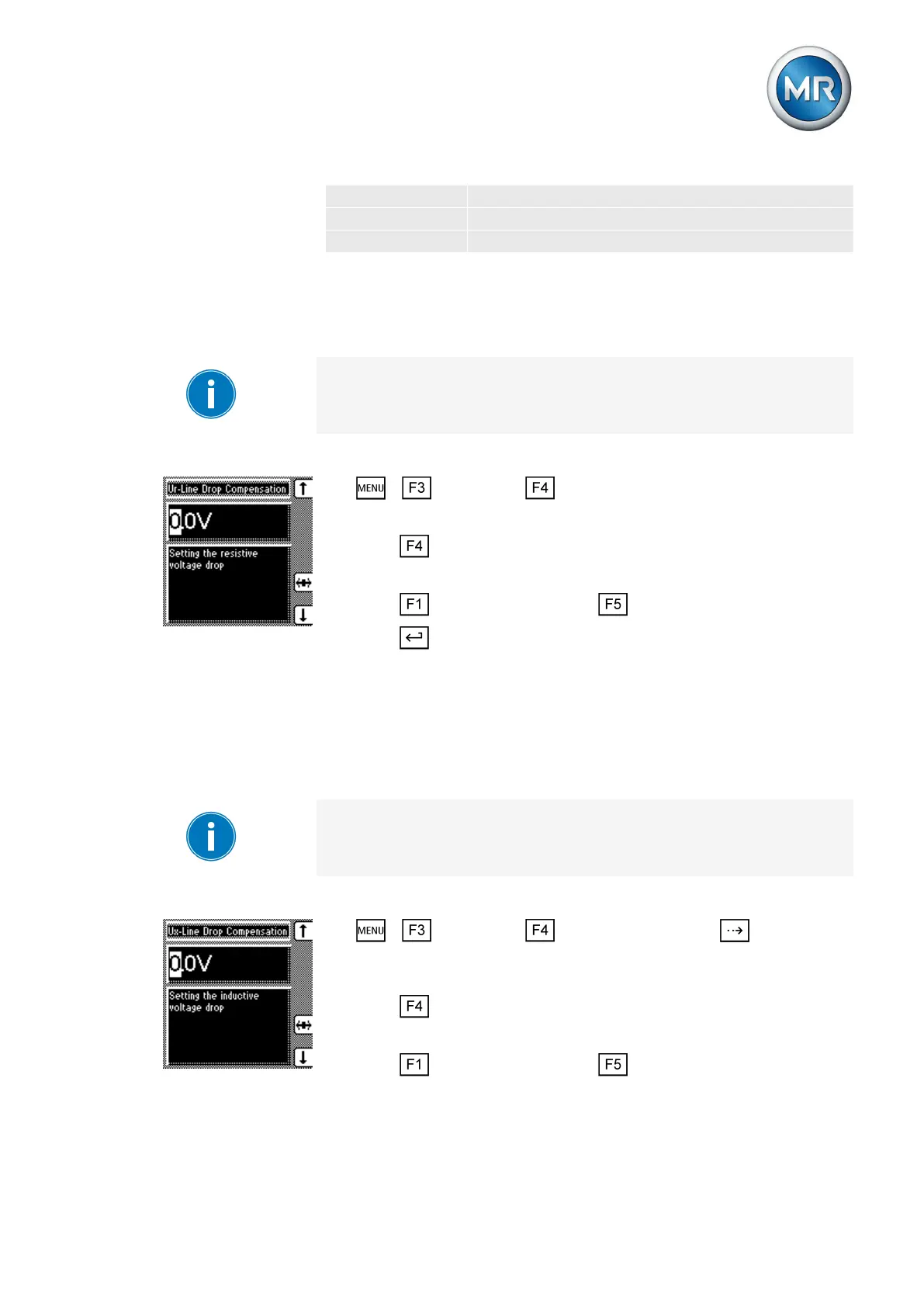
Setting the ohmic voltage drop Vr
You can use this parameter to set the ohmic voltage drop (ohmic resistance
load).
If you do not want to use line drop compensation, you have to set the value
0.0 V.
To set the ohmic voltage drop Vr, proceed as follows:
1. > Parameter > Compensation.
ð Vr line drop compensation.
2. Press to highlight the position.
ð The desired position is highlighted and the value can be changed.
3. Press to increase the value or to reduce it.
4. Press .
ð The ohmic voltage drop Vr is set.
Setting the inductive voltage drop Vx
You can use this parameter to set the inductive voltage drop (inductive re-
sistance load). The compensation effect can be rotated by 180° in the dis-
play using a plus or minus sign.
If you do not want to use line drop compensation, you have to set the value
0.0 V.
To set the inductive voltage drop Vx, proceed as follows:
1. > Parameter > Compensation > Press until the de-
sired parameter is displayed.
ð Vx line drop compensation.
2. Press to highlight the position.
ð The desired position is highlighted and the value can be changed.
3. Press to increase the value or to reduce it.
6.7.1.1
6.7.1.2



 To Next Page