EFA-200/-300 6 Operating modes
6-33
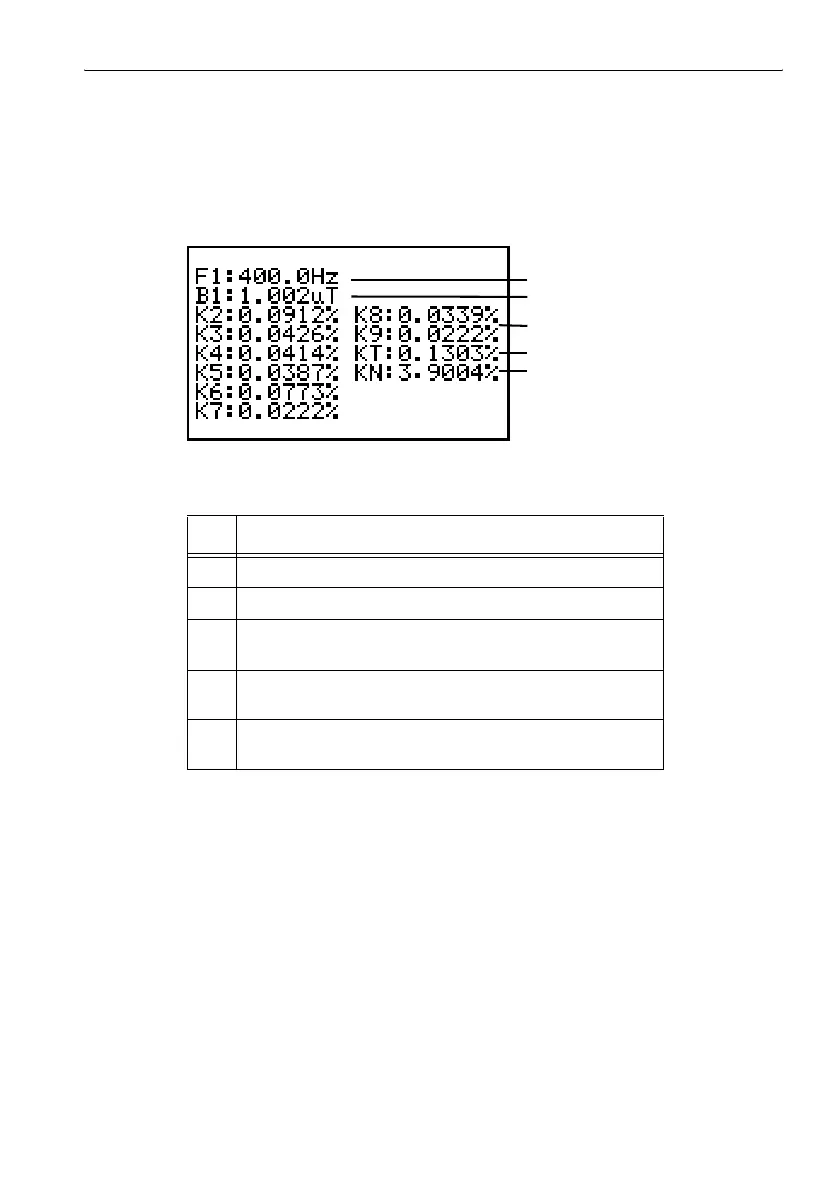
Generating a result list
✓ The device should be in Stop mode.
✓ The main screen of Harmonic Analysis mode should be visible.
⇒ Press the NEXT key.
The result list is displayed.
Figure 6-14 Result list for Harmonic Analysis mode
No. Function
1 Actually measured fundamental frequency
2 Measured value of the fundamental
3 K1 ... K9: Harmonic factor (field strength of harmonics as
percentage of fundamental)
4 KT: Total harmonic content (all harmonics)
(not in VECT PEAK detection mode)
5 KN: Overall noise/harmonic factor (not in VECT PEAK
detection mode)
Table 6-9 Result list for Harmonic Analysis mode
1
5
2
3
4



 To Next Page