→
The Sound slot now mirrors the Plug-in name.
For more information on renaming Sound slots, see section ↑4.2.3, Renaming Sound
Slots.
Set Up a Sound as Send Effect on the Controller
1. Press the CONTROL button to enter Control mode.
2. Press Button 3 to select the SOUND tab
3. Press the Group button A–H of the Group containing the empty Sound you want to use. If
the Group in question is in another bank, before you select the Group you first need to
press SHIFT + the corresponding Group button A–H to select its Group bank.
4. Press SELECT + the unlit pad of the empty Sound you want to use (or simply hit its unlit
pad if pads are in Group mode).
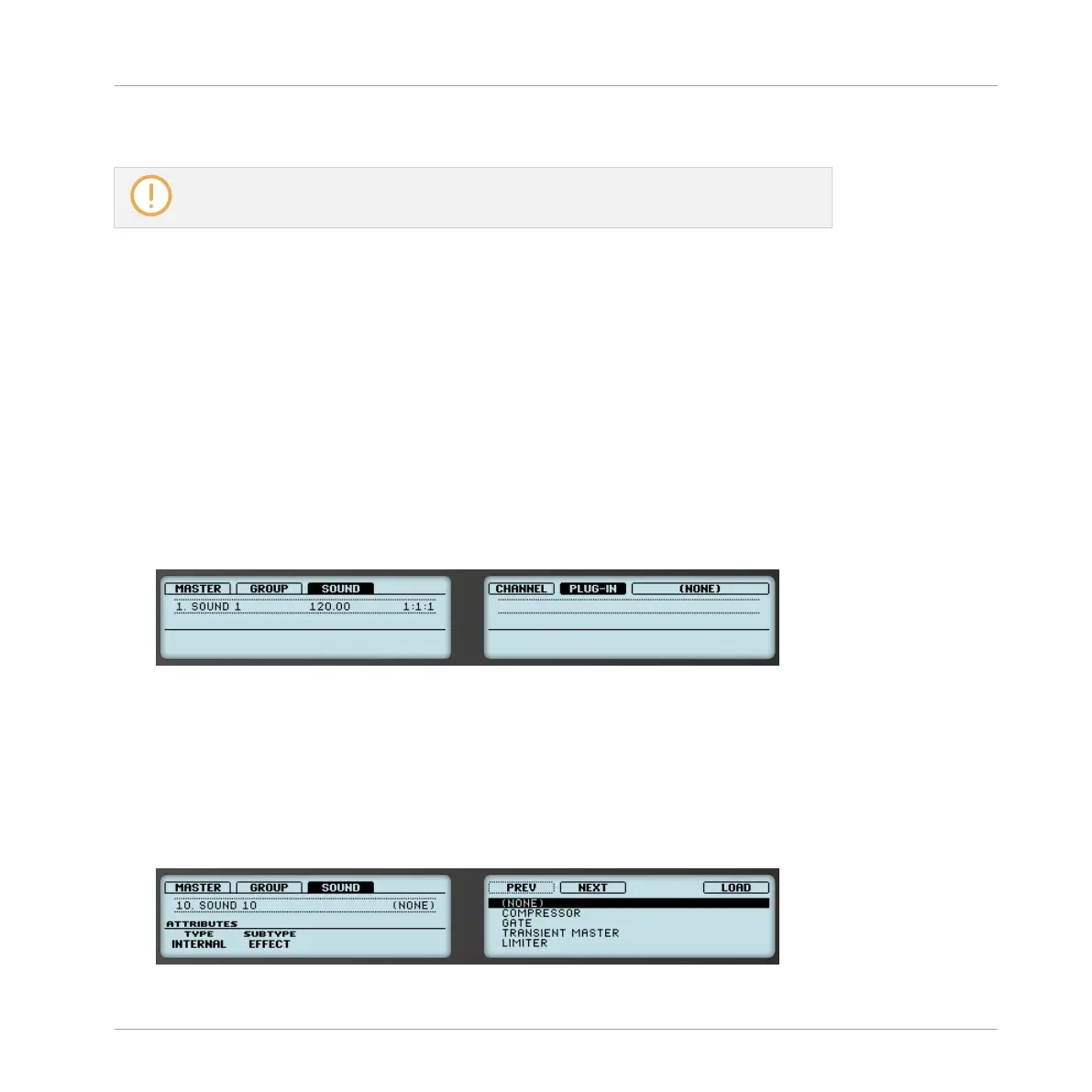
5. Press Button 6 (PLUG-IN) to show the Plug-in slots of the selected Sound.
Since we have selected an empty Sound, you see (NONE) under Button 7/8 and these
buttons are inactive (i.e. there are no Plug-ins to navigate yet).
6. Press SHIFT + BROWSE to open the Plug-in Browser and browse the available Instrument
and Effect Plug-ins.
7. Turn Knob 1 (TYPE) to choose between MASCHINE internal instruments and effects (IN-
TERNAL), VST/AU plug-ins from Native Instruments (NI) or VST/AU plug-ins from third-
party manufacturers (EXTERNAL).
8. Turn Knob 2 to set SUBTYPE to EFFECT.
The right display shows only Effect Plug-ins of the type you have selected.
Using Effects
Creating a Send Effect
MASCHINE - Manual - 598



 To Next Page