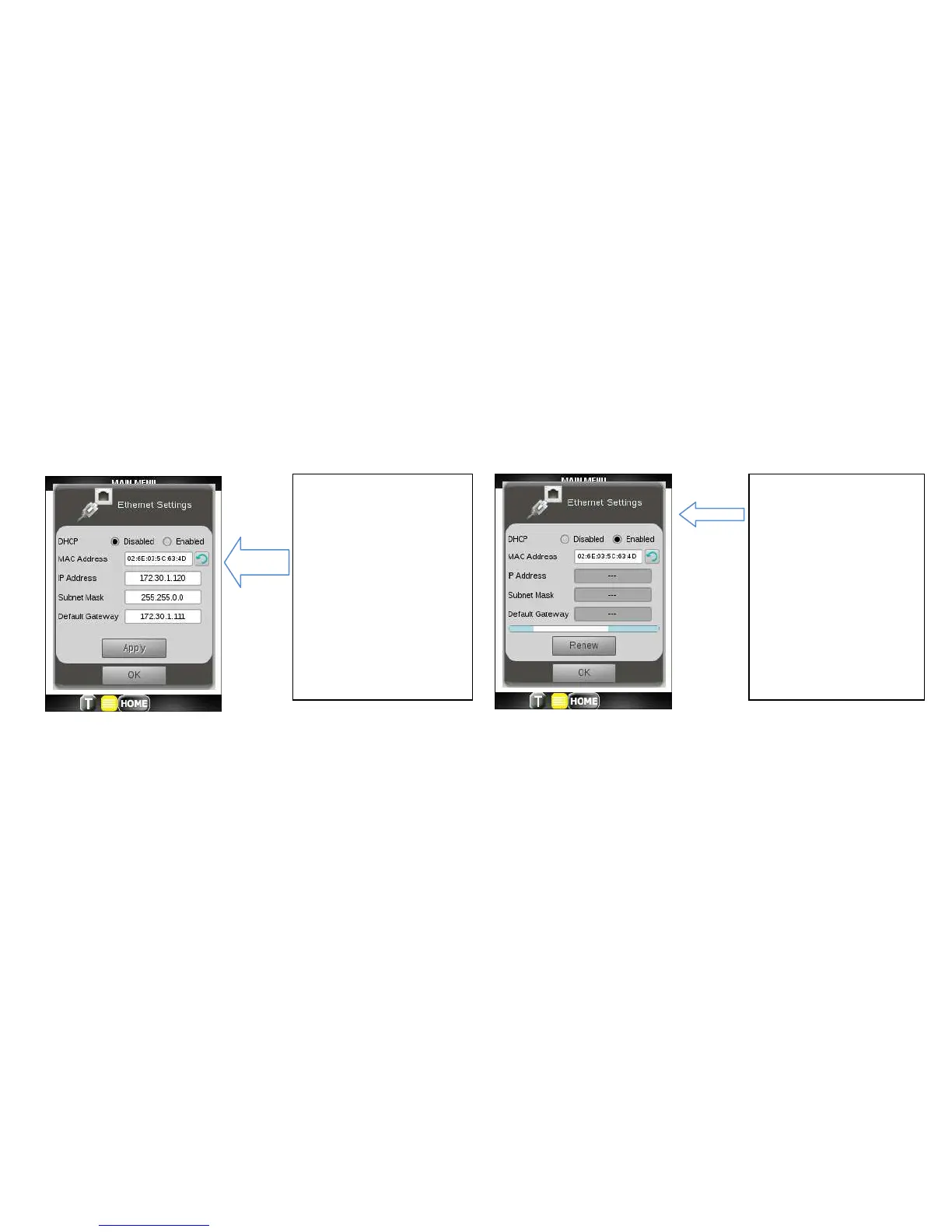
The DHCP radio
button should be
Enabled. The client
will attempt to lease
the IP, Subnet Mask
and Gateway IP
addresses from the
network DHCP
server.
5. Configure to use a Static or Dynamic setting as described below. If using DHCP you will see a blue
progress bar during DHCP processing which will turn green when the settings are successfully leased
from the network DHCP server. Click OK twice.
If the progress bar turns red or if you get a message “DHCP acquisition timeout. Check connections and
retry”, the DHCP request has failed. Also, check the network connections and DHCP availability.



 To Next Page