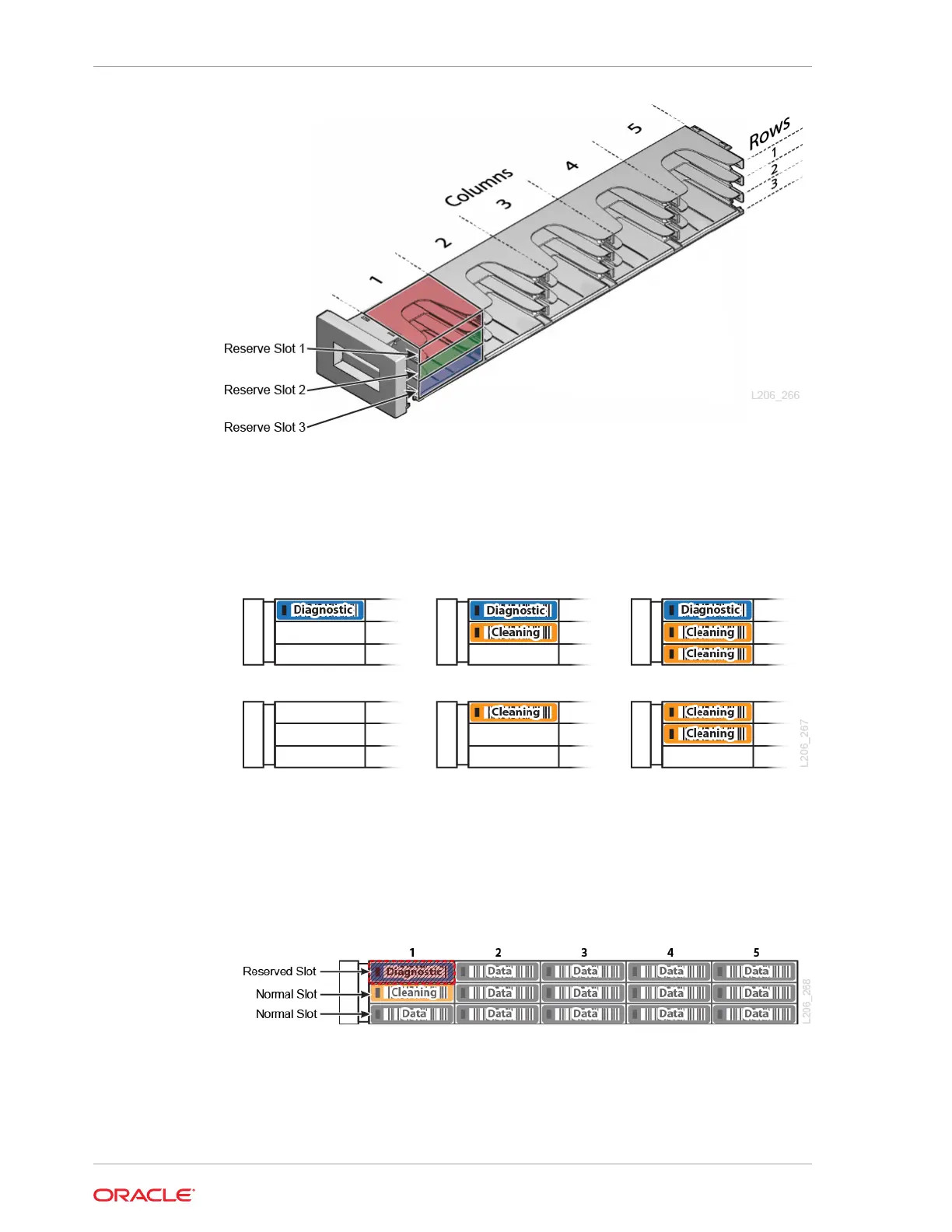
1. Optionally, populate the reserve slots with diagnostic and/or cleaning cartridges
(see Determine the Required Number of Reserved System Slots). Place the
diagnostic cartridge at the top (if using), followed by the cleaning cartridges. The
following are all valid reserve slot configurations:
2. When inserting the cartridges into the magazine, orient the cartridge with the hub
down and the label on the open side of the magazine. Gently push the cartridge
into the slot until the plastic retention spring snaps into place.
3. If using host-managed drive cleaning, place one or two LTO universal cleaning
cartridges in unreserved, data slots. Reserved slots are optional, so the following
figure could represent a valid configuration for host-managed cleaning.
4. Load the remaining slots with data tapes.
5. Once loaded, reinstall the left magazine. Be careful to hold the magazine so that
tapes do not fall out. Push the magazine into place until it latches with a click.
Chapter 6
Load the Magazines (Bulk Loading)
6-10














 To Next Page