4. Pull the magazine a short distance out of the library.
5. Remove the hex key and store it for future use.
6. Support the bottom of the magazine with your other hand during removal.
7. Pull the magazine out of the module, and set it aside. Note the orientation of the
magazine. The left and right side magazines are different.
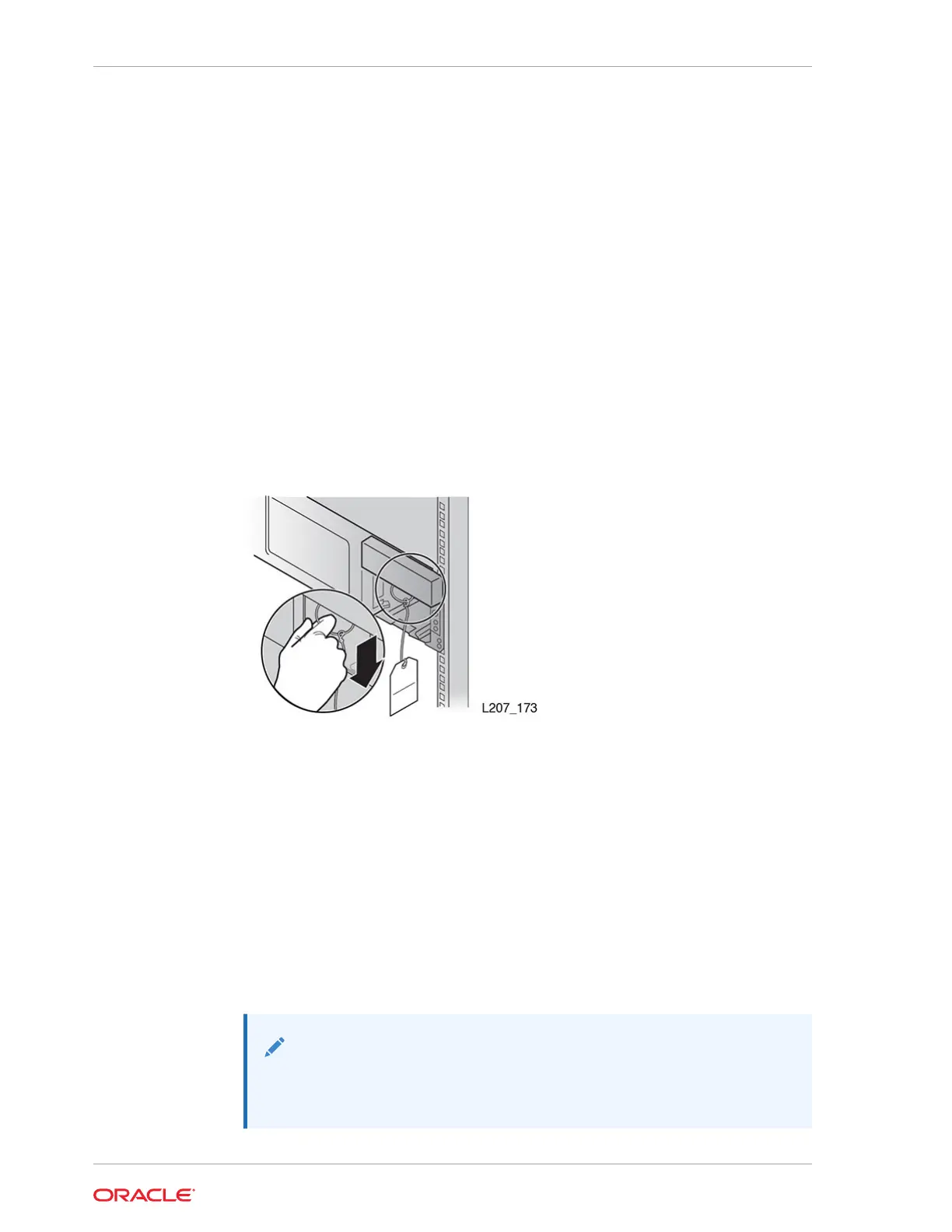
Remove the Cable Clip in the Base Module
A clip secures the cable for shipping. You must remove it during installation.
1. Remove both cartridge magazines from the Base Module.
2. Locate the tag in the right cartridge magazine opening.
3. Grasp the ring and pull down.
4. Discard the cable clip unless you intend to reship the library after rack installation.
Figure 2-10 Cable Clip Removal
Secure the Base Module to the Rack
Two screws secure the module frame to the rack.
1. Obtain the correct screws for your rack (either 10-32, M5, or M6). Use the 10-32
screw when the rack has square mounting holes (this screw mates with the clip
nut).
2. Insert a screw through each bottom hole of the Base Module frame and thread
each a few full turns.
3. Fully tighten both screws.
4. Reinsert the magazines if you are not installing Expansion Modules. Do not put
cartridges in the magazine slots.
Note:
Left and right magazines are unique. Orient the magazine so the
cartridge openings face the Front Control Panel.
Chapter 2
Install the Base Module
2-14














 To Next Page