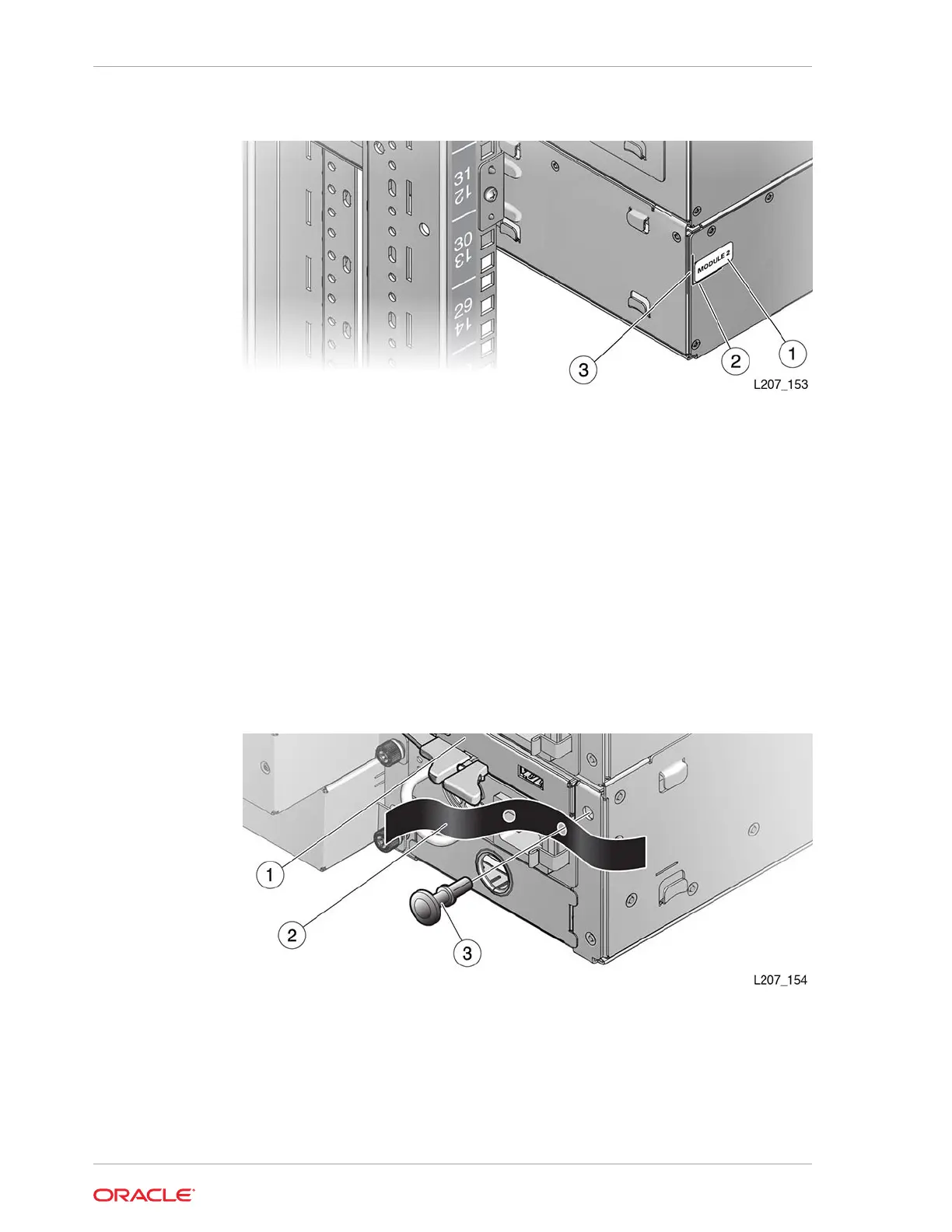
Figure 2-21 Expansion Module ID Label
Illustration Legend:
1 - Module Label
2 - Horizontal Scribe Line
3 - Vertical Scribe Line
Install the Hook and Loop Strap
The hook and loop strap mounts to the rear of the module and assists in cable
management.
1. Insert the rivet into a hole in the hook and loop strap (see Figure 2-22).
Figure 2-22 Hook and Loop Strap
Illustration Legend:
1 - Module Controller
2 - Hook and Loop Strap
3 - Rivet
Chapter 2
Install the Expansion Module
2-24














 To Next Page