• Lock the Robot for Shipment within a Rack
Lock the robot into place when shipping the library installed in the rack.
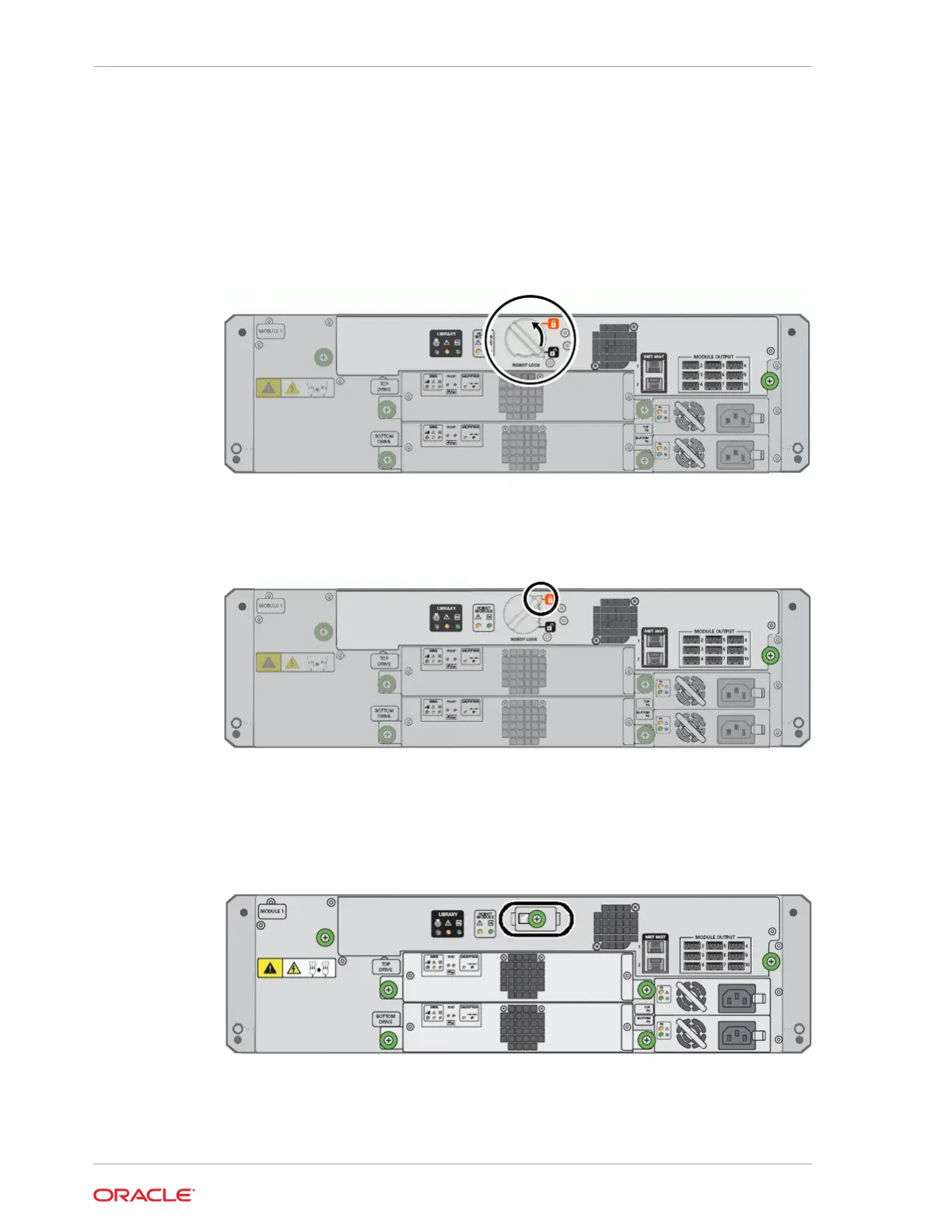
Lock the Knob-type Robot Lock (new version)
The newer lock style is a knob that you twist.
To lock, turn the knob counter-clockwise until it clicks into place.
The pointer on the knob should point past the red, locked padlock icon.
Lock the Thumbscrew-type Robot Lock (older version)
The older lock style has a lock assembly secured with a thumbscrew.
1. Loosen the captive thumbscrew on the lock assembly. Pull the lock straight out
until the long tab comes out of the slot at right.
Chapter 9
Power Off the Library
9-4














 To Next Page