Tip:
For better access to compress the spring, position the clip nut tabs
horizontally and seat the edge toward the outside of the stile. See
Figure 2-8, callout 4.
3. Compress the other edge of the clip nut and seat it in the hole. A small flat blade
screwdriver can simplify the compression.
4. Repeat for each front rail.
Mount the Base Module
The Base Module mounts to the rails and secures to the rack.
WARNING:
The Base Module is heavy. Two people should lift and install it.
• Engage the Base Module with the Rail
• Remove the Cartridge Magazine with the Hex Key
• Remove the Cable Clip in the Base Module
• Secure the Base Module to the Rack
Engage the Base Module with the Rail
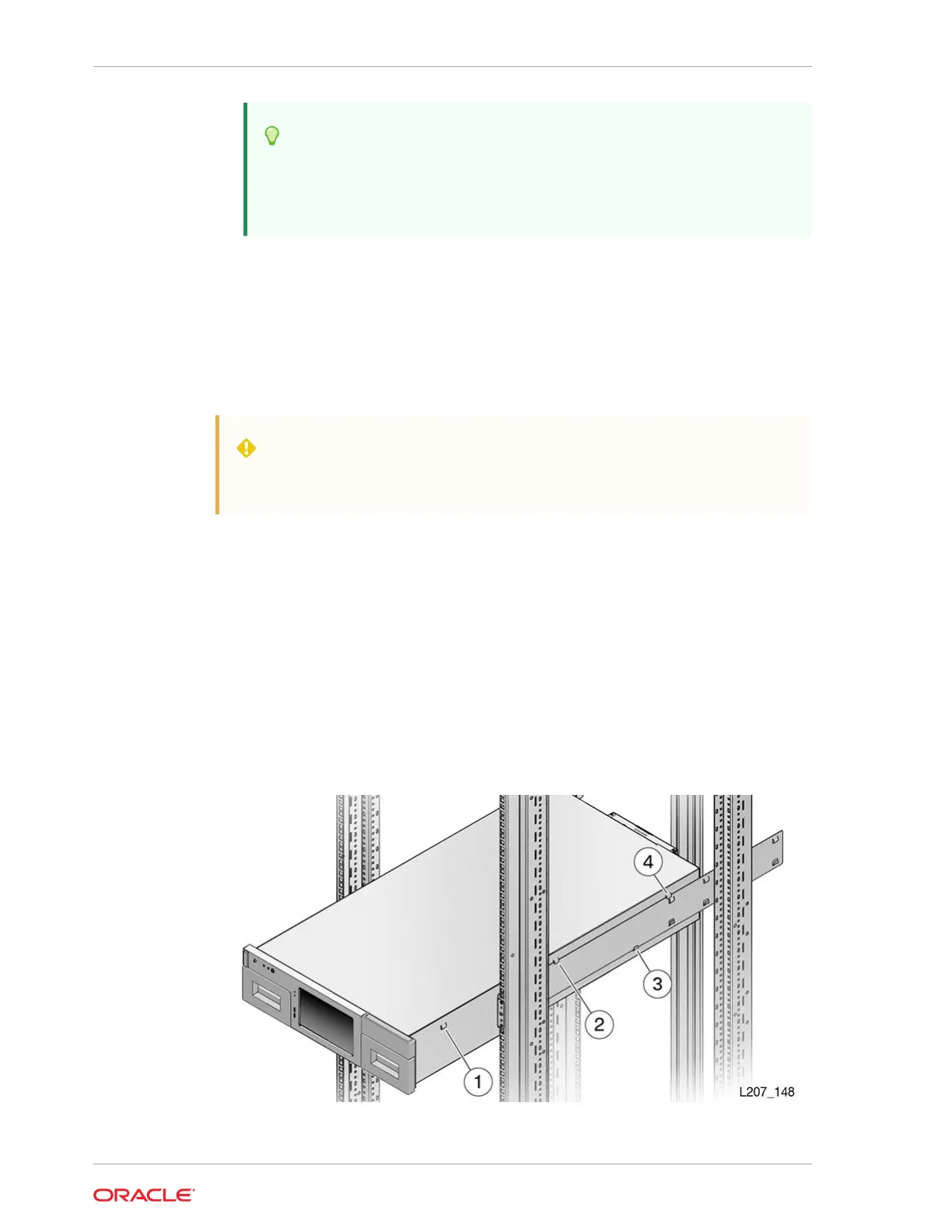
The Base Module has tabs on each side that engage with the rails.
Figure 2-9 Tab and Rail Engagement
Chapter 2
Install the Base Module
2-12














 To Next Page