8
Monitor the Library
Monitor library operations for component failures and operational problems.
• View the Library Screen
• View the Library State
• View User and Host Activity
• Configure Simple Network Management Protocol (SNMP)
• Enable or Disable the Service Delivery Platform (SDP2)
• Configure Email Notifications
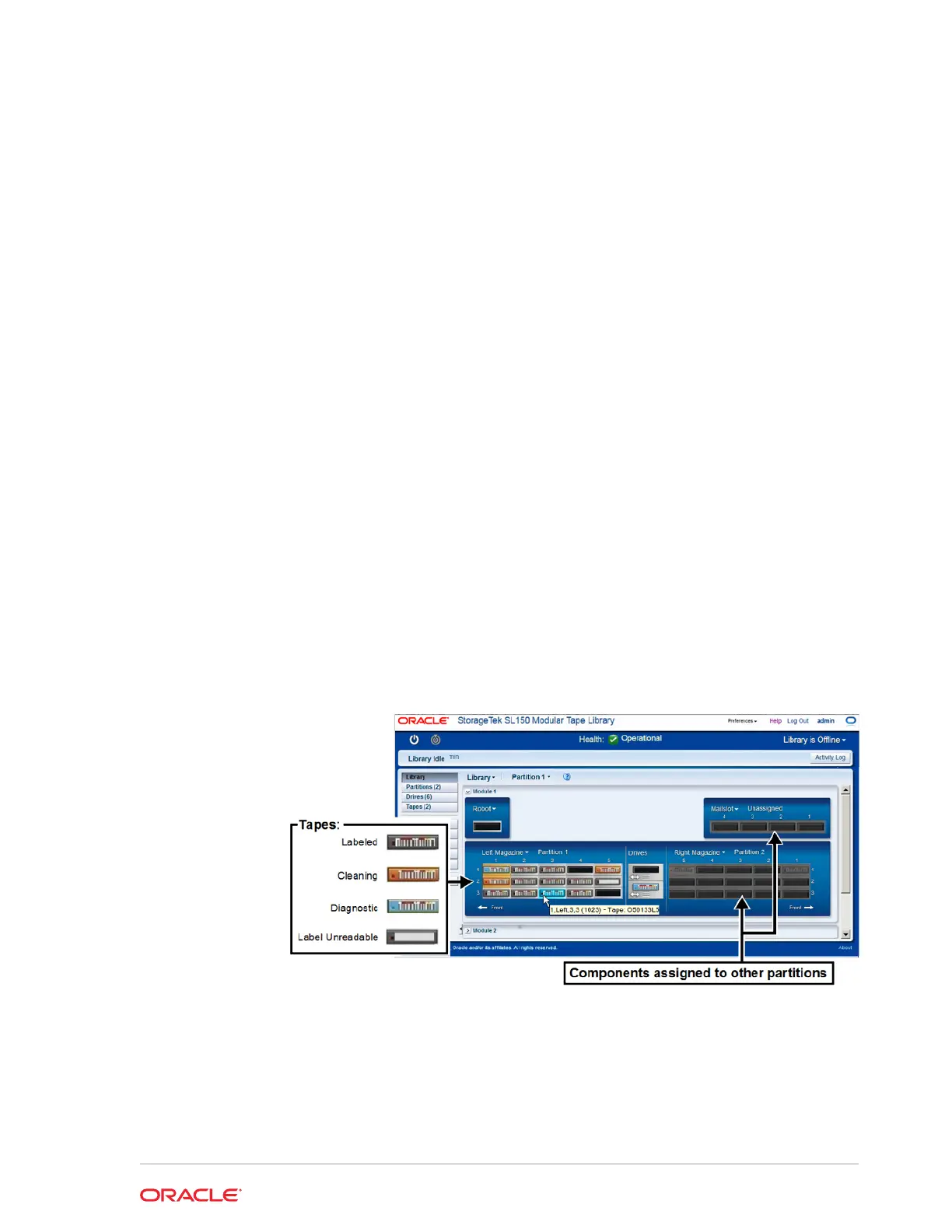
View the Library Screen
The Library screen of the remote interface displays a graphical representation of
library components.
1. From the remote interface, select Library in the left menu.
2. Hover over a component to see detailed information. For example, hover over a
tape to display the corresponding slot address and label.
You can view the whole library or a single partition at a time. When viewing one
partition, resources assigned to the other partitions are grayed out.
Related Topics
• View the Library State
The status bar at the top of the interface displays library health, which represents
the combined state of every component in the library.
8-1














 To Next Page