• Suspect — the last time the tape was unloaded, the drive presented one
or more "suspect" tape alerts. These alerts are shown in the Tapes table.
Guidelines for Handling Tape Cartridges
Properly handle tapes to prevent damage and data loss.
Caution:
Improperly handling tape cartridges can cause loss of data or damage the
library.
• Keep tapes clean and inspect for damage before each use.
• When unwrapping the plastic from a new cartridge, use the string or pull tab. Do
not use letter openers, knives, box cutters, scissors, or other sharp instruments.
• Never open a tape cartridge housing.
• Do not handle tape that is outside the cartridge; the tape edge might be damaged.
• Do not expose the tape or cartridge to direct sunlight, moisture, excessive
temperatures, or magnetic fields.
• Transport cartridges in shock resistant cases
Inspect a Tape Cartridge
Always inspect a tape before you insert it into a drive or a library to prevent damage.
Never use a damaged tape. A defective or dirty tape can damage the tape drive. Look
for:
• Dirt or debris
• Cracked or broken housing
• Damaged hub-wheel teeth
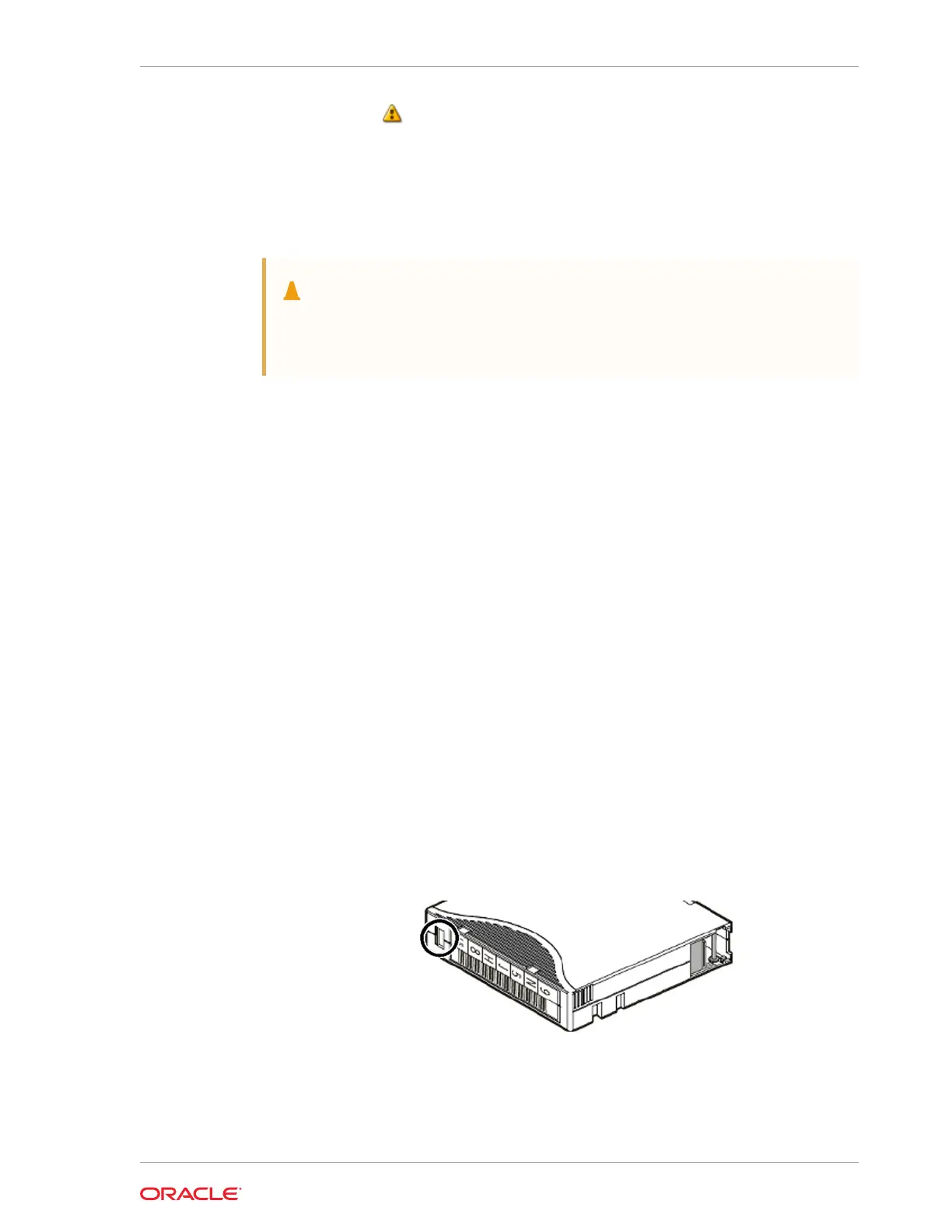
• Damaged write-protect switch (front left of cartridge, see below). The switch
should slide easily.
• Damaged leader door or pin (located on near rear of cartridge, see below). The
door should open cleanly and snaps shut when released. The pin should be
straight.
Chapter 6
Guidelines for Handling Tape Cartridges
6-7














 To Next Page