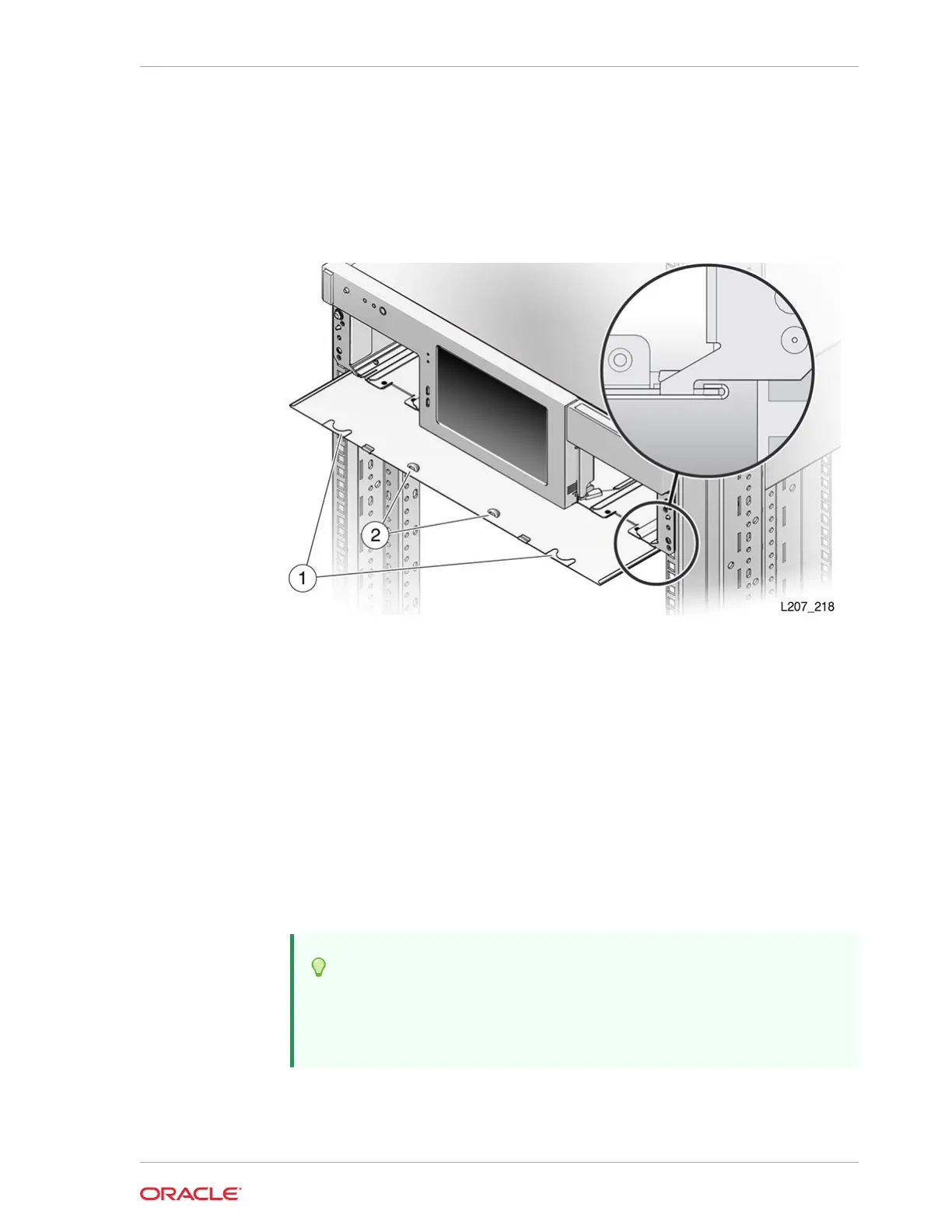
Remove the Library Floor
Remove the library floor to add an Expansion Module.
Figure 2-13 Library Floor Removal from the Base Module
Illustration Legend:
1 - Floor Finger Holds
2 - Floor Lock (Improved Floor Design)
1. If you are upgrading an existing library, power down the library and verify that you
have locked the robot.
See Power Off the Library.
2. Remove the cartridge magazines from the bottom module of the library.
See Remove the Cartridge Magazine with the Hex Key.
3. Grasp the holds on the front edge of the floor in the magazine bay (see figure).
4. Pull the floor out the front of the module, and set it aside.
Tip:
If the floor does not move, reach through the magazine opening and
push down on the floor behind the touch screen panel to unseat the floor
locking tabs. Then pull the floor forward.
Chapter 2
Install the Expansion Module
2-17














 To Next Page