• Log Out of the Remote Interface
Log out when you are done using the interface.
Front Touch Screen
The library has a small touch screen on the front of the Base Module used for basic
monitoring and configuration.
The touch screen is on the front of the Base Module. You can use the touch screen
to check on library status and configuration when you are working directly with
the hardware. However, the touch screen only provides access to a limited set of
functions. You cannot carry out most system-configuration and administration tasks.
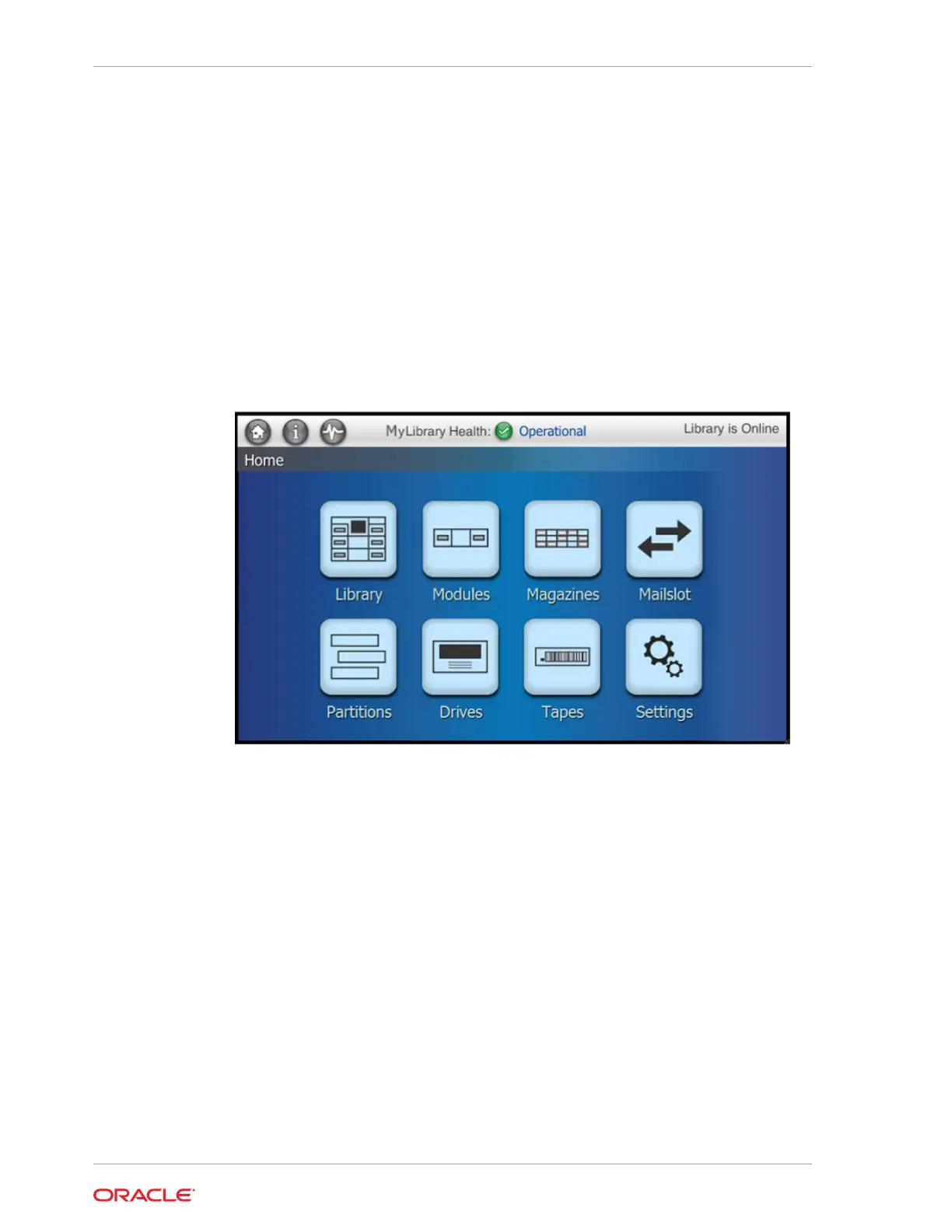
Figure 1-3 Front Control Panel Home Screen
Status Bar
— Located at the top of every screen. The status bar displays the current
library state and contains the Home button, Copyright information button, and library
activity button.
Home screen — The various home screen buttons provide access to information on
library components. Use the various screens to operate and monitor the library from
the local op panel. You can click the Home button in the upper-left of the Status bar at
anytime to return to the home screen.
Library Specifications
Use library specifications to help plan how to implement the SL150 library. These
include component weights, dimensions, power requirements, and tape cartridge
capacity.
• Weights and Dimensions
• Power Requirements
Chapter 1
Front Touch Screen
1-6














 To Next Page