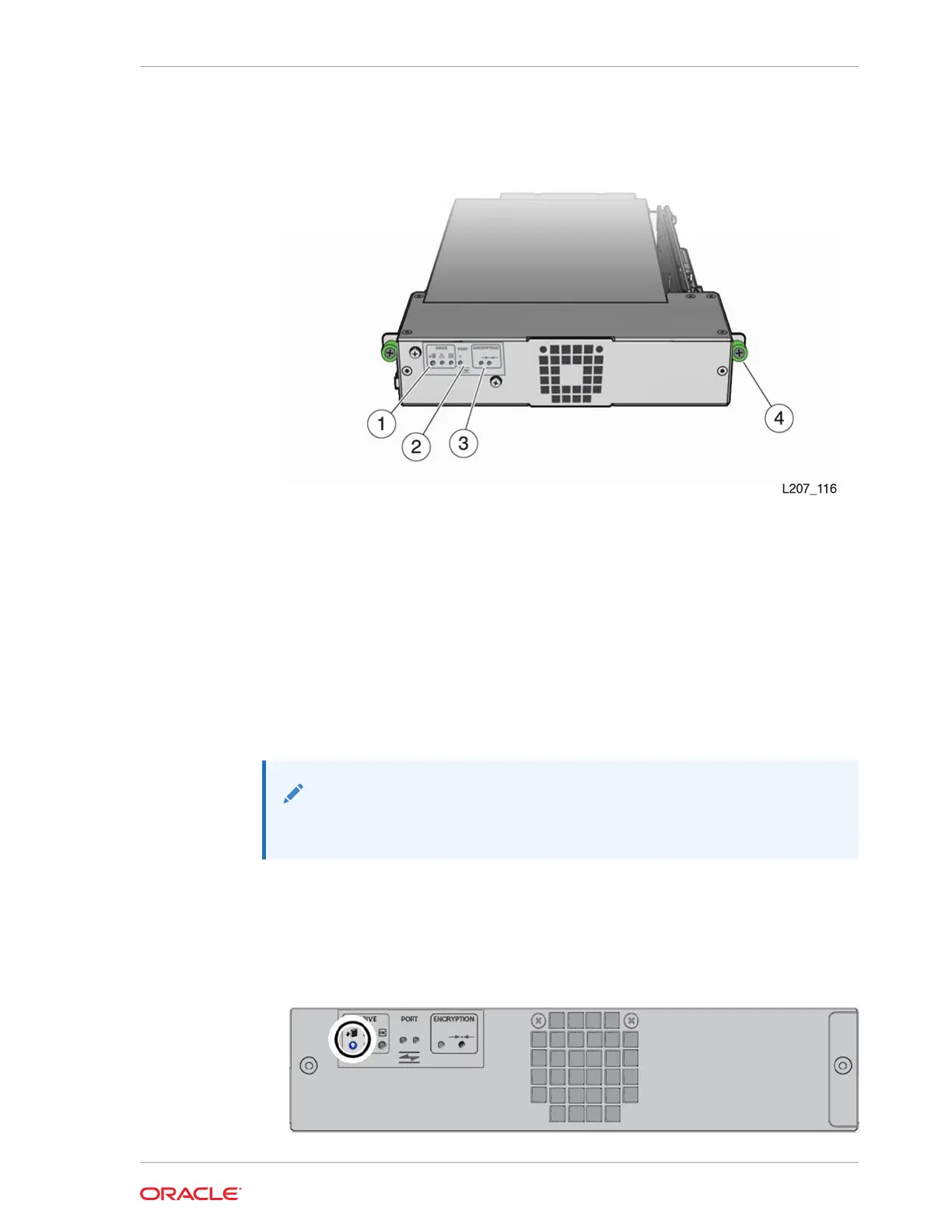
Figure 10-1 Tape Drive Tray CRU (HP LTO-5)
Illustration Legend:
1 - Drive Indicators
2 - Port Indicator (HP SAS and HP LTO-6 FC Drives)
3 - Encryption Indicator and IP Reset Switch (HP drives only)
4 - Thumbscrew (Drive Tray has Two Thumbscrews)
Remove the Drive Tray
Remove a drive tray for replacement or relocation.
Note:
Removing a bridged drive disconnects the host from the library.
1. In the remote interface, select Library in the left menu. Right-click on the drive,
and then select Remove Drive.
2. At the back of the library, locate the drive tray with the blue LED indicator (upper
left corner).
Chapter 10
Drive Tray Removal and Replacement
10-3














 To Next Page