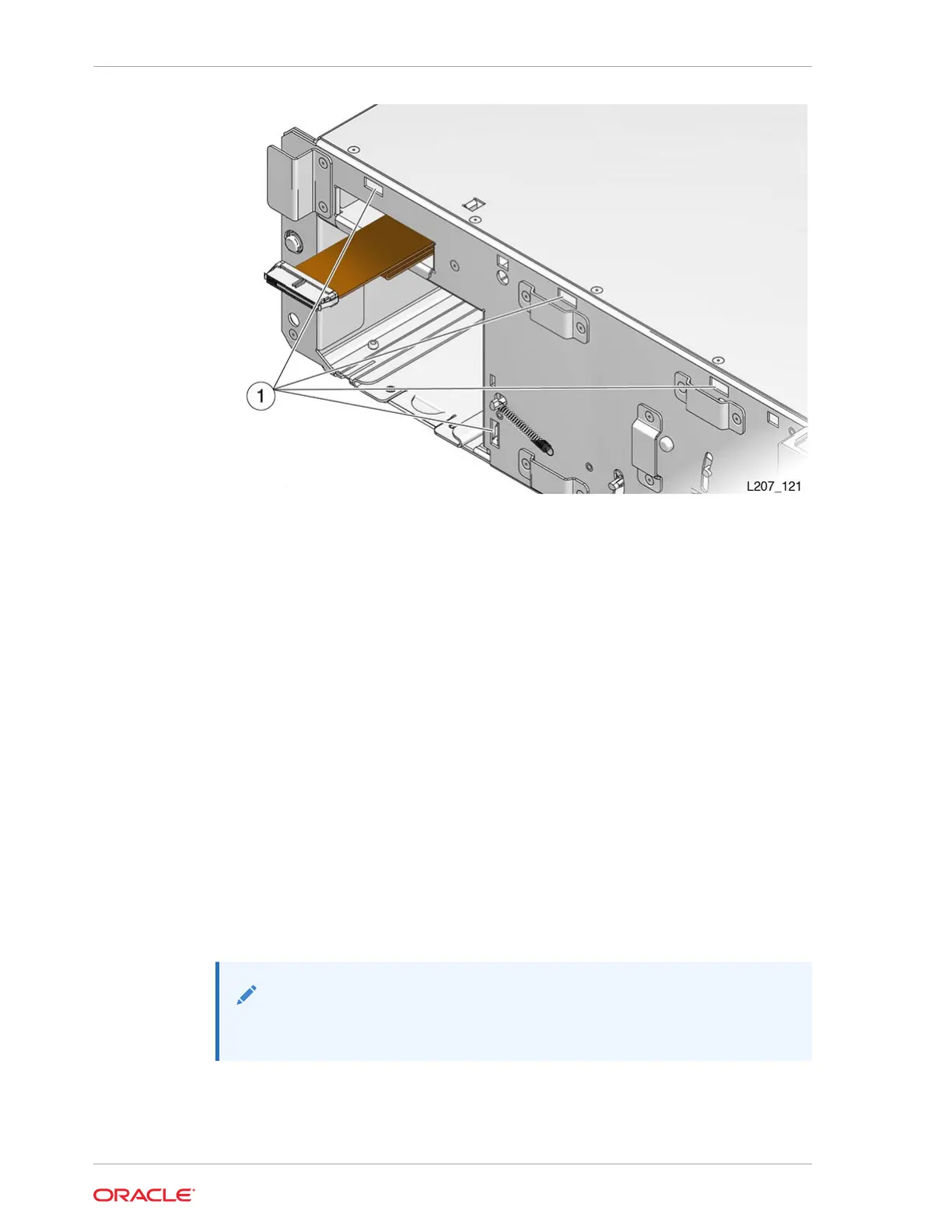
5. Rotate the front control panel down and press the bottom edge into the Base
Module slots. The panel snaps in place.
6. Replace both cartridge magazines. Lock the magazines and audit the library (see
"Lock the Magazines and Audit the Library").
7. Power-cycle the library. Follow the power on procedures (see "Validate the
Component Installation").
Module Controller Removal and Replacement
The Module Controller is a CRU located in the upper right rear of the Expansion
Module.
The Module Controller obtains power from the expansion cable connected to a Module
Output port on the Base Module.
• Remove the Module Controller
• Replace the Module Controller
Remove the Module Controller
The Module Controller latches into the upper-right rear of the Expansion Module.
Note:
Be aware of ESD (see Electrostatic Discharge).
1. Locate the Module Controller (see CRU Locations).
2. Power down the library (see Power Off the Library).
Chapter 10
Module Controller Removal and Replacement
10-10














 To Next Page