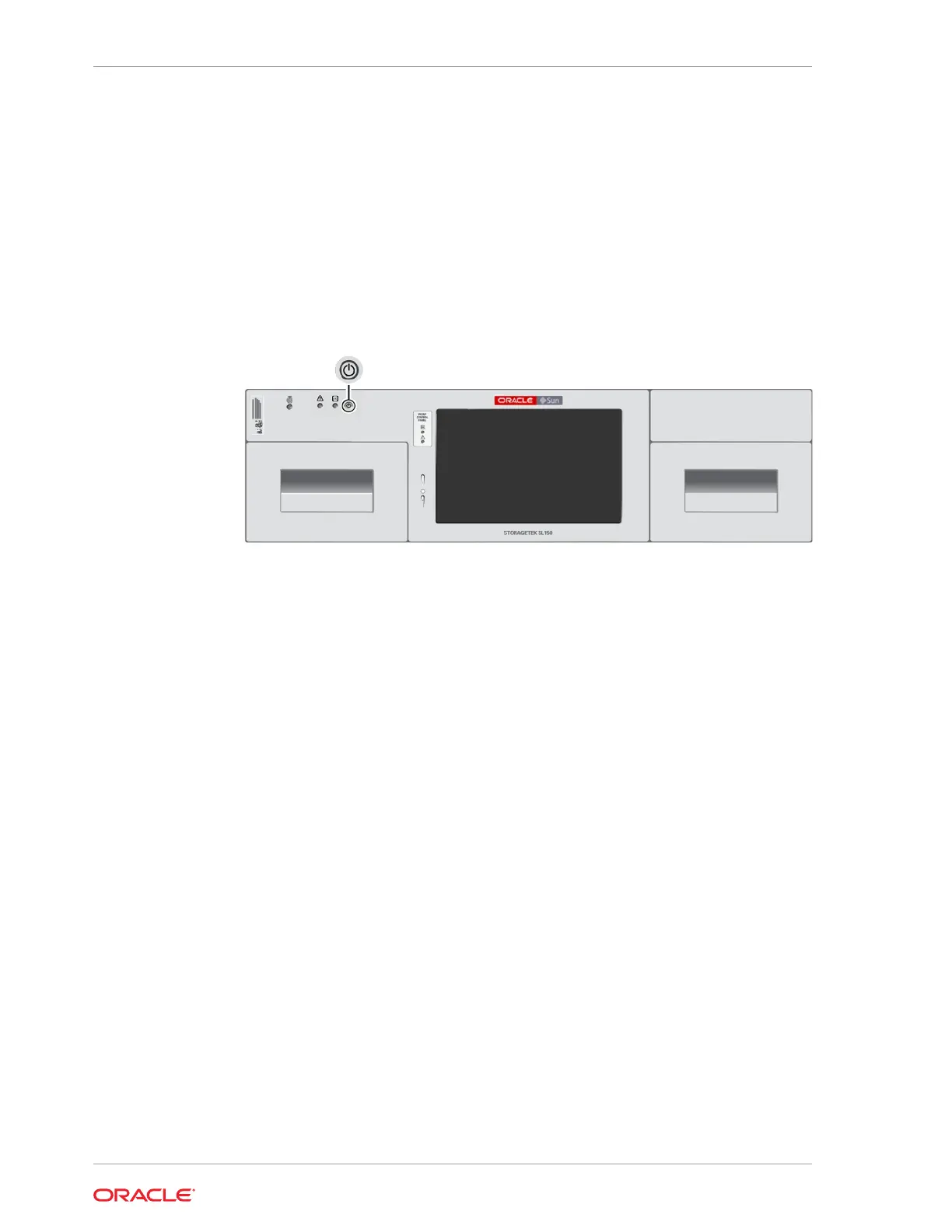
Power On the Library
Power on the library from the front of the Base Module.
1. Gain physical access to the library. When the library is off, the browser-based user
interface is not running, so you cannot power the system on remotely.
2. Verify the robot is unlocked (if not, see Unlock the Robot).
3. Ensure that the bottom library module has the floor installed.
4. Press the power button on the front upper-left of the base.
The library boots and performs an audit.
Related Topics
• Audit the Library
During an audit the robot checks each cartridge slot, recording cartridge labels and
locations to create a tape catalog.
Library Startup Sequence
The library follows a specific sequence to verify operations after powering on.
1. The robot unparks and the hand fully retracts.
2. The robot determines the order of the modules, starting at the top and moving
down one module at a time.
3. The wrist sweeps through its full range of motion and the hand moves through the
full track range. The reach mechanism extends and retracts.
4. The magazines latch.
5. The library runs a full audit. When the audit completes and all drives are ready, the
library is operational (see Monitor an Audit in Progress).
Power Off the Library
There are two methods of powering off the library: controlled and forced.
• Controlled Power-Down from the Interface — Always recommended, if
possible.
• Forced Power-Down — Cuts power at the library or rack. Use this method only
when the controlled method does not work.
Chapter 9
Power On the Library
9-2














 To Next Page