Remove Operational Expansion Modules Below the Defective Module
To access the defective module, you must remove all modules below it.
WARNING:
Expansion modules weigh about 19.9 kg (43.9 pounds) with two cartridge
magazines, 30 tape cartridges, two tape drives, and two power supplies.
1. (Optional) Remove tape drives and power supplies to lighten the weight of the
Expansion Module.
See Remove the Drive Tray and Remove the Power Supply.
2. Remove the Phillips screws securing the Expansion Module to the front of the
rack.
3. Grasp the module, pull it forward until the break in the flange is visible, lower the
front of the module, pull it free from the module above it, and away from the rack.
4. Set the module down and away from the front of the rack.
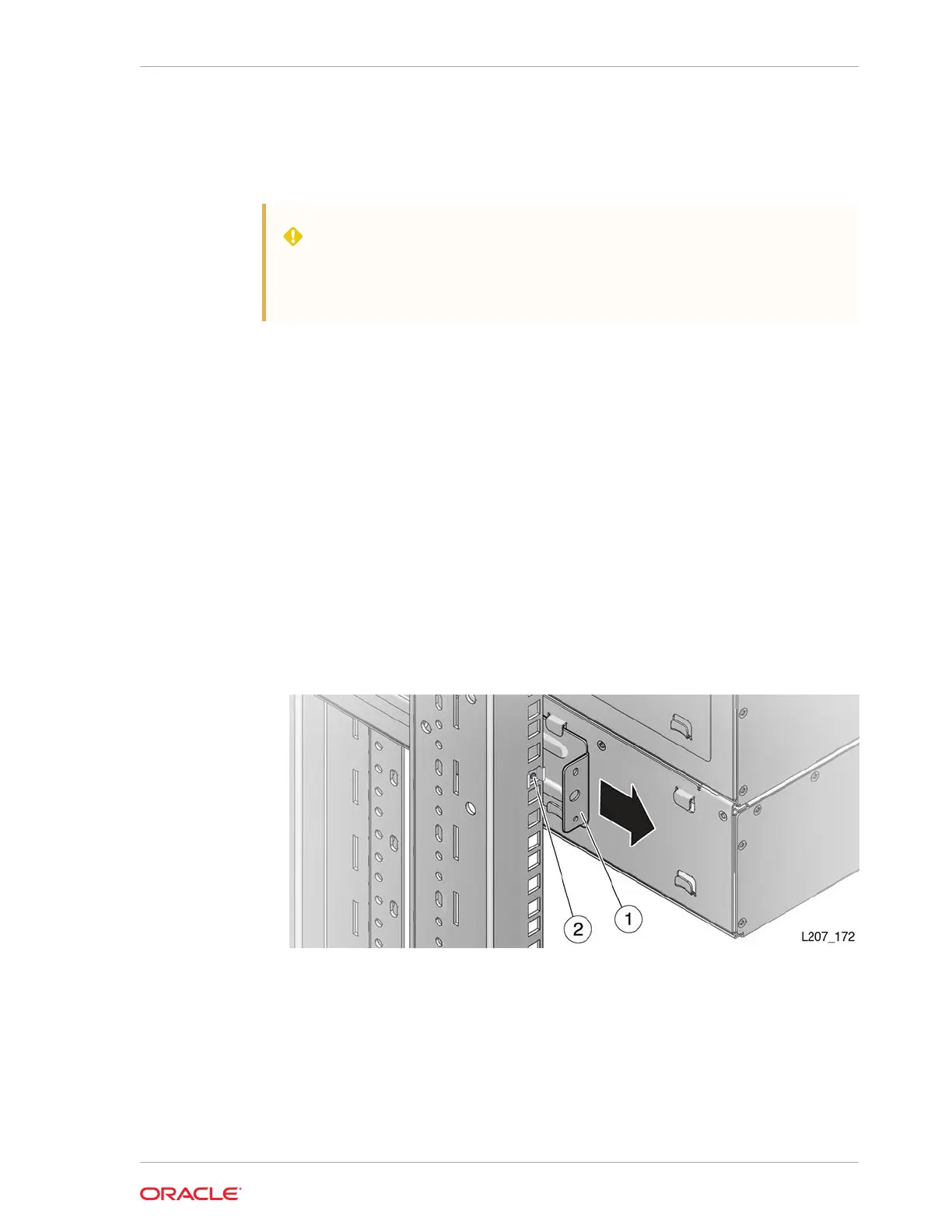
5. Remove the Phillips screws and rear rails from the module. Leave the clip nut in
place.
See Figure 10-6.
6. Repeat until you have removed the all modules below the defective module.
Figure 10-6 Module Rear Rail Removal
Illustration Legend:
1 - Rear Rail
2 - Clip Nut
Remove Components from the Defective Module
Save functional components to be reused in the replacement module.
Chapter 10
Expansion Module Chassis Removal and Replacement (FRU)
10-19














 To Next Page