Handbook
November 2011 / 59-UMC0071 / Issue 01
Mercury iTC
Page 138
LEVEL-METER DAUGHTER BOARD
Original Instructions
16.3 Configuring the level-meter board
If you are using the level-meter with liquid helium, see Section 16.3.1.
If you are using the level-meter with liquid nitrogen, see Section 16.3.2.
16.3.1 Configuring a liquid-helium sensor
1 Tap an unconfigured panel on the Home page. The Channel Display Configuration
page is displayed.
2 Tap on the Devices field and select a level meter input.
3 Tap on the Signals field and select Resistance.
4 Tap Assign to save the changes.
5 Tap Home.
6 With the helium sensor at room temperature, record the sensor resistance value
that is displayed on the Home page.
7 Fully immerse the sensor part of the probe in liquid helium.
8 Record the sensor resistance value that is displayed on the Home page. This value
should be close to zero.
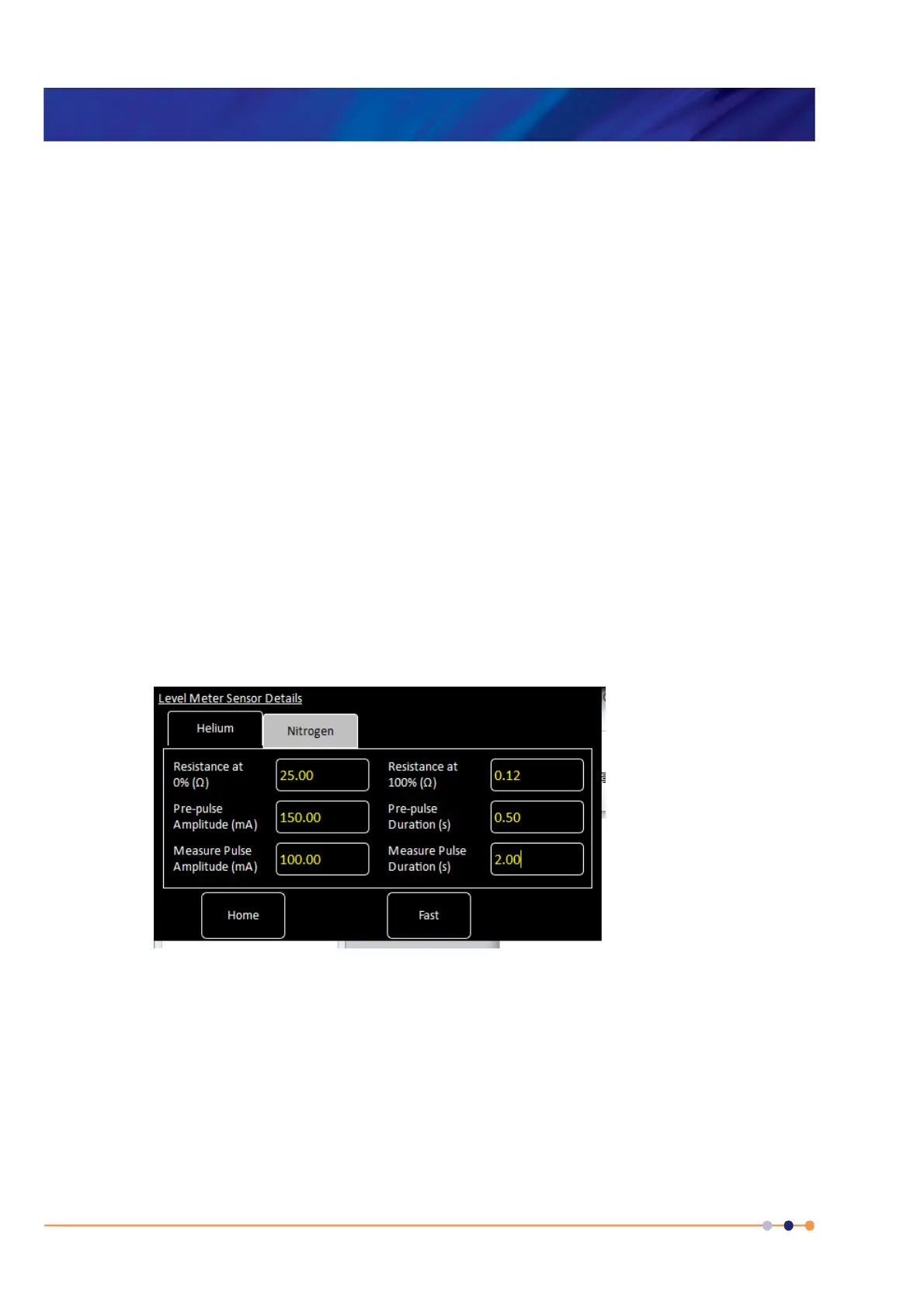
9 Tap the configured level-meter panel on the Home page. The Level Meter Sensor
Details page is displayed.
10 Select the Helium tab.
Figure 16-3 Level Meter Sensor Details page - Helium tab
11 Enter the resistance measured in step 6 in the Resistance at 0% (
Ω) field.
12 Enter the resistance measured in step 8 in the Resistance at 100% (
Ω) field.
13 Enter a value between 0 and 160 mA in the Measurement Pulse Amplitude (mA)
field.
14 Enter a value in seconds in the Measurement Pulse Duration (s) field.
15 Tap the Fast/Slow button until it displays Slow.


 To Next Page
 Loading...