Handbook
November 2011 / 59-UMC0071 / Issue 01
Mercury iTC
Page 58
USER INTERFACE
Original Instructions
Save
Tap once to save the file.
Cancel
Tap once to exit without saving the file.
3.2.17 Load File pages
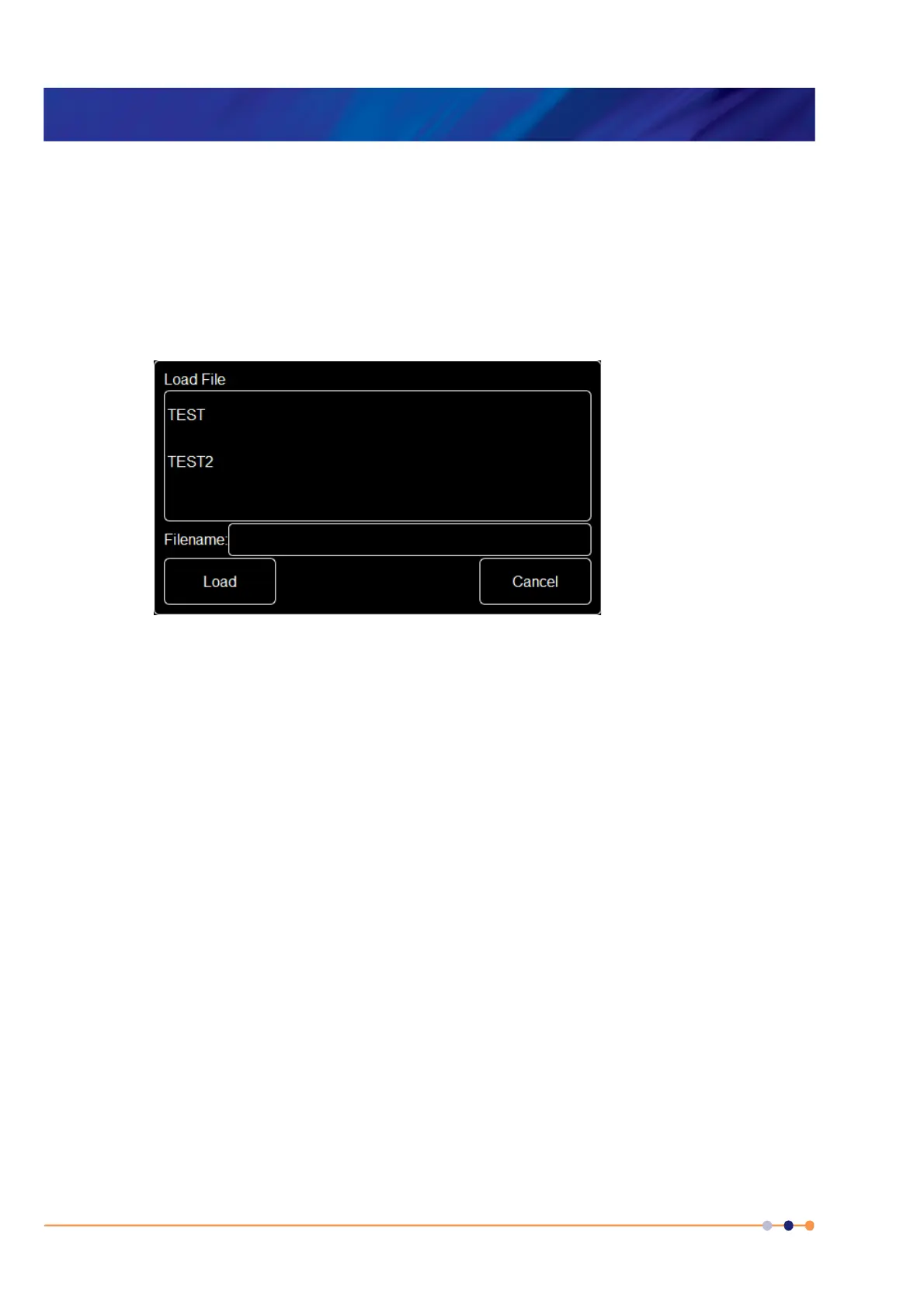
There are several pages used to load files. All these pages function in the same way, so
only one is described in this section.
Figure 3-32 Load File page
This page contains the following fields and controls:
Main area
Displays a list of the existing files of this type. Tap a filename to select it. The name of
the selected file is displayed in the Filename field
Filename
If desired, tap once to enter the name of the file that you wish to load.
Load
Tap once to load the selected file.
Cancel
Tap once to exit without loading the file.


 To Next Page
 Loading...