118
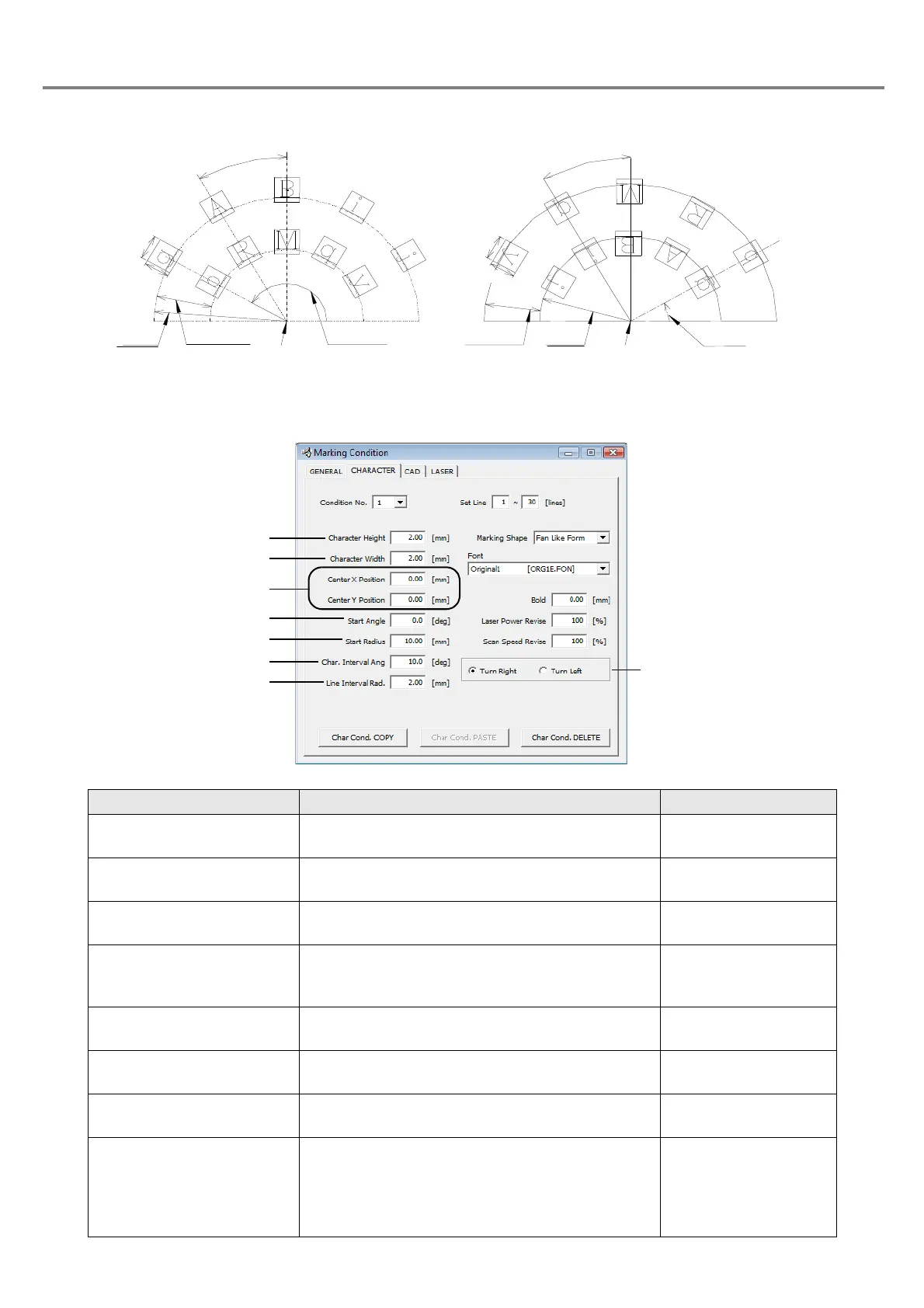
3. Fan Like Form (Clockwise circle outside, counterclockwise circle inside)
Item Description Setting Range
1. Character Height Sets the character height.
0.20 to 50.00mm
(Step: 0.01mm)
2. Character Width Sets the character width.
0.20 to 50.00mm
(Step: 0.01mm)
3. Center Position X/Y Sets the center position of the arc.
+/-300.00mm
(Step: 0.01mm)
4. Start Angle
Sets the angle from the center position X/Y with
the reference position be set on the top character
of the first line of the setting line.
+/-180.0°
(Step: 0.1)
5. Start Radius
Sets the radius of the arc around the center position
(X/Y)
0.00 to 300.00mm
(Step: 0.01mm)
6. Character Interval Angle
Angle between one character and another character.
+/-180.0°
(Step: 0.1°)
7. Line Interval Radius Sets the pitch between one line and another line.
0.00 to 25.00mm
(Step: 0.01mm)
8. Turn Right (Clockwise
circle outside of fan
shape)/Turn Left (Counter-
clockwise circle inside of
fan shape)
Sets the items of clockwise circle outside of fan
shape and counterclockwise circle inside of fan
shape.
Check box
Turn Right
(Clockwise circle outside of fan shape)
Center Position (X, Y)
Character
Start
Line Interval
Character
Character
Start Angle
Character
Center Position (X, Y)
Start
ngle
Line Interval
Start
Character
Character
Turn Left
(Counterclockwise circle inside of fan shape)
Characte



 To Next Page