154
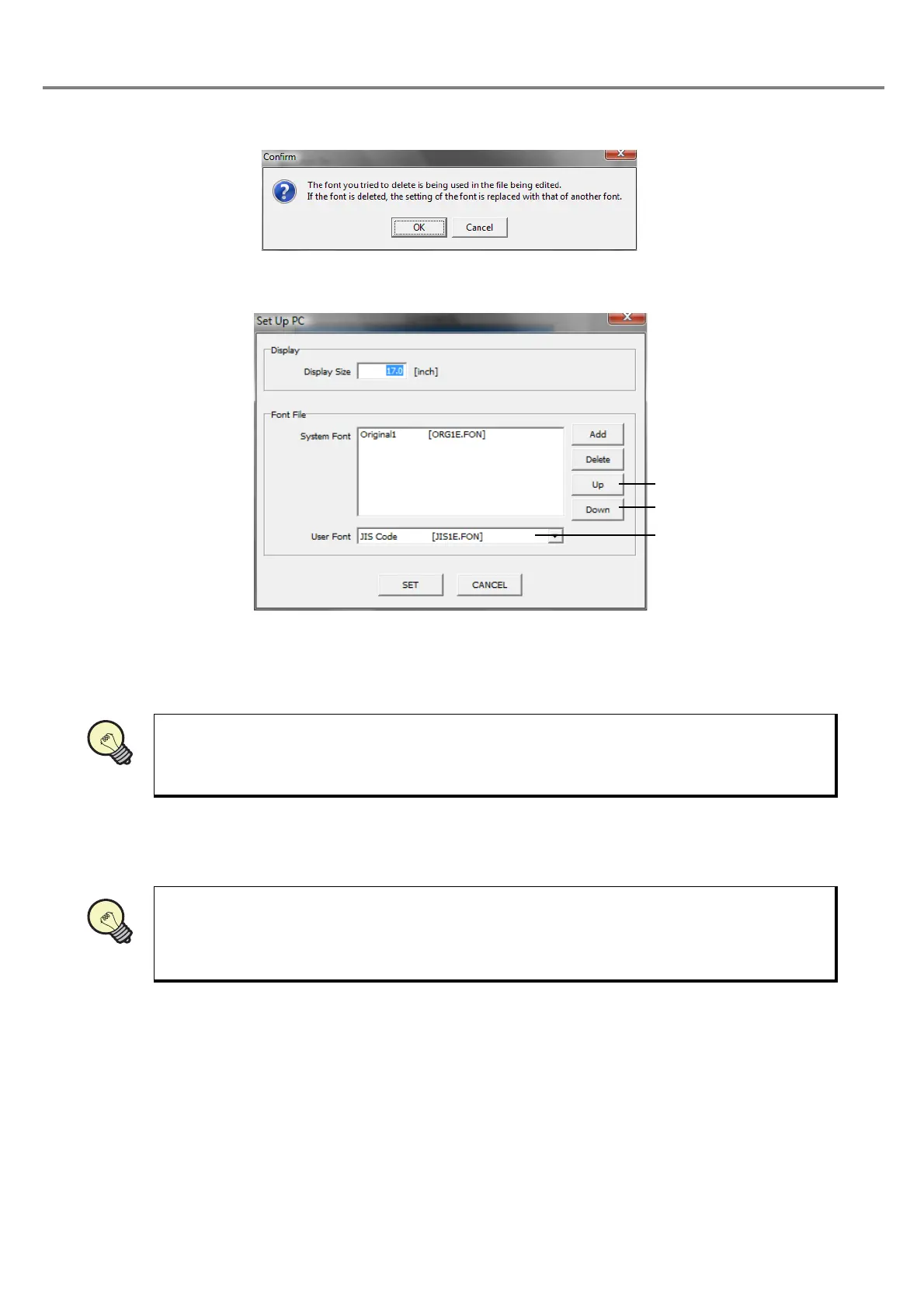
In case of deleting the font used for the file under editing from the list, the following dialog box is appeared.
When deleting the font, click “OK”, and when not deleting the font, click “Cancel”.
1 “Up” button
:
Raises the display order of the font in the list by one.
2 “Down” button
:
Lower the display order of the font in the list by one.
The order displayed in the list is the order displayed when the font is set in the character condition
and CAD condition.
3 User Font
:
Font files including the JIS level-1 Kanji and registration character except for symbols
and alphanumeric characters.
• Refer to “Character Code Table” (P.198) for details of the character type of the user fonts.
Refer to “3-3-3 Input of Function Character” - “(6) Input registration character” (P.102) for details
of the using method of the registration character.



 To Next Page