All-New Event Presentation Switching Solutions
User Manual
7 Event Management Software PixelFlow
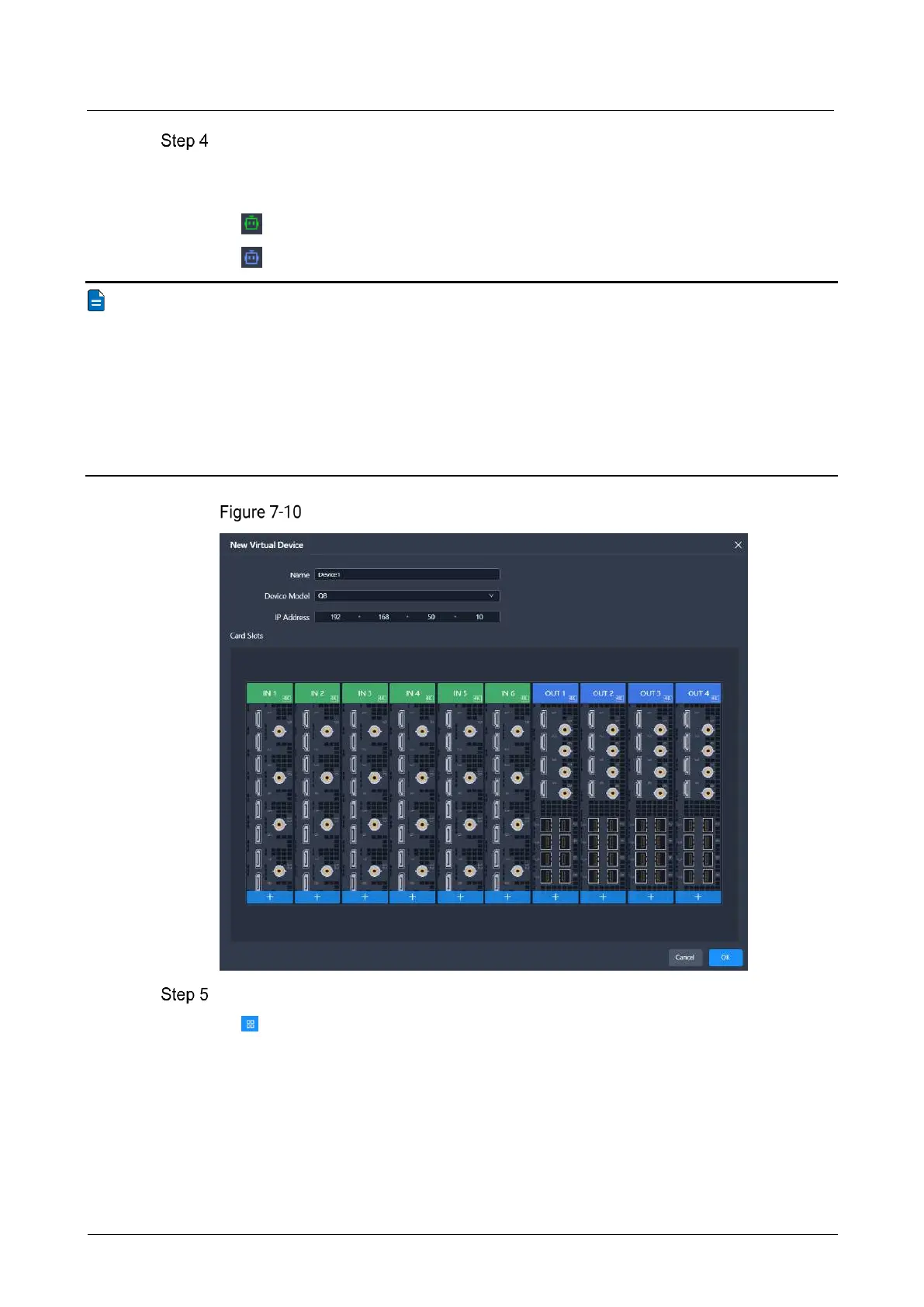
In the pop-up dialog, set the device name, model, and IP address, and click OK.
Once created, the device will be displayed in the list and will be in the default started
state.
: The device is started.
: The device is off.
Note
For devices in the list, you can perform the following batch operations:
Start all devices: Click Start All.
Shut down all devices: Click Shut Down All.
Delete specific devices: Click Edit, select the devices you want to delete, and
click Delete.
Delete all devices: Click Edit, select Select All, and click Delete.
Add virtual devices
(Optional) Switch the list display style according to your preferences.
: Graphic style
− View device status, name, IP address, and model.
− Double click the device front panel image to access the device configuration
interface.
− Place the mouse over the device to start or shut down, configure (change
device name, IP address), or delete the device.



 To Next Page