All-New Event Presentation Switching Solutions
User Manual
7 Event Management Software PixelFlow
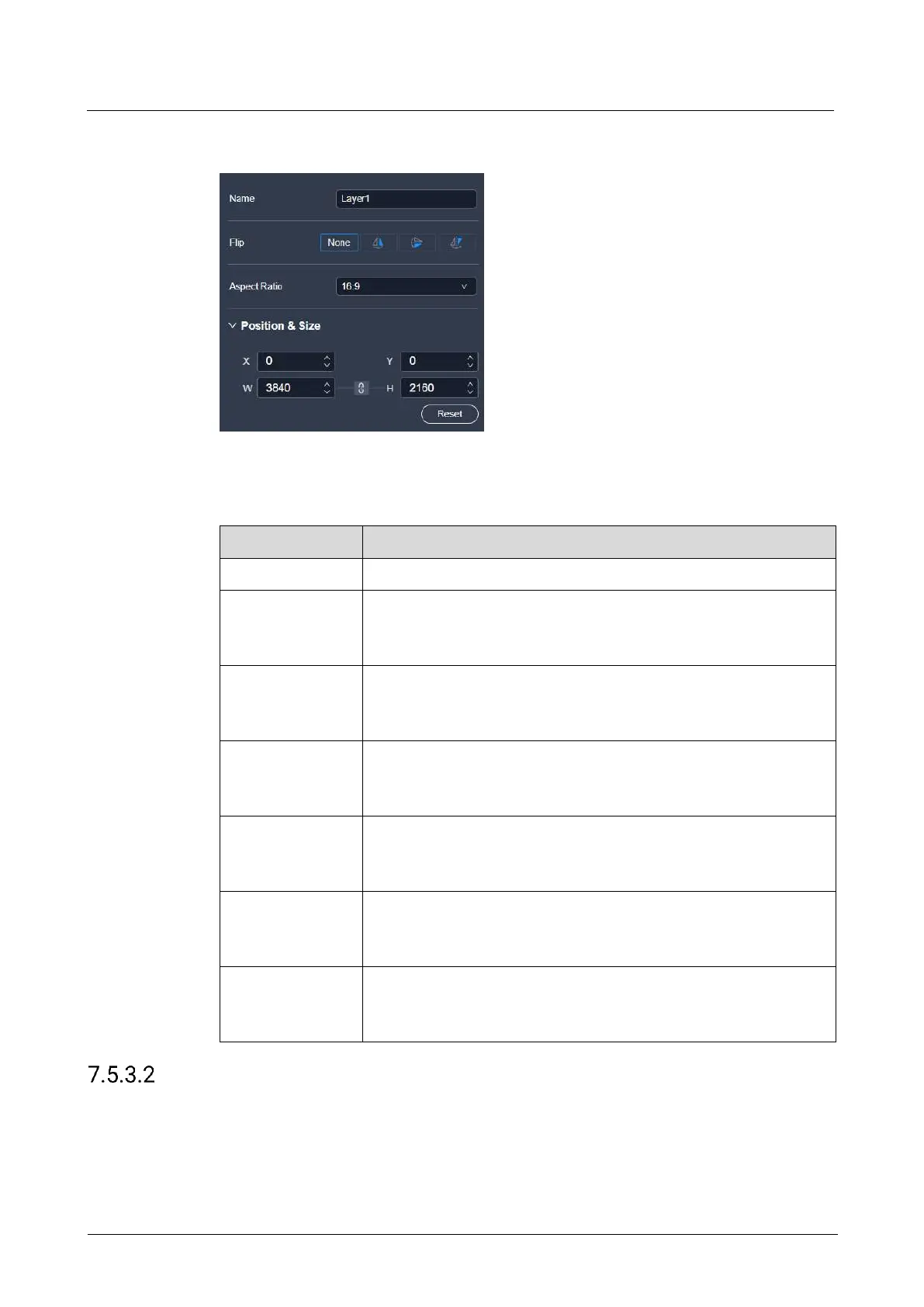
Interface Example (P20)
Description
On the Basic tab interface, configure the following parameters.
The layer flipping mode
The supported options include None, Flip Horizontally, Flip
Vertically, Flip Horizontally and Vertically.
The ratio of the layer's width to its height
After the aspect ratio is changed, the height of the layer remains
unchanged, and the device automatically calculates its width.
The horizontal starting position of the layer on the main screen
The coordinates of the first pixel in the upper left corner of the
main screen are (0,0).
The vertical starting position of the layer on the main screen
The coordinates of the first pixel in the upper left corner of the
main screen are (0,0).
The horizontal size of the layer.
The minimum width of a layer can only be scaled down to 1/64 of
the layer width.
The vertical size of the layer.
The minimum height of a layer can only be scaled down to 1/64 of
the layer height.
Configure Layer Borders
Configure the border style of a layer.
Prerequisites
The layer is a regular (not AUX) layer.



 To Next Page