All-New Event Presentation Switching Solutions
User Manual
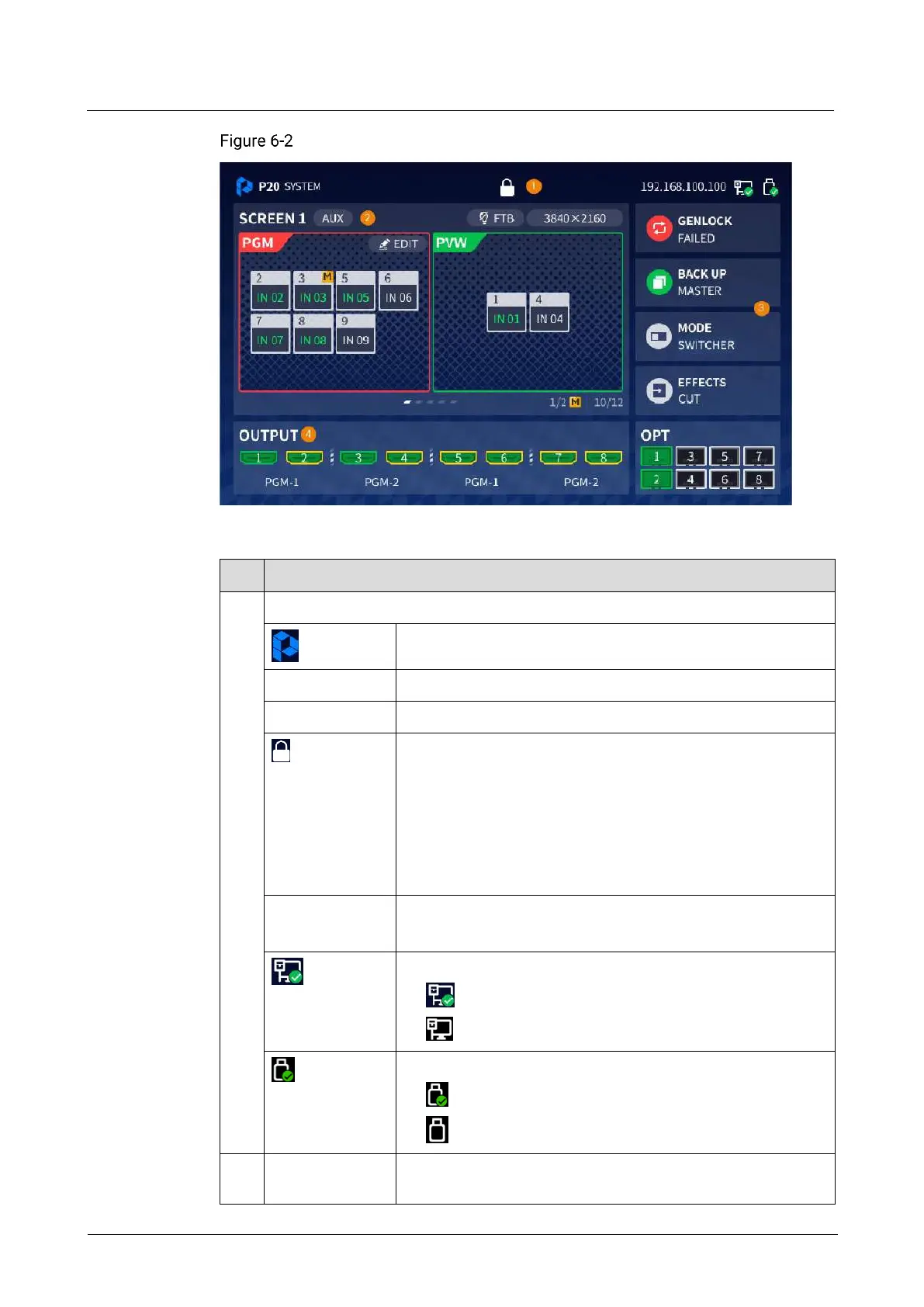
Home screen (P20)
Table 6-1 Home screen description
Displays the device information.
Front panel lock
When this icon is displayed, the front panel buttons are
locked.
When this icon is not displayed, the front panel buttons are
unlocked.
Press and hold the knob and BACK button simultaneously for
3s or longer to lock or unlock the front panel buttons.
Device IP address
For details, see 6.1.10 Network.
Connection status of the Ethernet port on the rear panel
: An Ethernet cable is connected.
: No Ethernet cable is connected.
Connection status of the USB drive on the front panel
: A USB drive is inserted.
: No USB drive is inserted.
Displays the information of common and AUX screens.
When there are multiple screens, you can rotate the knob to



 To Next Page