RealPresence Collaboration Server (RMX) 1500/1800/2000/4000 Getting Started Guide
Polycom®, Inc. 74
19 Click Next.
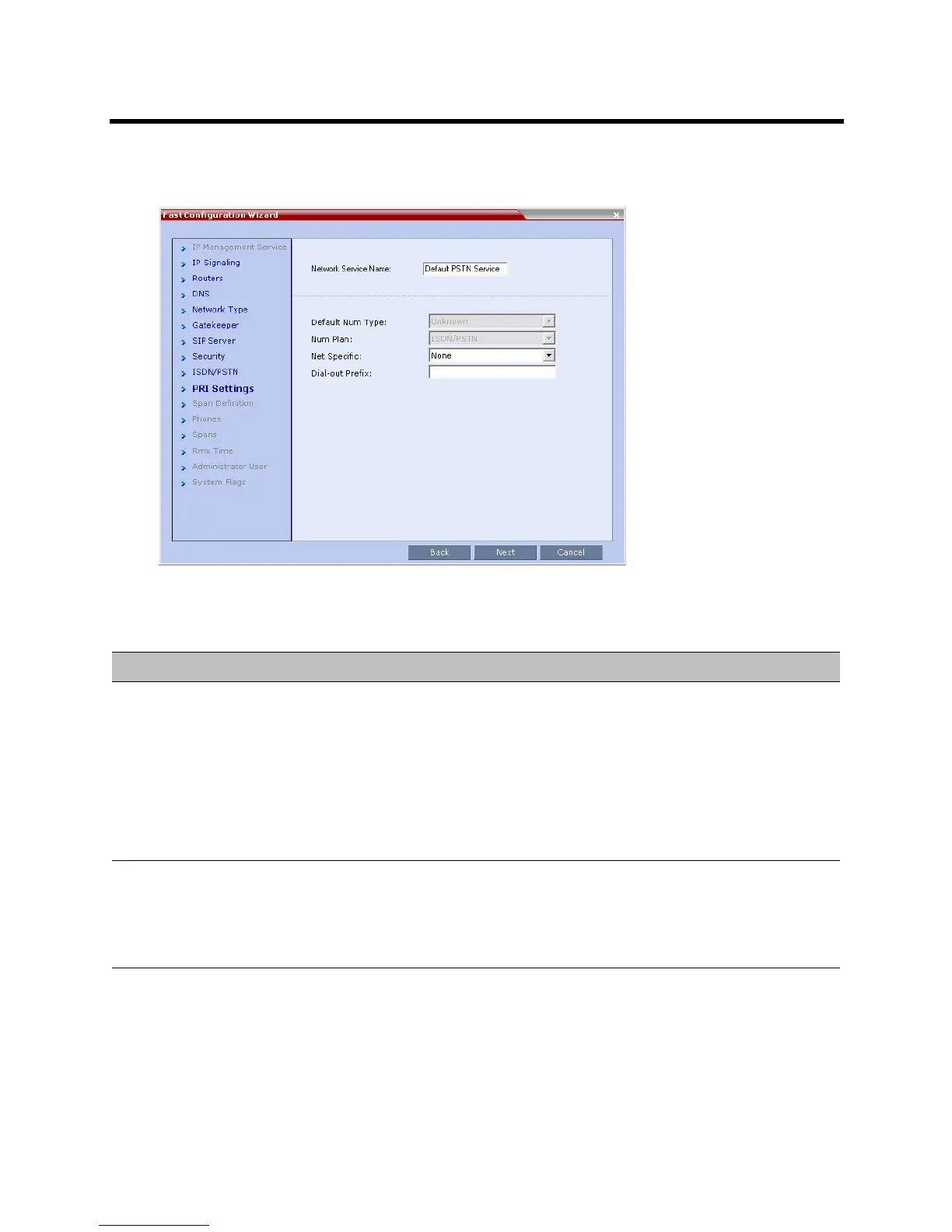
The PRI Settings dialog box opens.
20 Define the following parameters:
Fast Configuration Wizard – PRI Settings
Field Description
Default Num Type Select the Default Num Type from the list.
The Num Type defines how the system handles the dialing digits. For example, if you
type eight dialing digits, the Num Type defines whether this number is national or
international.
If the PRI lines are connected to the Collaboration Server via a network switch, the
selection of the Num Type is used to route the call to a specific PRI line. If you want
the network to interpret the dialing digits for routing the call, select Unknown.
Default: Unknown
Note: For E1 spans, this parameter is set by the system.
Num Plan Select the type of signaling (Number Plan) from the list according to information
given by the service provider.
Default: ISDN
Note: For E1 spans, this parameter is set by the system.
Net Specific Select the appropriate service program if one is used by your service provider
(carrier).
Some service providers may have several service programs that can be used.
Default: None














 To Next Page