Usin@ the @nit@rs
Program AE with Special Effects Icons
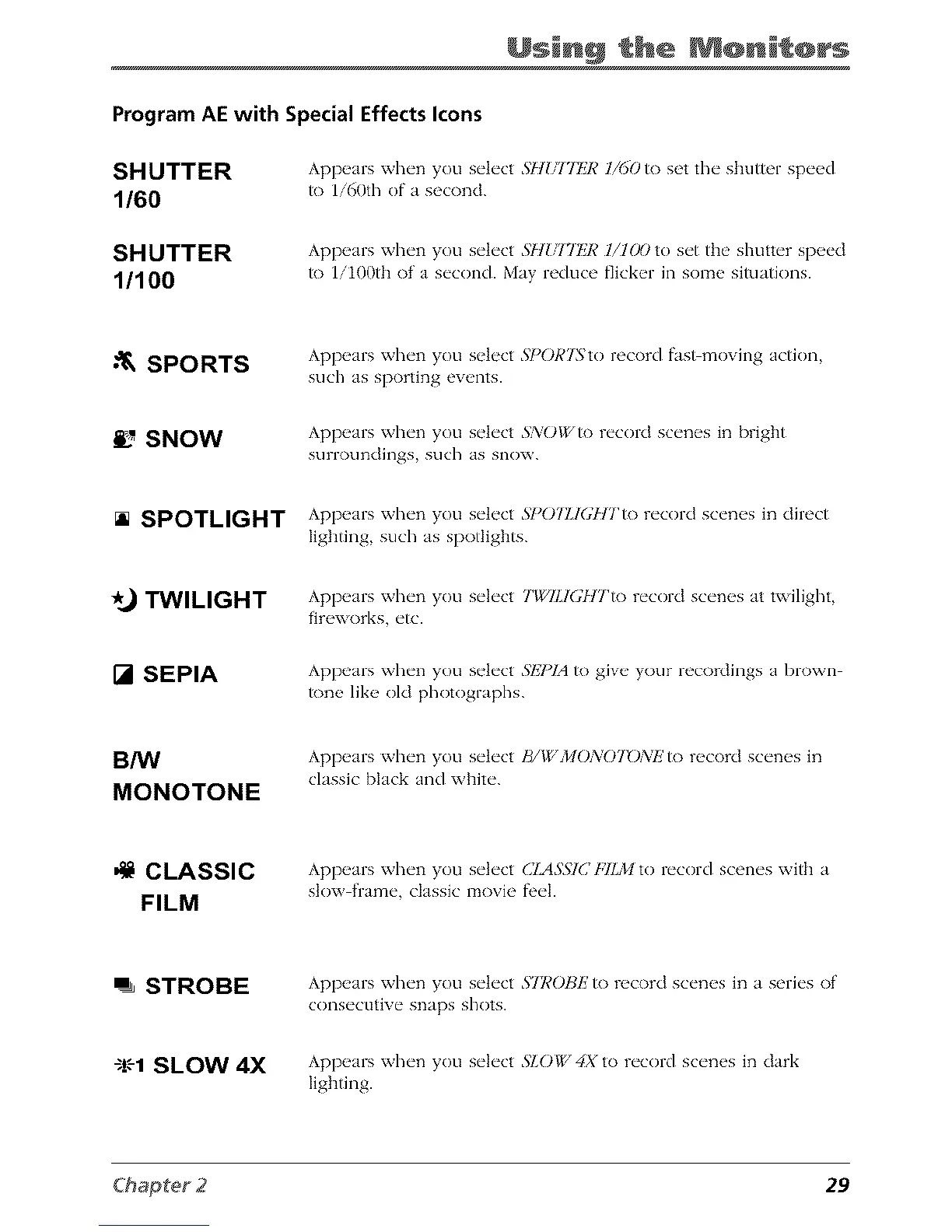
SHUTTER
1/60
Appears when you select 5HIflTFJ¢ 1/60 to set the shutter speed
/o 1i60th of a second.
SHUTTER
1/100
Appears when you select 5H{_ITIgJ¢ 1/100 to set the shutter speed
to lilOOth of a second. May reduce flicker in some situations.
•"_ SPORTS
Appears when you select SI_ORTSto record fasDmoving action,
such as sporting events.
SNOW
Appears when you select 3'XOI/', to record scenes in bright
sLirroLind]ngs such as snow.
[] SPOTLIGHT Appears when you select SI_07EIGHTto record scenes in direct
lighting, such as spotlights.
%} TWILIGHT
Appears when you select TWILIGHTto record scenes at twilight,
fireworks, etc.
[] SEPIA
Appears when you select SIZI)IAto give your recordings a brown
tone like old photographs.
B/W
MONOTONE
Appears when you select B/PbMONOTON£ to record scenes in
classic black and white.
CLASSIC
FILM
Appears when yotl select CIASSI(/Fll)/I to record scenes with a
stow frame, classic movk' fl'd.
=_ STROBE
Appears when you select STI¢OBIZ to record scenes in a series of
consectltive snaps shots.
$!-'-1SLOW 4X
Appears when you select 51.01_, 4X to record scenes in dark
lighting.
29



 To Next Page