Usin@ the @nit@rs
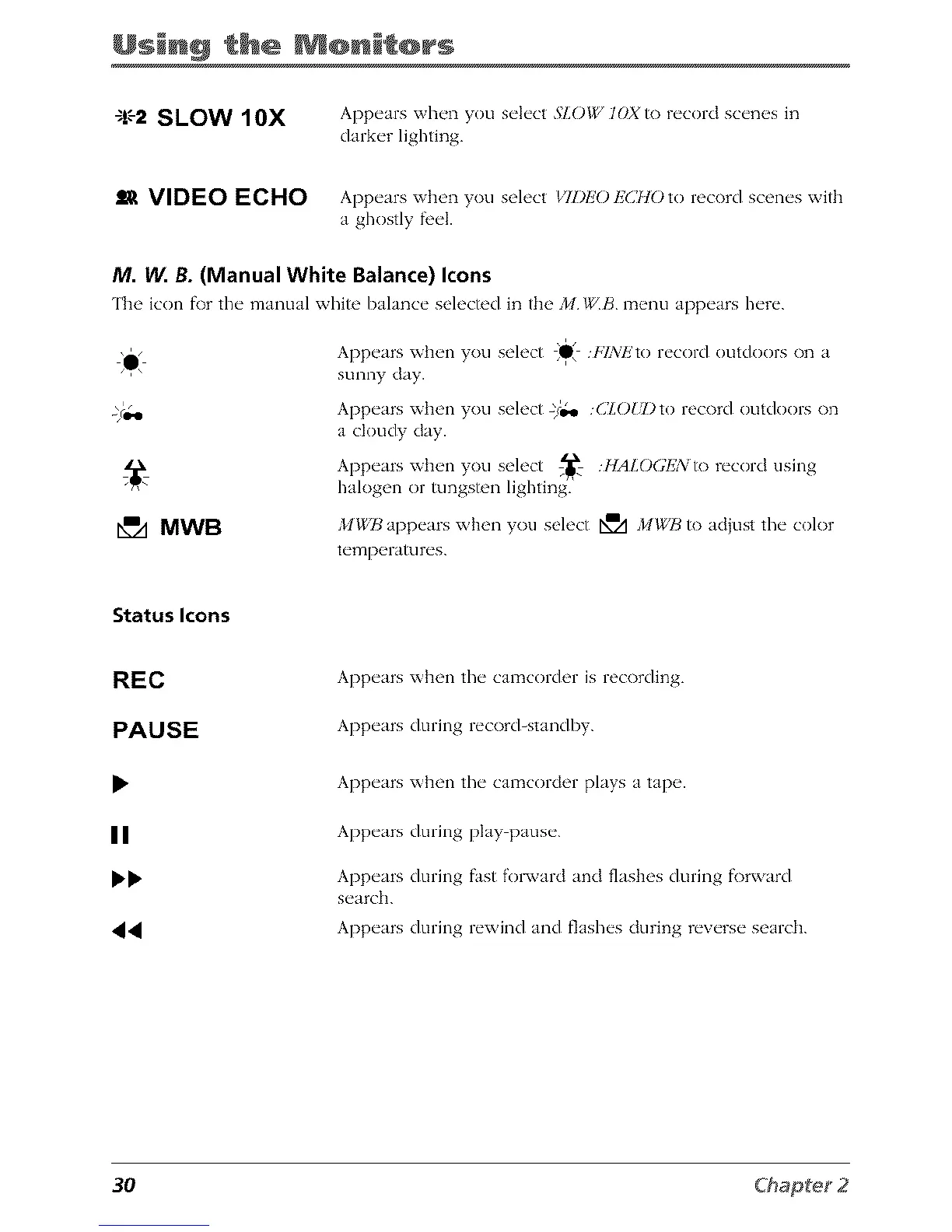
-1.'-2SLOW IOX
Appears when you select 5"LO/g, IOX to record scenes in
darker lighting.
ll_ VIDEO ECHO Appears when you select _TZ)EO ls'(_HO to record scenes with
a ghostly fl,el.
M. W. B. (Manual White Balance) Icons
IIh_' icon f\)r the" manual whih' I)alanc_" s_'h'ch'd in the' J/I WB m_qm app_'ars h_'r_'.
\'/
e
MWB
Appears when you select II iZ%lZto record outdoors
On a
i
sunny day.
A )pe rs x_t e 1 }oc select -/o,* (_;LOUDto record outdoors on
a cloudy day.
Appeuswhenyou select _ HALO(;IJNtorecorciusing
halogen or tungsten lighting.
,/t_X,JJ appears when you select N_A MWB to adjust tile color
t ('mpelatu r('s.
Status Icons
REC
PAUSE
Appears when the camcorder is recording.
Appears during record_standby.
II
44
Appears when tile camcorder plays a tape.
Appears during play pause.
Appears during fast f'ol_vard and flashes during fk)rward
search.
Appears during rewind and flashes cluring reverse search.
3O



 To Next Page