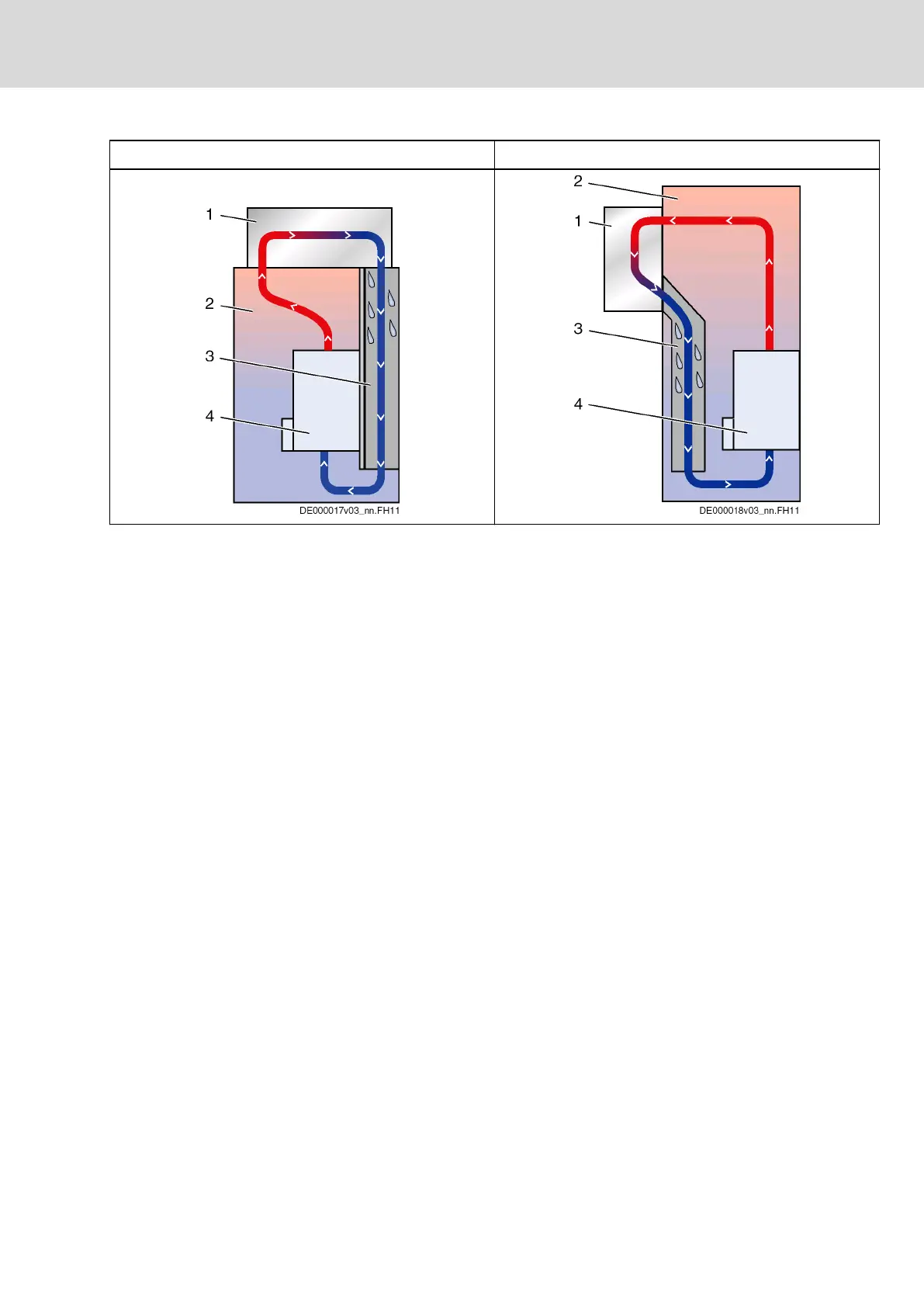
Cooling Unit on Top of the Control Cabinet Cooling Unit at the Front of the Control Cabinet
1 Cooling unit
2 Interior of control cabinet
3 Air duct (protects devices against condensation water)
4 Device in control cabinet
Tab.12-2: Arranging the Cooling Units
Avoiding Moisture Condensation
Moisture condensation occurs when the temperature of the device is lower
than the ambient temperature.
● Set cooling units with temperature adjustment to the maximum sur‐
rounding temperature and not lower!
● Set cooling units with follow-up temperature in such a way that the inte‐
rior temperature of the control cabinet is not lower than the temperature
of the surrounding air. Set the temperature limitation to the maximum
surrounding temperature!
● Only use well-sealed control cabinets so that moisture condensation
cannot arise as a result of warm and moist external air entering the cabi‐
net.
● In the event that control cabinets are operated with the doors open
(commissioning, servicing etc.), it is essential to ensure that after the
doors are closed the drive controllers cannot at any time be cooler than
the air in the control cabinet. For this reason, sufficient circulation must
be provided inside the control cabinet.
DOK-INDRV*-SYSTEM*****-PR06-EN-P
Rexroth IndraDrive Drive Systems with HMV01/02 HMS01/02, HMD01, HCS02/03
Bosch Rexroth AG 217/309
Project Planning of Cooling System




 To Next Page