FX-20
7. MENU STRUCTURE AND NAVIGATION
The FX-20- navigation is logical and easy to use. The „CAP
TOUCH SENSOR“, work as user controls.
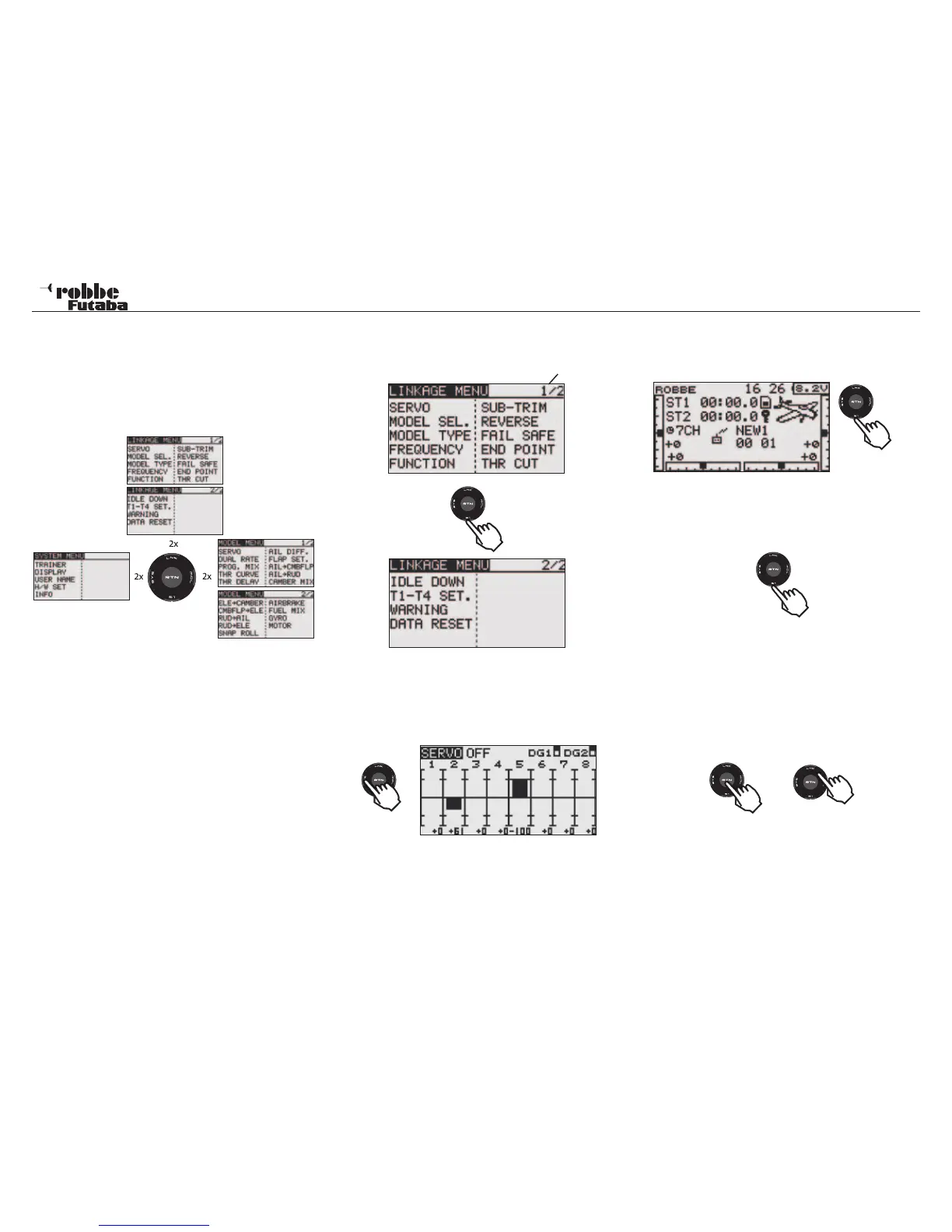
The Menu-Structure is divided into three separate main menus,
System (SYS)-, Linkage (LNK) - and Model (MDL). From the
individual menus, one can choose from the different data sub
menus.
A few of the selection and data menus
have sub menus with more than one
“page”, e.g. the Modulation selection menu is accessible
directly from the Start display. (See also the Start display
description on the next page).
Note:
Since ignition spikes can interfere with the Cap Touch Sen-
sor, always keep the transmitter at least 70 cm away from a
running petrol engine!
• The S1 key is to leaf through page 1/2 to page 2/2 of the
selection menu levels.
Example: Page Number
• To enter the menus, double tap the “keys”- System (SYS)-,
Linkage (LNK) - or Model (MDL) –Menu, of the CAP TOUCH
SENSOR. One can also enter Servo Monitor direct from
the sub menus by double clicking on the „SYS“ key.
To return to the previous level, touch the “RTN” key once.
• To lock the CAP TOUCH SENSOR from accidental use,
press the S1 key for 1 second when in the Start Display.
The key lock symbol will appear in the display as illustrated
below.
• To unlock, press the S1 key again for 1 second.
• Holding the S1 key for longer than 1 second in a sub menu
will return you to the Start Display.
• The CAP TOUCH SENSOR is fitted with 4 user functions.
• To confirm a selection, press “RTN”, thereby giving an
“ENTER- command”. Touching the “RTN” key for a longer
period will return you to the factory default settings.
• A circular scrolling motion on the sensor outer ring chan-
ges the settings and will also navigate through the particular
menu items for selection.
• A clockwise scrolling movement will increase the data input
values and anti-clockwise will decrease them
15
Navigation
1x
1x
1x
2 x
1Sek.



 To Next Page