FX-20
11.7 FLAP SETTINGS
This menu
adjusts the
settings of the
wing trailing
edge (flaps
and ailerons)
c o n t r o l s
so that the
speed of the
aircraft will be
reduced, but
at the same
time also cre-
ate more lift
by moving the
wing trailing
edge controls
downwards.
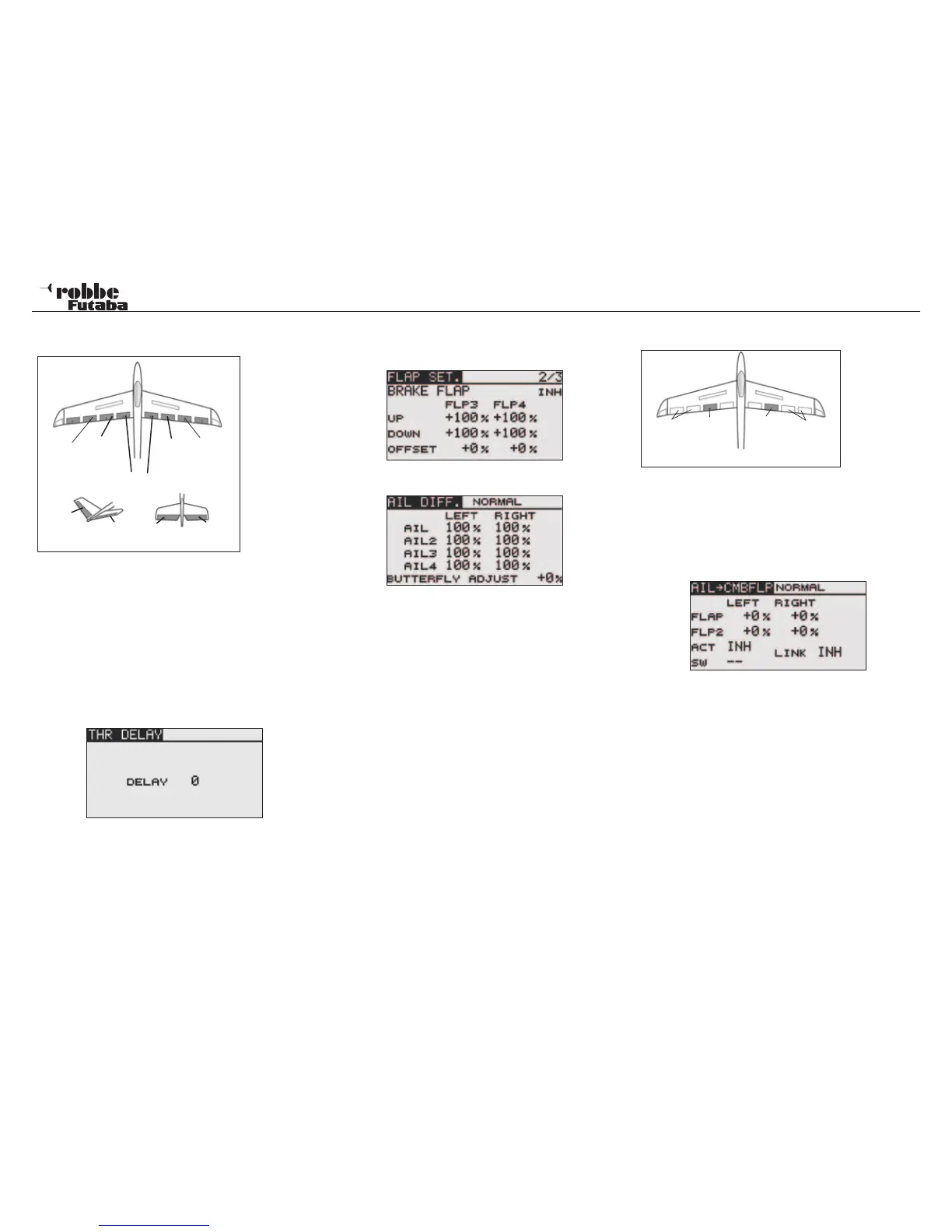
For 6 flaps e.g. 2Aileron+2Camber+2Brake or
4Aileron+2Camber, an Offset compensation can individually
carried out. (Note: only active in MULT mode, not 7 CH!)
Highlight the “FLAP SET” option in model menu with the “CAP
TOUCH SENSOR“ and confirm with
“RTN”.
The Display has several levels described below:
Camber Flap Throw
Airbrake Throw
Mixing Airbrake to Camber Flap throw
The first menus have practically identical settings. The diffe-
rence lies in the first Display that the programmed pre-sets for
the Camber Flaps, the second, the Airbrakes and the third, for
the Airbrake and Camber Flaps must be set.
The final menu level requires the Airbrake-> Camber Flap mixer
to be activated (ACT/INH). The ‘SW’ item defines a switch and
its operating sense. The default is ‘--’, i.e., the mixer is always
turned on. It is possible to switch the mixer “Airbrake-Camber
Flap” on with either a switch or a control switch activated by a
stick position.
Finally, it is advised that the programming possibilities and the
display differ and are dependent upon the chosen model- as
well as the wing type selected.
11.8 AILERON -> CAMBER FLAP MIXER
This Menu
operates the
camber flaps
as ailerons.
When the ai-
leron stick is
moved, both the camber flaps and ailerons move together to
significantly improve the roll response of the aircraft. At the
same time the induced drag of the wing is reduced when ban-
king the aircraft.
Highlight the “AIL-> CMBFLP” in the model menu using the
“CAP TOUCH SENSOR“ and confirm selection with “RTN”.
The Display has a sub menu as below:
After activating this mixer in the ‘ACT/INH’ item, the mixing rate
both controls can be set as a % value for both left and right
aileron throw by means of the “CAP TOUCH SENSOR” and
using the known procedure. The +/- sign indicates the direction
of operation.
Should you require the mixer to work with the AIL->BRKFLP/
Aileron-Brake Flap mixer, the adjustments are made in the
‘LINK’ mode. The option must be active and the Link switched
ON.
38
Model menu
Main
Aileron
(AIL.1)
Camber
Flap (FLP)
Camber
Flap
(FLP2)
Main
Aileron
(AIL.2)
Airbrakes/spoi-
lers (FLP3+FLP4)
ELERUD ELE2
ELE
V-Tail Ailvator
Camber
Flap
(FLP2)
Aileron
(AIL2 +
AIL4)
Aileron
(AIL +
AIL3)
Camber
Flap
(FLP)



 To Next Page