FX-20
The following model type selections are available.
• Model Type: Airplane - Helicopter - Glider
• Wing Type: (Normal: 1 Aileron, 2 Aileron, 2 Aileron-
1 Flap, 2 Aileron - 2 Flap.
Gliders also have: 2 Aileron- 2 Flap- 2 Spoiler, 4 Aile-
ron- 2 Flaps.
Flying wing: 2 Aileron, 2 Aileron- 1 Flap, 2 Aileron-2 Flap
2 Aileron-2 Flap- 2 Spoiler, 4 Aileron- 2 Flap
• Tail or Rudder Type: (Normal, V-Tail and Ailvator (2. Ele-
vator) for Airplane and Glider models. Switching to flying
wing, the Tail type becomes Rudder Type! Rudde Type
NORMAL or WINGLET selctablel
• Swash type: (H1, H3 140°C, HR3 120°C, HE3 90°C, H4
und H4X 45
o
)
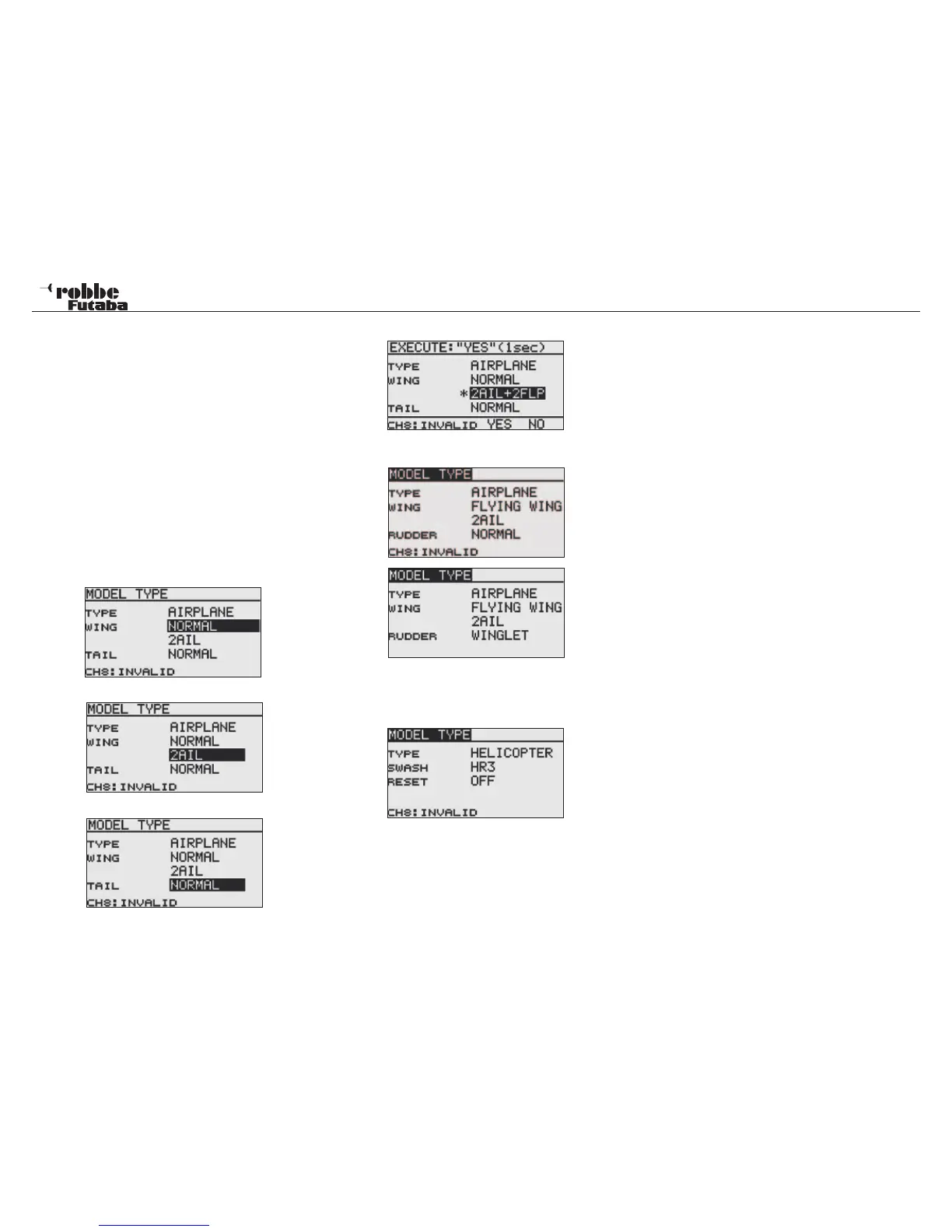
WING AND TAIL SELECTION
If A Fixed-Wing model has been selected (Airplane or Glider),
the next step will configure the appropriate wing and tail type.
Wing type selection.
Number of control surfaces.
Tail type selection.
Display selection and confirmation message.
Select Rudder type for flying wing.
SWASHPLATE SELECTION
If Helicopter is selected, the next step is to define the type of
swash mixing to be used for the model.
There are a total of four swash types that may be used:
•H-1: 1 Servo control
•H-4: 2 Elevator and 2 Aileron Servos
• HR3(120): 3 Servos spaced at 120° (1 Elevator-, Aileron
and Elevator servo).
• H-3(140): CCPM-control with 3 Servos with extended lin-
kage points for both aileron servos.
• HE3(90): 3 Servos spaces at 90°
• H-4X(45): 2 Aileron and 2 Elevator Servos with a +45° vir-
tual rotation
RESET: If resetting the data when changing the helico-
pter swash type, all model data must be deleted,
select “ON” in the “RESET“ box.
Activation takes place in the same way as when selecting the
different wing types.
See chapter 2.5 on page 8 of these instructions for a tabu-
lar illustration of the servo assignment for all fixed wing
models. The helicopter servo assignment is in chapter 12
on page 48.
Note:
The wing types, 2 Aileron+ 2 Camber Flap + 2 Airbrakes,
as well as 4 Aileron +2 Camber Flap are only accessible in
FASST Multi Channel (chapter 10.4) mode.
26
Linkage Menu



 To Next Page