FX-20
9.2 TRAINER
Highlight and select the „TRAINER option in System menu and
confirm with “RTN”.
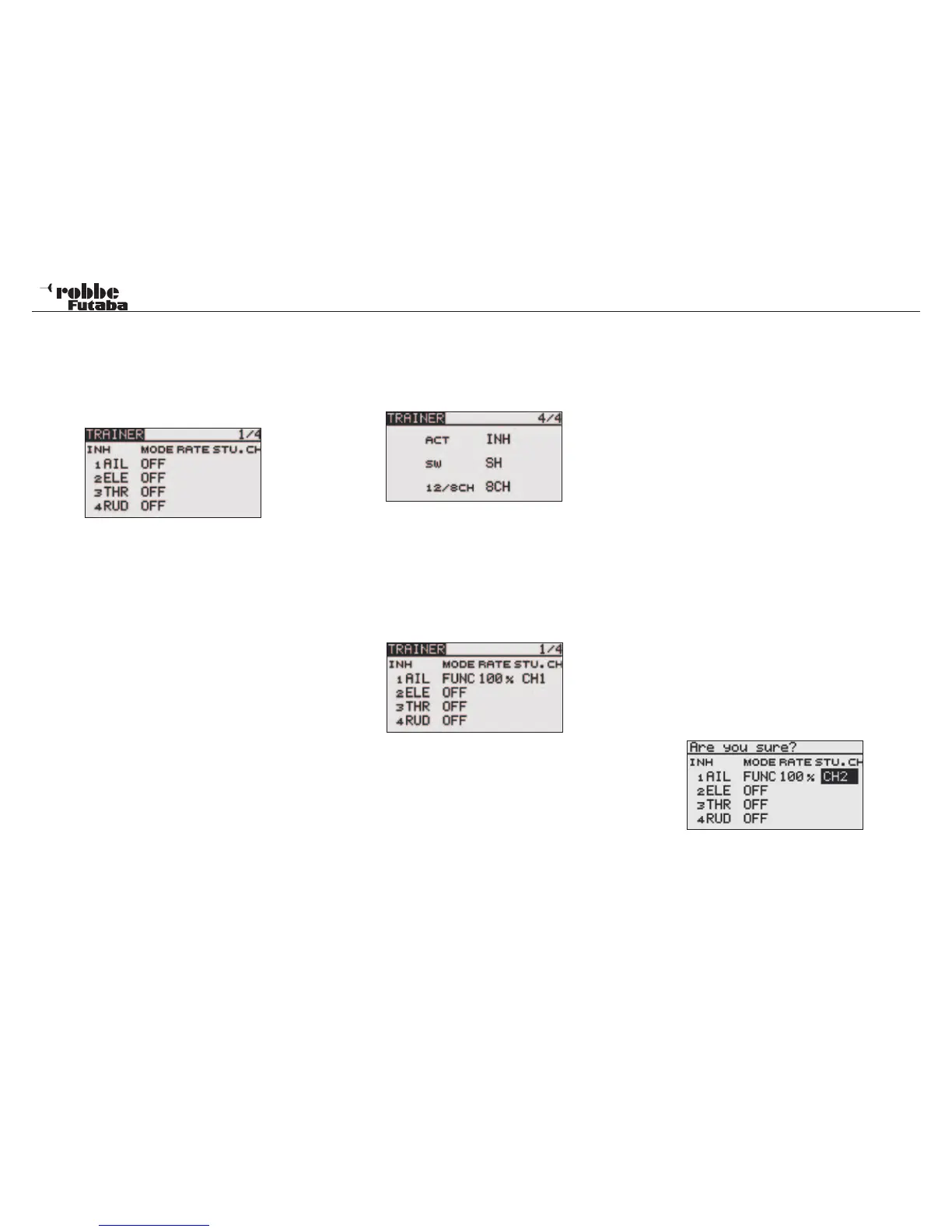
On the 4 pages (1/4-4/4) of the „TRAINER” menu, all basic
settings for the Trainer System will be made.
TRAINER-SYSTEM AS INSTRUCTOR TRANSMITTER
On page 4, there are the following options available:
• ACT/INA:
ACT: Instructor function turned on
The display switches between „ON“ and „OFF“ dep-
dent, the switch is operated
INA: Student function switched off
Mode setting, ‘ACT’ = Instructor function turned on, ‘INA’ =
Student function switched off
• SWITCH:
Select the Trainer switch to be used to transfer control to/from
the student transmitter. Mark and confirm this option. The next
sub-menu can be used to define switch operation direction.
• 12/8 channel: Switch from 12 to 8 channel operation.
After making these basic settings, you can now set for each
channel whether after switching over; the student transmitter
operates alone or in MIX operation together with the instructor
transmitter. The different modes can be selected separately
for each function; a combination of modes for the different
functions is also possible.
Navigate to the channel to be changed in the ‘MODE’ menu.
Scrolling the „CAP TOUCH SENSOR“ the following possibili-
ties can be set.
• OFF:
This channel will not be transferred to the student transmit-
ter, and control will remain always with the instructor.
• FUNC:
FUNC mode (function mode): The model is controlled only by
signals from the student transmitter with all the instructor ‚s set-
ting (including all mix settings). (Reset the student‘s model data
to the default condition.) Switching between instructor and stu-
dent transmitter passes flight control between the transmitters.
• NORM:
The RF transmission is, effectively, switched from the instructor
to student transmitter. Each uses the function settings in the
respective transmitter.
This mode will hand over the relevant functions to the student
transmitter. Thereby, the student transmitter uses all the
mixer settings of the student transmitter which are nee-
ded for correct control of the model, when switching con-
trol to the instructor, all mix functions from the student
transmitter are used. Model control is passed between both
transmitters dependent on trainer switch position.
• MIX:
The model is controlled by signals from the instructor and stu-
dent transmitters. (Reset the student‘s model data to the default
condition.) The instructor and student control the model
using the setting and mixers within the instructor trans-
mitter.
STUDENT CHANNEL CONFIGURATION
This is used to define which control channels are passed over
to the student transmitter, also suitable for stick mode (Stick
Mode) 1/2 or 2/4. It is also possible to leave control of virtual
channels with the instructor, which previously was not possible
with Trainer systems. To select this function, use the „CAP
TOUCH SENSOR“ to scroll to the „STU.CH“ item and confirm
with „RTN“.
Example:
„STU.CH“ CH2 will be transferred to instructor channel 1 Ai-
leron.
20
System Menu



 To Next Page