FX-20
11.21 ELECTRIC MOTOR SETTINGS (MOTOR)
This Menu lets you set the parameters for switching an elec-
tric motor in a powered glider or similar aircraft. Of particular
interest is the option to use a switch as the motor control for
two speed ranges, slow and high-speed flight. Therefore, it is
recommended to use a 3-position switch to operate this func-
tion (switch SG is the factory default).
A ONE-TIME Operation mode is featured, that will by opera-
ting the programmed control switch once, use a second throttle
curve when set to ON. This is used to set a second throttle
curve, with alternative delay, brake points and also to set a
“Soft Start” time delay curve for take off, thereafter switching
the motor On and Off will be made with the Normal throttle
curve settings. This feature is particularly useful for take off
with high-powered electric models and F5B pylon racers with
very high revving motors.
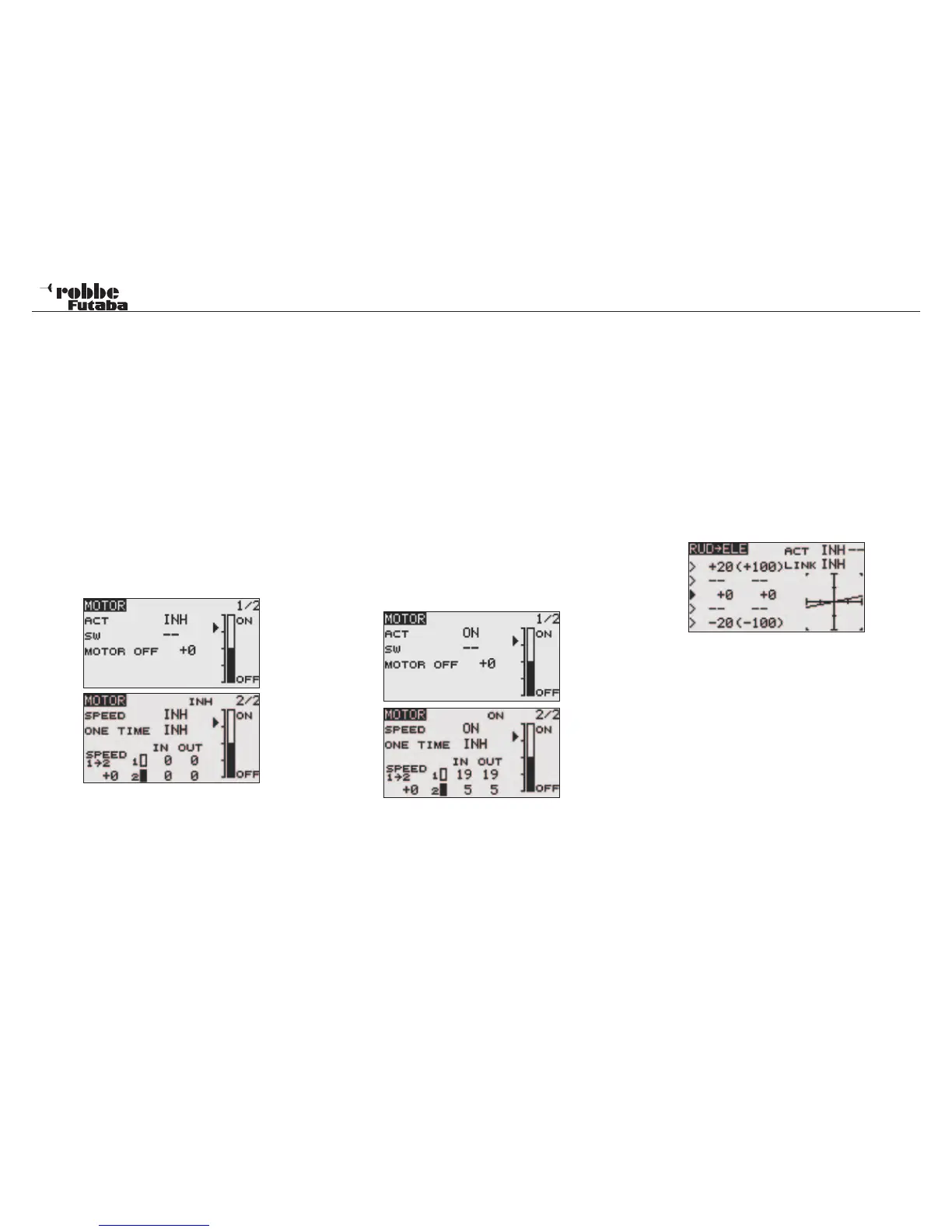
Highlight the “MOTOR” Option in Model Menu with the “CAP
TOUCH SENSOR” and confirm with “RTN”. The Display has
two sub-menus, which are as follows:
Also this function must firstly be activated in the ‘ACT/INH’
field. Highlight the cell and set to ACT with “CAP TOUCH SEN-
SOR“ and finally activate with “RTN”. In Display 1/2, an opera-
ting switch can be assigned (main operating switch default is
switch SG) to stop the motor starting without warning. The field
MOTOR OFF sets the position where the motor is switched
off. Highlight the field, when the assigned switch is in the OFF
position, and confirm by pressing the “RTN” key. The setting
will be stored and shown as a value in this field. Here, it is only
the OFF position defined.
In the second Display 2/2, the “SPEED” settings are entered.
This sub-menu must also be activated in the usual manner in
the ACT/INH field. Then it must be determined whether the
“SPEED” mode should be activated. The setting is made ex-
actly like activating the mixer.
In the „SPEED 1 ->2“ data entry in Display 2/2 one can set
the boundary position between Off and On within the bar chart
graphic.
Finally, the time delays for both ‘SPEED1’ and ‘SPEED2’ can
be entered. To do this, highlight the relevant field and enter
the %-age value using the “CAP TOUCH SENSOR“. It is then
possible to set the delay time for each switch direction (On and
Off), to do this highlight the required field and scroll the sensor
to set the required value. The range is between 0 and 27 steps
(maximum of 9 seconds), pre set is 0 seconds.
Ensure that the MOTOR OFF setting is made in combination
with the Failsafe settings.
Example:
Note:
For safety reasons, the switch on settings must always be
made without a propeller fitted.
11.22 RUDDER -> ELEVATOR MIXER
(Only airplane model type)
This function is used to mix elevator operation with the rudder.
It is used to compensate for unwanted control interaction par-
ticularly in knife-edge or extreme 3D flight. There is often the
tendency for the model to pitch down or up when applying
rudder and this mix is used to compensate for this.
The mix rate can be precisely adjusted via two values. The
function can have a switch assigned to turn it on or off in flight.
When the “LINK“ is active (“ON“), other mixers of the Slave
channel, in this case “ELEVATOR“ will also be active.
Highlight the “RUD-ELE” Option in Model Menu with the “CAP
TOUCH SENSOR” and confirm with “RTN”. The Display has
one sub-menus which is as follows:
Also this function must firstly be activated in the ‘ACT/INH’ field.
Highlight the cell and set to ACT with “CAP TOUCH SENSOR“
and finally activate with “RTN”. Finally an operating switch must
be assigned. The pre-set is ‘--’.
The mix value can be entered and programmed in the Dis-
play. Via the mix value, the mix rate is entered and defines the
amount of elevator throw applied when the rudder is operated.
If it is required to mix the Flap servos also, then the ‘LINK’ must
be switched ON. Similarly, the flap mixer that you wish to link
to must also be turned ON (ACT) and the „LINK“ turned on. No
other switch or control switch should be assigned otherwise the
“LINK“ Function will no longer work.
Model menu
45



 To Next Page