FX-20
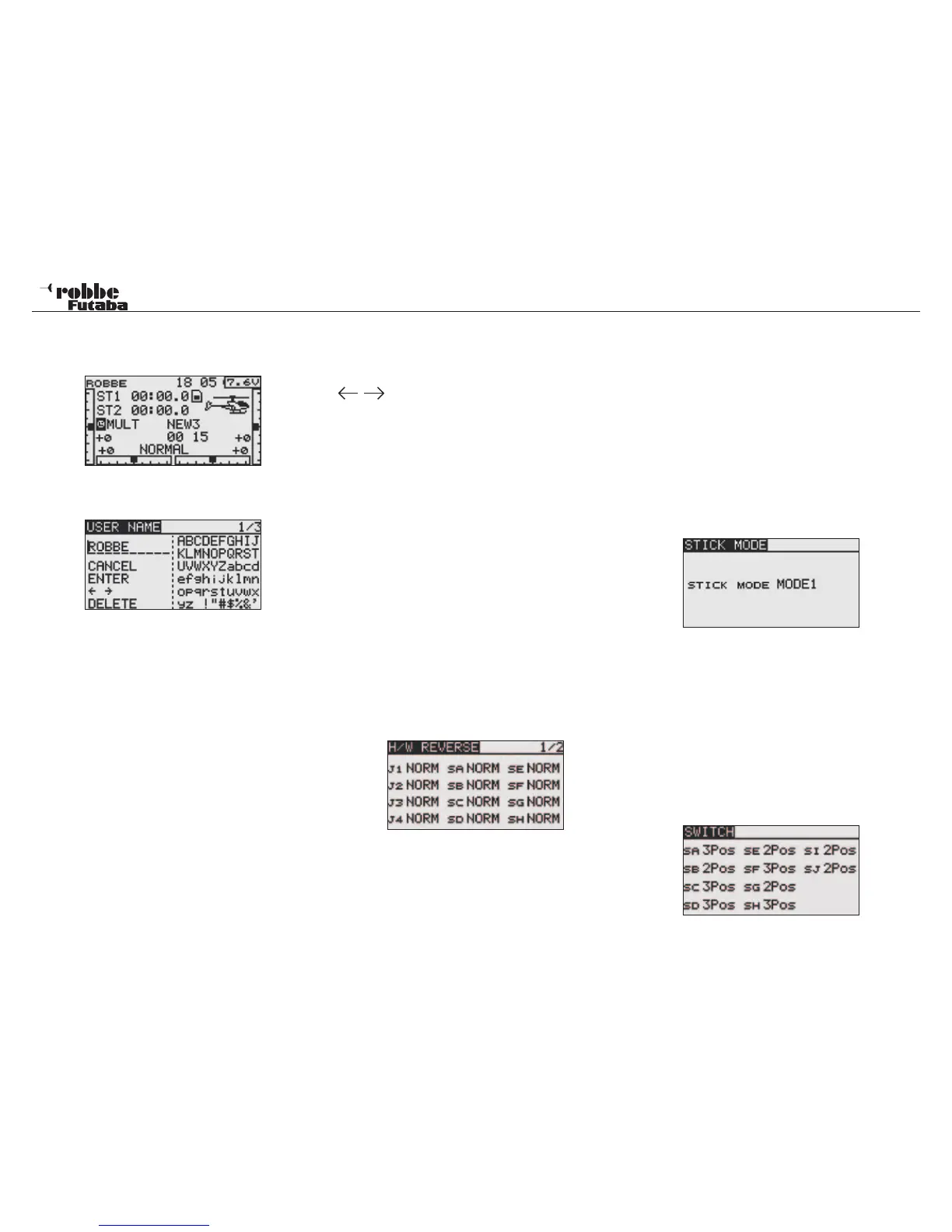
9.5 USER NAME
This allows you to enter your own name. This will always ap-
pear in the Start Display.
USER NAME
Scroll to user name and confirm with “RTN”, An alphanumeric
field will now appear on the display to be able to enter the
name.
Entry is alphanumeric.
The user name can be up to 10 characters long (including
spaces). First highlight the character to be changed with the
„CAP TOUCH SENSOR“, then select „DELETE“ to delete
the character. Now select the correct character with the “Cap
Touch Sensor” and confirm with ‘RTN’-key. The new character
will now be displayed.
To modify an existing name, select the appropriate „ARROW”
function. Now pressing the “RTN” key allows the cursor to
move in the desired direction. To delete the character, click
the cursor on the character prior to the one to be deleted, using
the „CAP TOUCH SENSOR“, change to “DELETE” and con-
firm with “RTN”.
To accept the name, move the cursor to “ENTER” and confirm
with “RTN”.
Command function description:
BACK:
With the “BACK”- command, the cursor jumps back to the start
of the line and displays the original name.
ENTER:
The „ENTER“-command serves to confirm and accept the
entered data.
The „ARROW“- command serves to control the cursor in the
user name.
DELETE:
The “DELETE”- command deletes single characters.
Interrupt:
To be able to interrupt and return to the menu, navigate with
the „CAP TOUCH SENSOR“ to the “USER NAME” menu and
confirm with the „RTN“ - key.
9.6 H/W SET/ CONTROL SETTINGS
Control reverse
This function reverses the operating sense of all controls inputs
and switches (H/W REVERSE). The hardware reverse means
that the sense of the control input will be reversed. The display-
indicator (percentage value/ symbol) does not change.
We recommend leaving the setting on NORM, as long as no
special requirements are needed. This option is designed for
special cases, where pilots have specific needs to reverse a
control to suit their flying style, e.g. pulling the throttle stick for
more power. With the „CAP TOUCH SENSOR“, highlight the
‘H/W SET’ Option in System-Menu and confirm selection with
“RTN”. Then, highlight „H/W REVERSE“ and confirm selection.
This means:
• NORM:
The stick works with a normal mode of operation
• REV:
The stick works with a reverse mode of operation
9.7 CHANGING STICK MODE
After changing the throttle stick ratchet in 4.6, the software
must be updated with the new selected stick mode. The soft-
ware supports three further stick modes in addition to the fac-
tory default, mode 2. Therefore, you may set the system to suit
your chosen familiar stick mode. The servo outputs on the Rx
remain the same, but to ensure all other functions work cor-
rectly, the stick mode is changed as follows:
1. Select [STICK MODE] in System Menu and access the
setup screen shown below by touching the RTN button.
2. Move the cursor to the „STICK MODE“ item and touch the
RTN button to switch to the data input mode.
3. Select the mode. The display blinks. When the RTN button
is touched, the stick mode is changed. (To terminate the
mode change, touch the S1 button.)
Mode1: Aileron /Throttle right, Elevator/ Rudder left
Mode2: Aileron/ Elevator right, Throttle/ Rudder left
Mode3: Rudder/ Throttle right, Elevator/ Aileron left
Mode4: Rudder/ Elevator right, Throttle Aileron left
9.8 SWITCH - SWITCHTYP Assigment
There are different versions of the toggle switches available , 2
or 3 position, biased momentary or locking, or, a combination
therof. Push button or rotary knobs (potentiometers) can be
fitted instead of the factory installed switches. Special switches
with the correct connector plugs are available separately as an
option. If it is required to use stick switches, these are defined
as „SI“ and „SJ“ in the system.
22
System Menu



 To Next Page