FX-20
13.10 FUEL MIX
This function is utilized to refine in-flight needle adjustments
of engines that offer mixture control carburetors. It utilizes a
separate servo to adjust the mixture of the carburetor. A major
advantage is that the mixture can be mixed to work in conjunc-
tion with the throttle function. If this option is activated, then the
optimum mixture settings can be programmed for all throttle
settings to give increased motor running reliability. An additi-
onal acceleration function ensures that the motor is enriched
momentarily as the throttle is opened.
Before making adjustments to the settings, assign the
FUEL MIX to an unused channel in FUNCTION in the Lin-
kage Menu. Also select the flight condition or use the
“EDIT” field to select a flight condition in the software.
Highlight the “FUEL MIX” option in the helicopter model menu.
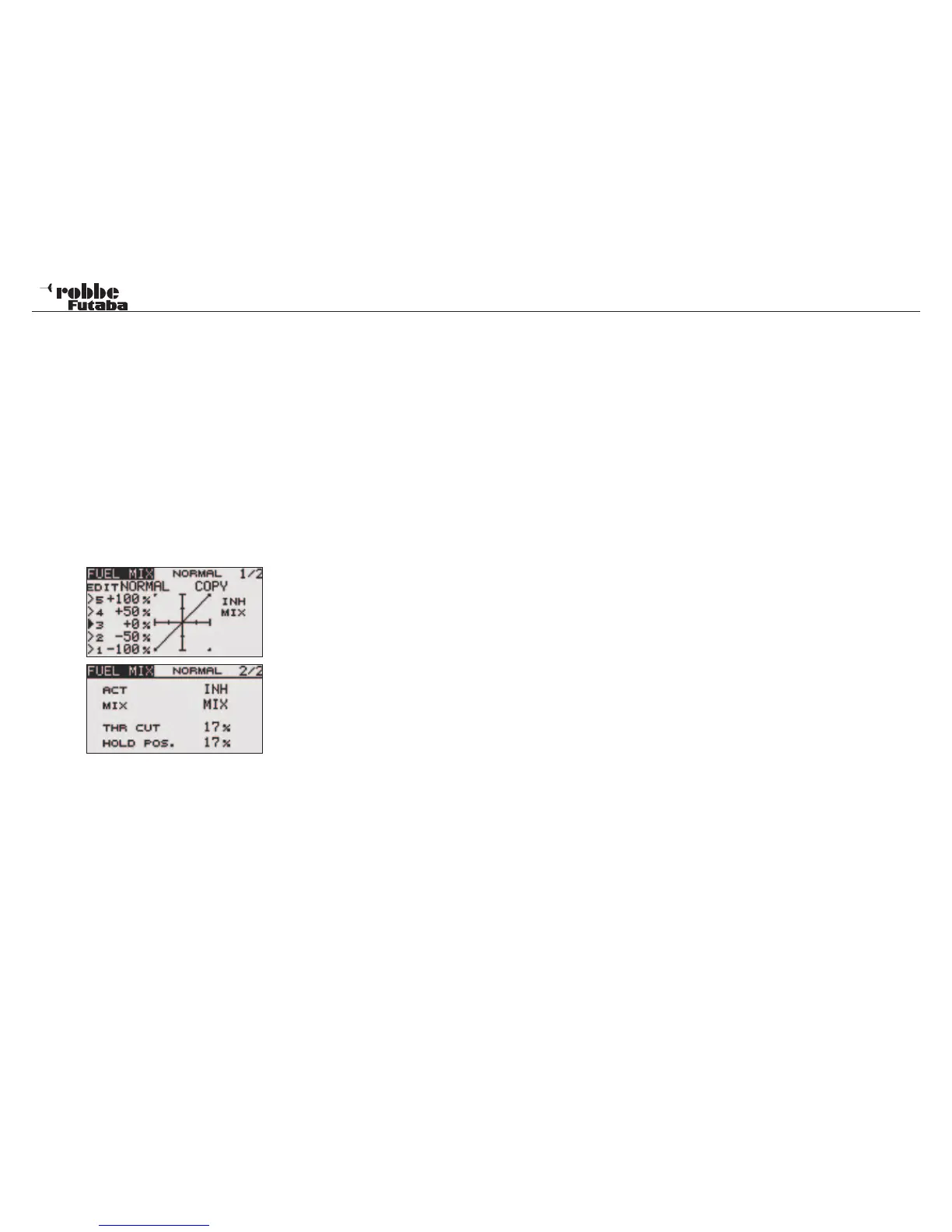
The Display has two pages as below:
When programming they go as follows:
Activation of the Option
To use the automatic mixture control, it must first be activated
in the ACT field from INH to ACT, ON is now displayed and the
option is activated.
Programming Curve
The Mixing Mode (MIX/UNMIX) must now be set. Highlight the
MIX field and select the mixer mode. When “MIX” is selected
then the throttle curve setting data becomes the mixing master
side data. When “UNMIX” is selected; the throttle stick position
becomes the mixing master.
Programming the 5-point curve is made in the first menu page
and with the usual method.
Copy Curve
To be able to copy the curve settings to another flight condition,
highlight the “COPY” field with the “CAP TOUCH SENSOR“
and select the IDLE UP condition that needs to be adjusted
and overwritten.
Adjustments for particular throttle conditions
The Tx Software contains two pre-programmed adjustable and
accessible throttle conditions, already described in the Linkage
Menu section.
- Throttle Cut function (THR CUT), chapter. 10.11, page. 31
- Throttle Hold/ Autorotation (HOLD), chapter. 13.4, page 56
Operation linked with the throttle hold function, throttle cut func-
tion, and idle down function is possible. The throttle cut position
can be adjusted to suit. Set it to the full closed position. At the
same time the mixture servo will also move to its programmed
position.
Move the cursor to the throttle cut or idle down item and touch
the RTN button to switch to the data input mode. Adjust the
servo position as %age value by scrolling the touch sensor.
Initial value: THR CUT: 17%, IDLE DOWN: 0% Adjustment
range: THR CUT: 0~50%, IDLE DOWN: 0~100%. When the
RTN button is touched for one second, the rate is reset to the
initial value.
59
Model menu helicopter



 To Next Page