FX-20
9. SYSTEM-MENU
The System Menu sets up functions of the transmitter: This
does not set up any model data and the applied settings are
valid for all model memories. The exception is the Trainer sy-
stem, which will be adjusted for each model memory.
The exception is the Trainer system, which can be set in-
dividually for each model memory.
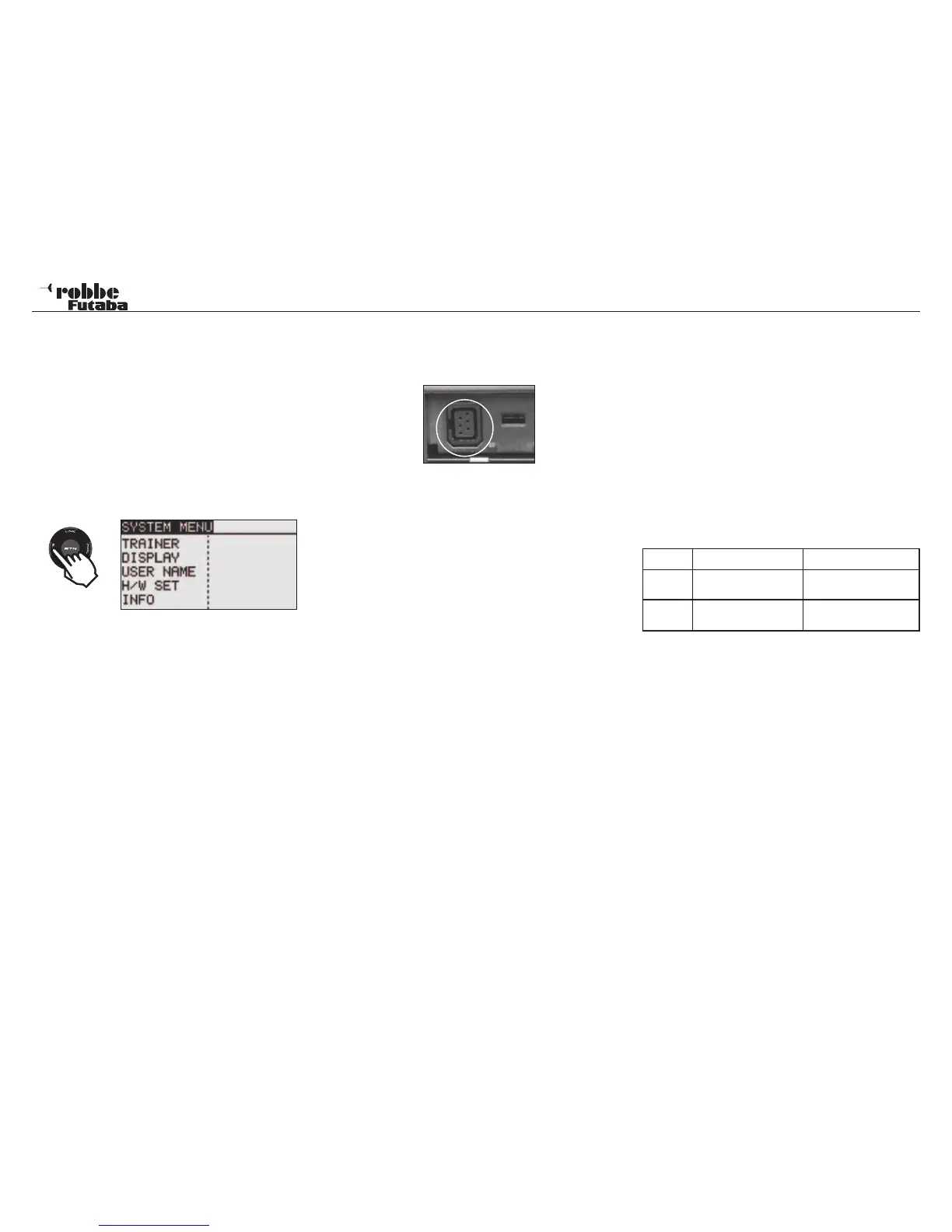
Call the system menu shown below by double clicking tou-
ching the SYS button twice at the home screen, etc..
Scroll the “CAP TOUCH SENSOR” to select the function and
the following display will appear:
TRAINER: Starts and sets the trainer system.
DISPLAY: LCD and backlight adjustment
USER NAME: User name registration
H/W SET: H/W reverse and stick mode
INFO: Displays the program version, memory,
SD card information, product ID, and
language selection.
Additionally, the user preferred language can also be se-
lected.
9.1 TRAINER SYSTEM
The FX-20 transmitter is fitted with trainer jack socket on the
left side of the transmitter case. This is also suitable when
using a flight simulator.
The Trainer system makes it easy for beginners to learn their
flying skills under the supervision of an experienced instructor.
Connect the two transmitters using the correct trainer
cord, which is available separately as an accessory from
your dealer. The FX-20 transmitter can be used as either as
the instructor or as the student transmitter.
Please take note of the following:
With 12+2 channel student transmitters fitted with TM-14
Module or G3-Modulation, the modulations can be selected to
be either 8- or 12-channel.
• With all other student transmitters, 8-channel PPM (FM)
Modulation must be selected.
• Connect Instructor and Student transmitters together with
the appropriate Trainer Cord.
• Turn on Student transmitter.
• Dependent on the instructor transmitter type, the student
transmitter will be powered up when the trainer cord is con-
nected. To stop any unwanted RF transmission from the
student transmitter occurring, remove the RF module or; if
using 2,4 GHz, switch the transmitter to Trainer mode so
that the RF transmission is turned off!
Important note:
Trainer operation with other robbe-Futaba radios can
only be made with transmitter fitted with the new, rectan-
gular 6 pole Micro Trainer Socket.
Transmitters fitted with 6Nx or 2S Lipo batteries will be powe-
red directly through Trainer Cord No. F 1591. (e.g. T12FG,
T12Z, T14MZ, FX-30, FX-40). Other transmitters with 6-Pole-
Micro-Trainer jacks and an 8-cell NC/NiMH battery will require
a special trainer cord No. F1314. This is fitted with an inte-
grated voltage converter (6 cells to 8) and stops the low
voltage alarm from sounding. (e.g. T4EX, T8 FG Skysport
T4YF, T4EX, T6EX, T7C, T9C, T10C).
• Check all functions are working correctly, operate Trainer
switch and check the student transmitter has full control.
• After releasing switch, the control must return immediately
to the instructor transmitter.
The software may be so set, so that either the student or the
instructor transmitter has control of the mix functions for the
model. Alternatively, MIX operation can be used where both
transmitters have the mix function to control the model.
The FX-20 transmitter can be used either as Instructor or Stu-
dent transmitter with any of the wide range of transmitters from
the robbe/Futaba range. There are a variety of transmitter trai-
ner cord combinations:
FX-20 transmitter may be used as instructor transmitter
with the following student transmitters:
For a wireless 2,4 GHz Trainer operation, we recommend
the Wireless Trainer System 2,4GHz No. F1414.
19
System Menu
Instructor Student Trainer cable
FX-20
Skysport T4YF, T4EX,
T6EX, T7C, T9C,T10C
Special Trainer cable
No. F 1314
FX-20
T8FG, T12Z, T12FG,
T14MZ, FX-30, FX-40
Trainer cable
No. F1591
2 x



 To Next Page