Drum Set Number
+
Recording Rhythm Parts
In previous sections, we described the procedure
for recording ensemble instruments.
In
this section,
we'll show you how to record a Rhythm part using
Part 10.
Part 10 is reserved exclusively for Rhythm Parts.
The PR-300 has 10 different Drum Sets which can be
used for your Rhythm Part.
Selecting
the
Drum
Set
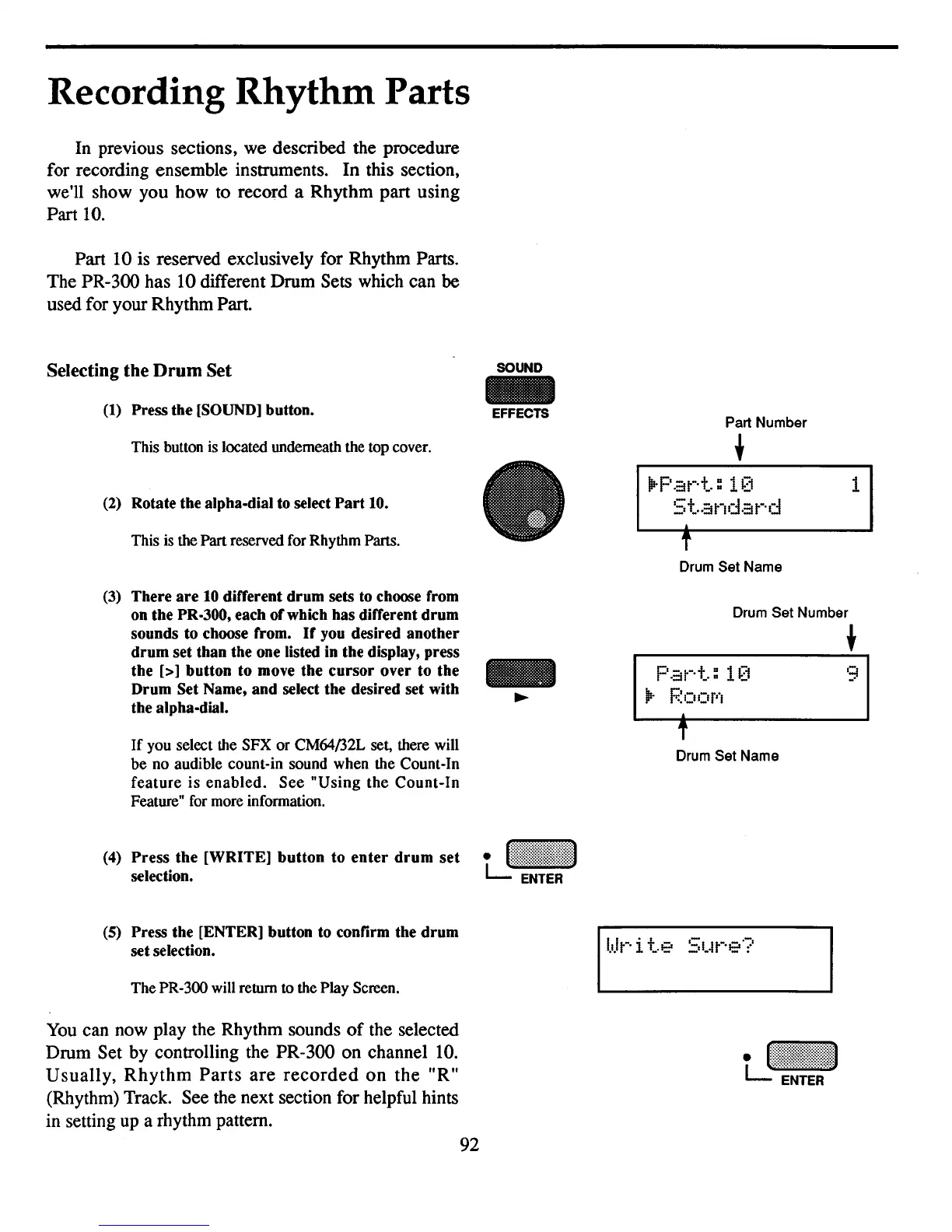
(1)
Press the
[SOUND]
button.
This button is located underneath the top cover.
(2)
Rotate the alpha-dial to select
Part
10.
This is the Part reserved for Rhythm Parts.
(3)
There
are
10
different drum sets to choose from
on the PR-300, each ofwhich has different drum
sounds to choose from.
If
you desired another
drum set than the one listed in the display, press
the
[>] button to move the cursor over to the
Drum Set Name, and select the desired set with
the alpha-dial.
If
you select the SFX or CM64/32L set, there will
be
no audible count-in sound when the Count-In
feature
is
enabled.
See
"Using
the
Count-In
Feature" for more information.
(4)
Press the [WRITE] button to
enter
drum
set
selection.
SOUND
-
EFFECTS
Part Number
+
IIr
P
.:H-·+":
HJ
5
+".::1
nda
t-·
d
f
Drum Set Name
P
.::1
t-·
+..
: 1
[1
1Ir
Poor",
f
Drum Set Name
1
q
-'
(5)
Press the [ENTER] button to confirm the drum
set selection.
The PR-300 will return to the Play Screen.
You can now play the Rhythm sounds
of
the selected
Drum Set by controlling the PR-300 on channel 10.
Usually,
Rhythm
Parts
are
recorded
on
the
"R"
(Rhythm) Track. See the next section for helpful hints
in setting up a rhythm pattern.
92



 To Next Page