PR-300
Disk
Functions
The PR-300 has a number
of
disk functions which
allow you to save songs to disk, copy one or more
songs on a disk, delete songs
off
a disk
or
format
disks for PR-300
use.
The
PR-300
uses
standard
3.5"
computer
("floppy") disks, either HD (High Density)
or
DD
(Double Density).
If
possible, it's best to use HD
disks, because they have more storage space, and
some disk functions will be a little quicker than with
DDdisks.
Saving a Song to Disk (SAVE)
When the PR-300 displays an asterisk ("*") in
front
of
the Song Name in the display, this means that
the song currently in memory has been changed and
needs to be saved
if
you want to retain the current
version.
If
you turn the
PR-300
off
with
the
asterisk
showing, then any changes made since the last Save to
disk will be lost.
If
the song has never been saved and
the PR-300 is powered off, the entire song will be
lost.
IIr
:H··l
E
1,..1
S
[I
t·i13
1
4.····4,J::::
12[1
To
save a song to disk:
(1)
Insert a formatted 3.5" disk into the PR·300's
disk drive.
Make sure the disk's Write Protect Tab is set to
"Write", not "Locked".
If
you haven't formatted
you disk on
the
PR-300 yet,
see
"Formatting a
Disk" later
in
this section.
.....
Moves
Left
Moves
Right
1
1:
t·1':..f
Son'~
Sal
...
le
Sut-'e?
To
Name a Song .
..
SAVE
Changes
Character
TEMPO
J=
SAVE AS
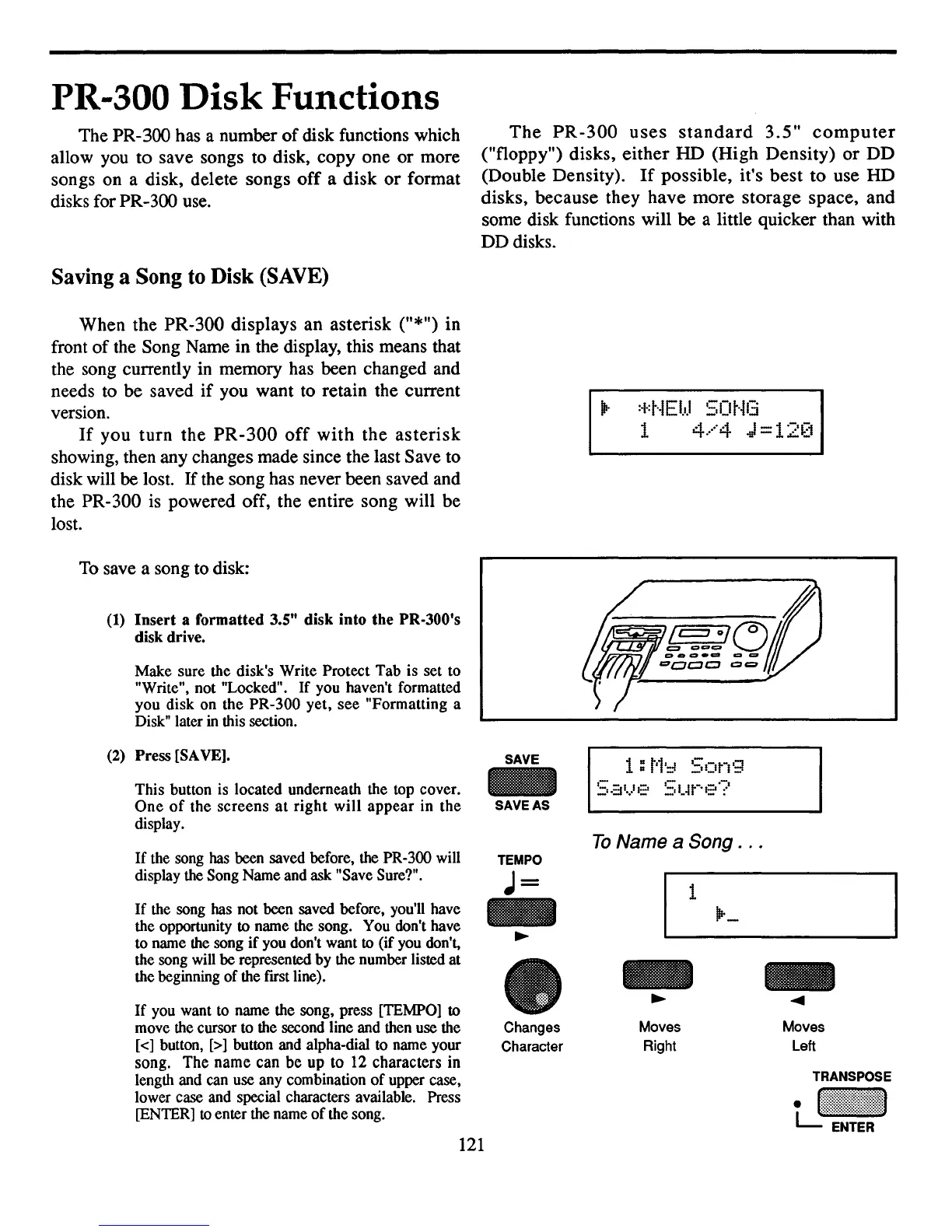
This button is located underneath the top cover.
One
of
the
screens
at
right
will
appear
in
the
display.
If
the song has been saved before, the PR-300 will
display the Song Name and ask "Save Sure?".
(2)
Press
[SA
VEl.
If
the song has not been saved before, you'll have
the opportunity to name the song. You don't have
to name the song
if
you don't want to (if you don't,
the song will be represented by the number listed at
the beginning
of
the fust line).
If
you want to name the song, press [TEMPO] to
move the cursor to the second line and then use the
[<] button, [>] button and alpha-dial to name your
song.
The
name can
be
up
to 12 characters in
length and can use any combination
of
upper case,
lower case and special characters available. Press
[ENTER] to enter the name
of
the song.
121



 To Next Page