Pause Marks
Sometimes,
it
is
desirable to have the PR-300 stqp
automatically within a song. when you want to play a
solo break or cadenza.
or
have your choir continue on
unaccompanied. This can be done by setting a Pause
Mark.
When the PR-300 encounters a Pause Mark. it will
stop automatically. When you want it to continue. all
you need to do is press the Play button
or
press the
pedal connected to the "Start/Stop" jack.
You
can set up to five different Pause Marks in
each song. Pause Marks have no effect when you are
Recording
or
are in Repeat Play or Chain Play.
Setting a Pause Mark
(1) Move to where you
want
the
Pause
Mark
to
be
placed.
You can either press [STOP] during playback
or
use the [BWD] and [FWD] buttons to move to the
appropriate point.
(2) Hold [SffiFT]
and
press
[PAUSE MARK].
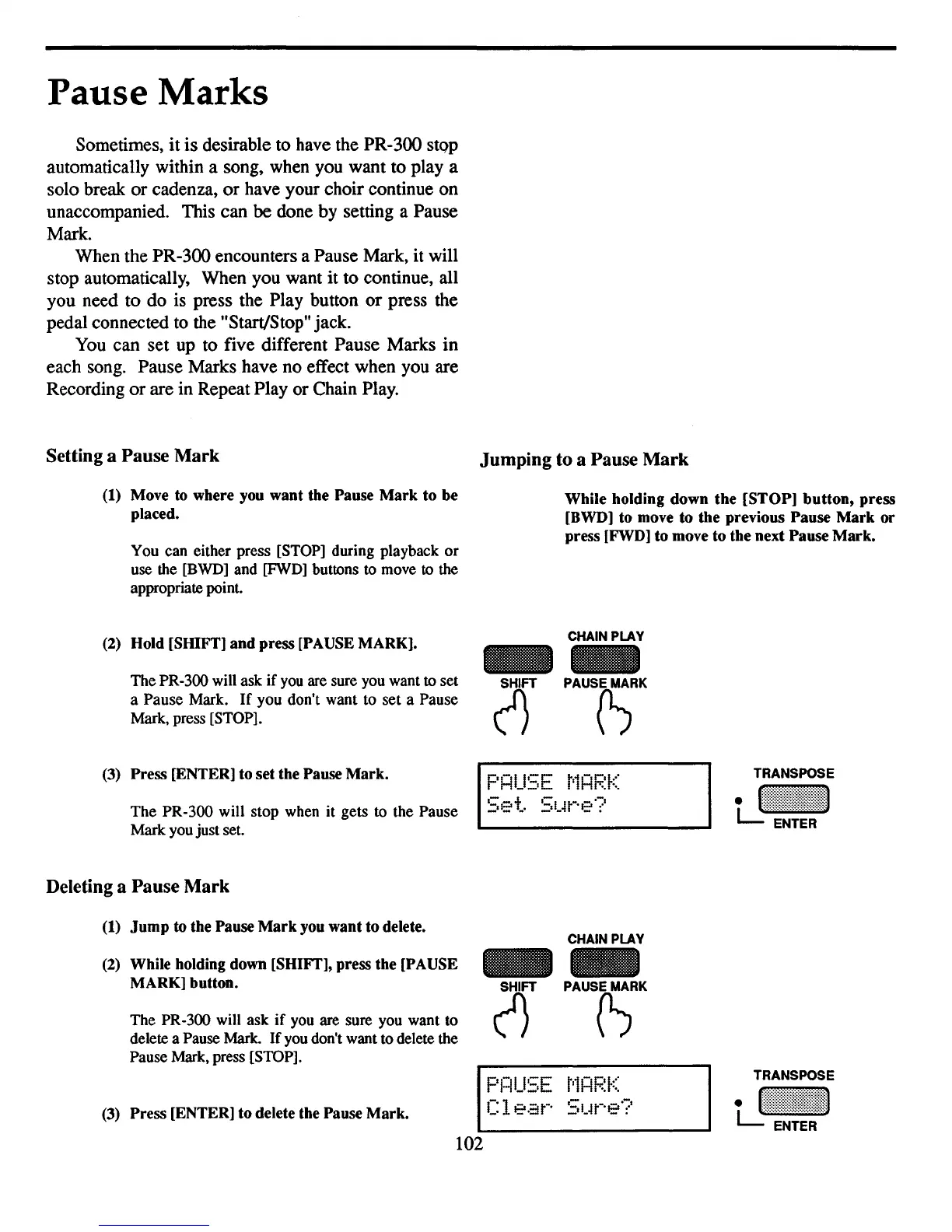
The PR-300 will ask
if
you are sure you want to set
a Pause Mark.
If
you don't want to set a Pause
Mark, press [STOP].
Jumping to a Pause
Mark
While
holding
down
the
[STOP]
button,
press
[BWD] to move
to
the
previous
Pause
Mark
or
press [FWD]
to
move
to
the
next
Pause
Mark.
CHAIN PLAY
(1}
PAUS(SRK
102
(3)
Press
[ENTER] to
set
the Pause
Mark.
The
PR-300 will stop when it gets to the Pause
Mark you just set.
Deleting a Pause Mark
(1)
Jump
to the Pause
Mark
you
want
to
delete.
(2) While holding down [SHIFT], press
the
[PAUSE
MARK]
button.
The PR-300 will ask
if
you are sure you want to
delete a Pause Mark.
If
you don't want to delete the
Pause Mark, press [STOP].
(3)
Press
[ENTER]
to
delete the Pause
Mark.
F
'H-II':;F
t'~H-
h;'~(
___
I!.,.
Set.
Stow'e?
CHAIN PLAY
2)FT
PAUS(S"K
F'1=lUSE
t'1HF.~K
C1
e·::it-·
St~r'e?



 To Next Page