Capitol
Tones
and
Variations
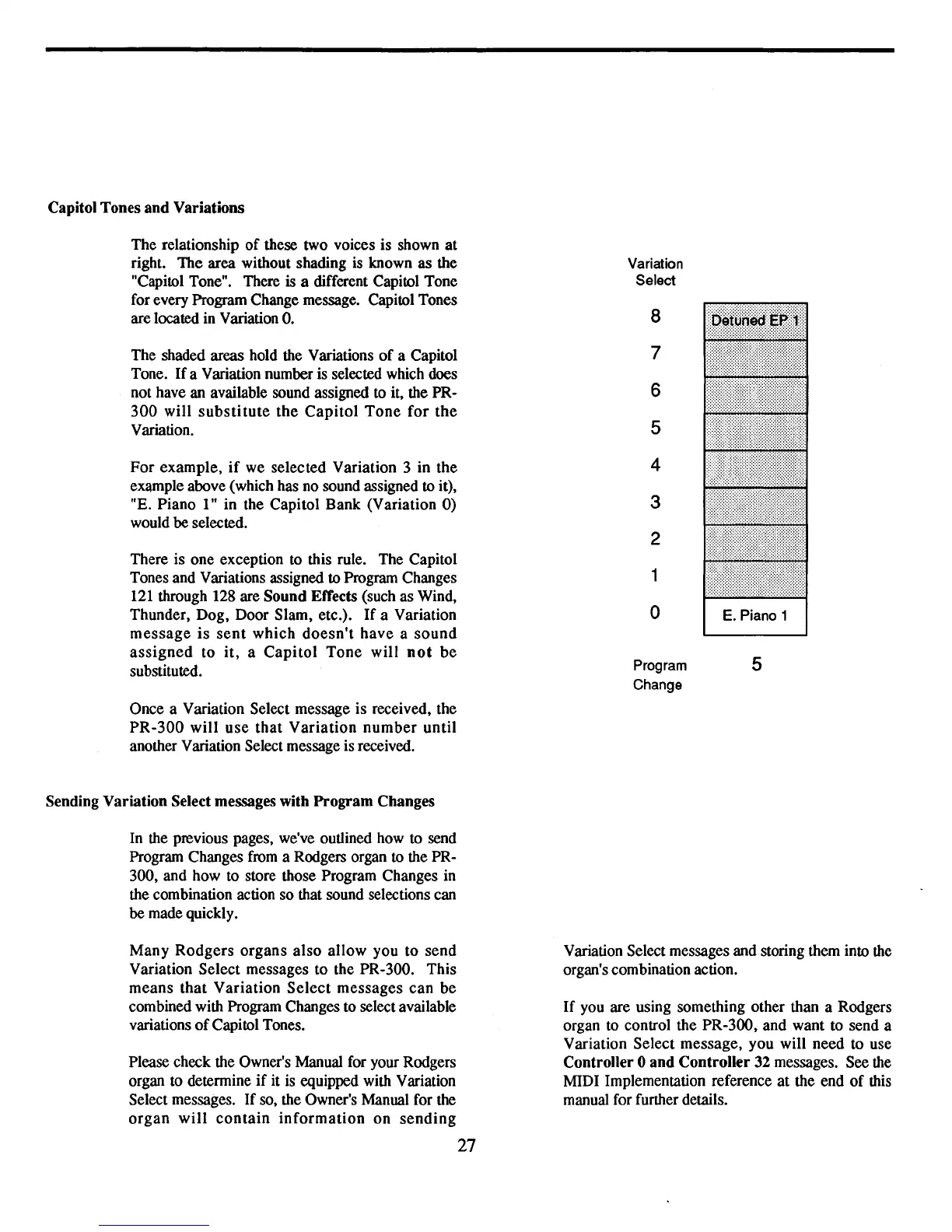
The
relationship
of
these two voices is shown
at
right.
The
area
without shading is known
as
the
"Capitol Tone". There
is a different Capitol Tone
for every Program Change message. Capitol Tones
are located in Variation
O.
The shaded areas hold the Variations
of
a Capitol
Tone.
If
a Variation number is selected which does
not have an available sound assigned to it, the PR-
300
will
substitute
the
Capitol
Tone
for
the
Variation.
For
example,
if
we
selected
Variation
3
in
the
example above (which has no sound assigned to it),
"E.
Piano
1"
in
the
Capitol
Bank
(Variation
0)
would
be
selected.
There is
one
exception to this rule. The Capitol
Tones and Variations assigned to Program Changes
121 through 128 are
Sound
Effects (such as Wind,
Thunder,
Dog,
Door
Slam,
etc.).
If
a Variation
message
is
sent
which
doesn't
have
a
sound
assigned
to
it, a
Capitol
Tone
will
not
be
substituted.
Once
a Variation Select message
is
received, the
PR-300
will
use
that
Variation
number
until
another Variation Select message is received.
Sending
Variation
Select messages
with
Program
Changes
In the previous pages, we've outlined how to send
Program Changes from a Rodgers organ to the PR-
300,
and
how to store those Program Changes in
the combination action
so
that sound selections can
be
made quickly.
Many
Rodgers
organs
also
allow
you
to
send
Variation
Select
messages
to
the PR-300.
This
means
that
Variation
Select
messages
can
be
combined with Program Changes to select available
variations
of
Capitol Tones.
Please check the Owner's Manual for your Rodgers
organ to determine
if
it is equipped with Variation
Select messages.
If
so, the Owner's Manual for the
organ
will
contain
information
on
sending
27
Variation
Select
8
7
6
5
4
3
2
1
0
Program
5
Change
Variation Select messages and storing them into the
organ's combination action.
If
you are using something other than a Rodgers
organ to control the
PR-300,
and
want
to send a
Variation
Select
message,
you
will
need
to
use
Controller
0
and
Controller
32 messages. See the
MIDI Implementation reference
at
the end
of
this
manual for further details.



 To Next Page