Channels 1-10
The default for channels 1·10 is "Internal". This allows you to
control the sounds
of
the PR-300 on channels 1·10 from
an
external MIDI keyboard or Rodgers organ.
If
this switch is set to "External", then channels 1-10 will
be
used
to control sounds in an external MIDI device.
If
you
would like to confrrm that this group
of
MIDI channels is
set
to
"Internal", follow this procedure:
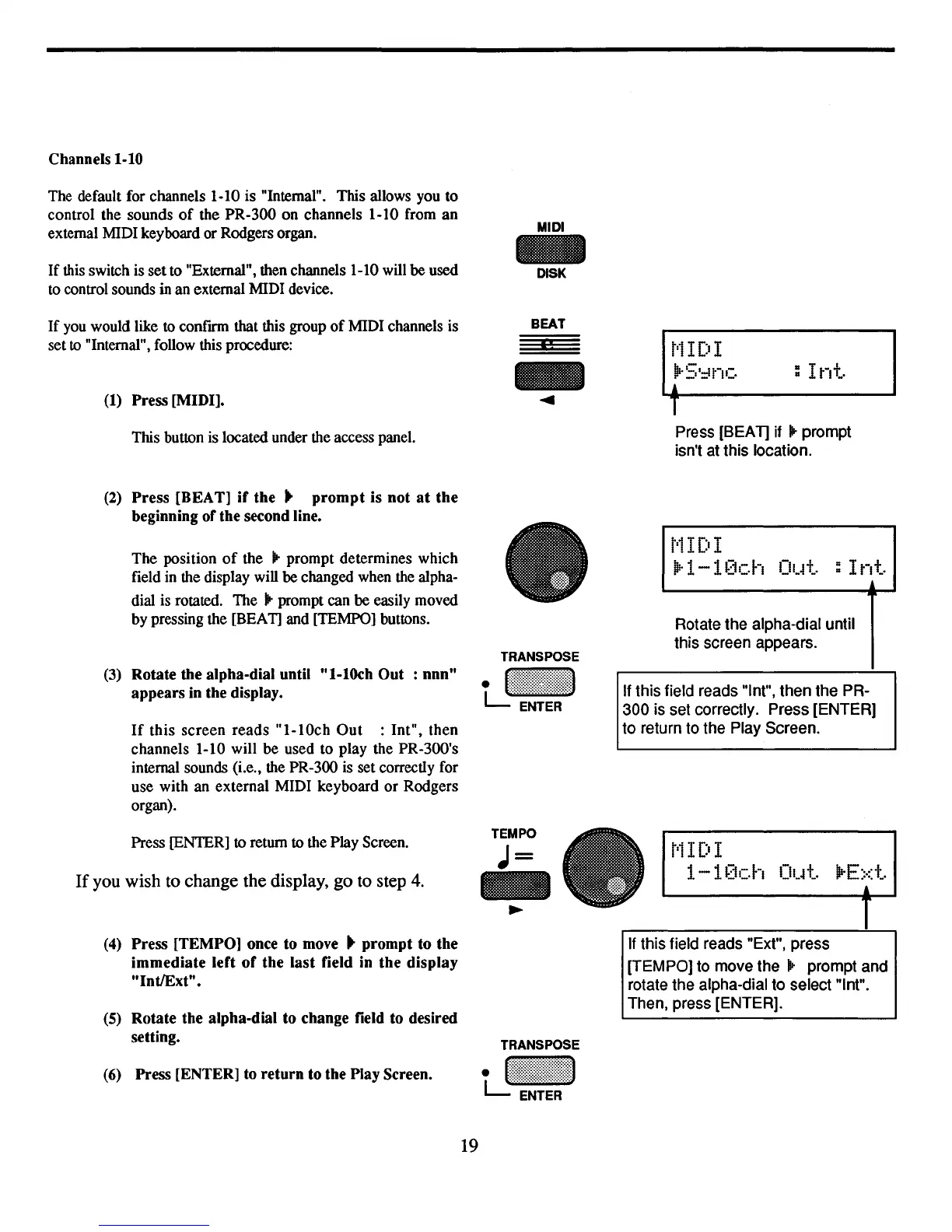
(1)
Press [MIDI].
This button is located under the access panel.
(2)
Press
[REA
T]
if
the"
prompt
is not
at
the
beginning ofthe second line.
The position
of
the .. prompt determines which
field in the display will be changed when the alpha-
dial is rotated. The .. prompt can be easily moved
by pressing the [BEAT] and [TEMPO] buttons.
(3)
Rotate the alpha-dial until "I-lOch Out : nnn"
appears in the display.
If
this
screen
reads
"I-lOch
Out
: Int", then
channels 1-10 will
be
used to play the PR-300's
internal sounds (i.e., the PR-300 is set correctly for
use with an external MIDI keyboard
or
Rodgers
organ).
MIDI
DISK
BEAT
"
t'1
IDI
!!r5'::It"IC : I
nt.
!
T
Press [SEA
1]
if .. prompt
isn't at this location.
1"1IDI
iir1-1[1Ch
Ol.~t
:Int
Rotate the alpha-dial until
this screen appears.
If this field reads "lnt", then the PR-
300 is set correctly. Press [ENTER]
to return to the Play Screen.
Press [ENfER]
to
return
to
the Play Screen.
If
you wish to change the display, go to step
4.
TEMPO
J=
-
~
t'1
IDI
1-1
[1ch Out.
prE::d
..
(4)
Press [TEMPO] once to
move"
prompt to the
immediate left
of
the last field in the display
IlntlExt".
(5)
Rotate the alpha-dial to change field to desired
setting.
(6)
Press [ENTER] to return to the Play Screen.
19
TRANSPOSE
tJ~:::!!~!!::::~~
If
this field reads "Ext", press
[TEMPO] to move
the.'
prompt and
rotate the alpha-dial to select "lnt".
Then, press [ENTER].



 To Next Page