When the Organ
Can't
be Recorded Last
When recording a Multi-Track Sequence, it is best
to
record the organ last, (i.e., after the MIDI sounds
have all been sequenced).
There
will
be times,
however, when the organ cannot be recorded last. For
this situation, there is an alternate procedure which
can be used.
Follow this procedure when the organ part can't be
recorded last: .
(1)
Sequence parts using PR·300 sounds using the
procedure outlined in the previous section,
if
desired.
These
are
PR-300
parts
which
can
be
recorded
before the organ
part
is recorded. You don't have
to record any parts in this step
if
you don't want to.
(2)
Sequence the organ
part
using the procedure
outlined
in
"Adding an Organ Part" (above).
Once the organ part is recorded, other PR-300
sounds can be added
by
following this procedure:
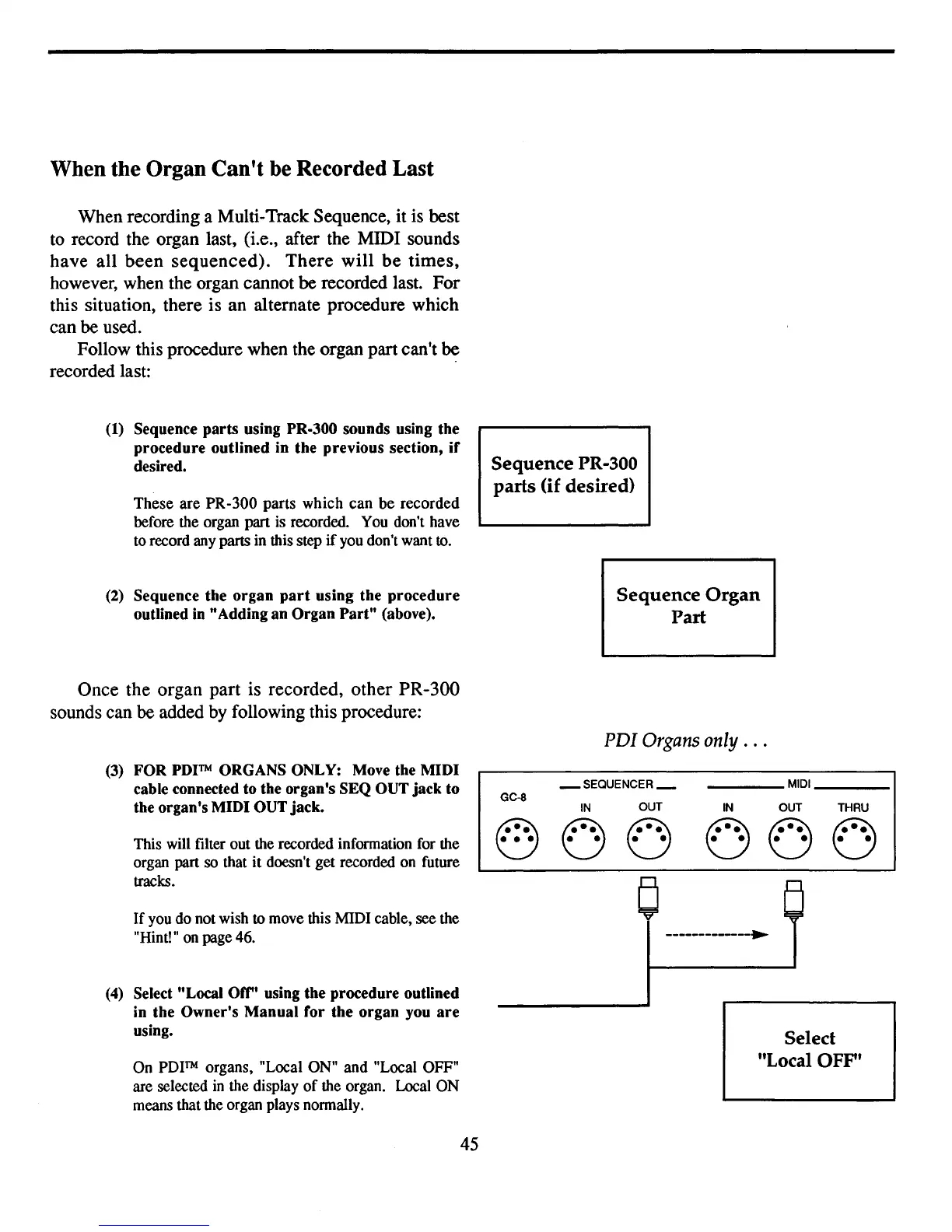
(3)
FOR
PDITM
ORGANS ONLY: Move the MIDI
cable connected to the organ's SEQ OUT jack to
the organ's MIDI OUT jack.
This will filter out the recorded information for the
organ part
so
that
it
doesn't
get
recorded on future
tracks.
If
you
do
not wish to move this MIDI cable, see the
"Hint!" on page46.
(4)
Select "Local orr' using the procedure outlined
in the Owner's Manual for the organ you
are
using.
On
PDITM
organs, "Local
ON"
and
"Local OFF"
are selected
in
the display
of
the organ. Local
ON
means that the organ plays normally.
45
Sequence PR-300
parts
(if
desired)
Sequence
Organ
Part
PDI
Organs
only
.
..
_ SEQUENCER_
MIDI
GC-8
IN
OUT
IN
OUT
THRU
~
0 0
0 0
0
• • •
• •
• •
• • • • • •
-------------~
Select
"Local
OFF'



 To Next Page