Activating
and
Muting Tracks
The PR-300 is equipped with five
tracks.
These
tracks store recorded music. The music on one track
can be manipulated without affecting the music on
other tracks.
Four
of
the
tracks on
the
PR-300 can be used to store
any
type
of
music. These tracks are labeled
"1
",
"2",
"3"
and
"4".
One
of
the tracks is used to store rhythm
or
drum
parts. It is labeled
"R"
(for "rhythm" track).
When music is stored on a track, the light above the
track is green; During playback, you can mute a track
by
pressing its button.
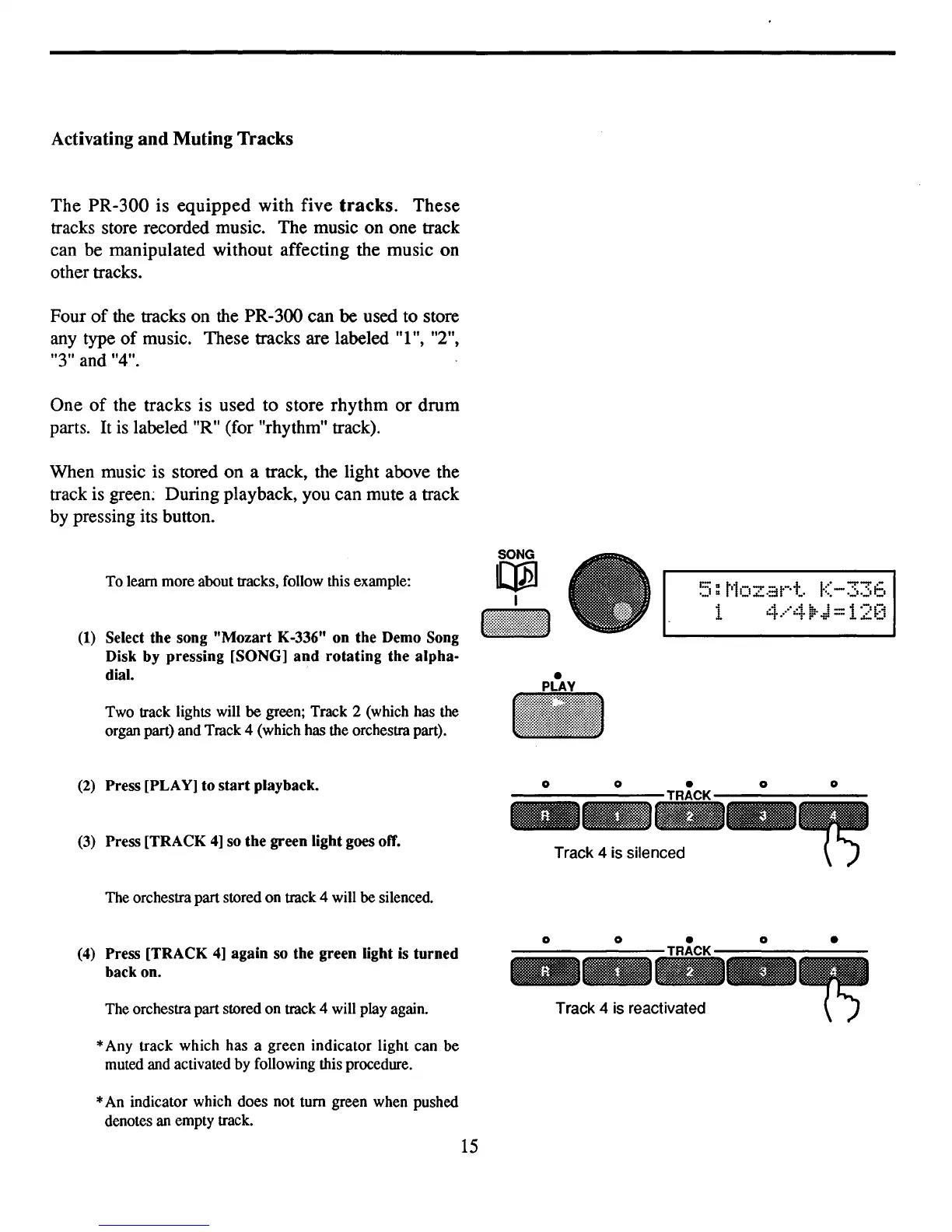
To learn more about tracks, follow this example:
(1)
Select the song "Mozart K-336" on the Demo Song
Disk by pressing [SONG) and rotating the alpha-
dial.
Two track lights will be green; Track 2 (which has the
organ part) and Track 4 (which has the orchestra part).
SONG
~
I
•
IiiI
~5:
t'1ozat-·t.
K-336
1
4.····4li:-J=12[i
Track 4 is silenced
Track 4 is reactivated
(2)
Press [PLAY) to
start
playback.
(3)
Press [TRACK
4)
so
the green light goes
otT.
The orchestra part stored on track 4 will be silenced.
(4)
Press [TRACK
4)
again so the green light
is
turned
back on.
The orchestra part stored on track 4 will play again.
*Any track which has a green
indicator
light can
be
muted and activated by following this procedure.
*An indicator which does not tum green when pushed
denotes an empty track.
15
o
o
-
o
o
o
o
o
•



 To Next Page